How to Edit Real Estate Photos with AI in 2026
How to edit real estate photos with AI, step by step: twilight conversions, sky replacements, HDR enhancements and more.
Real estate photography has always been the single most important factor in how quickly a listing sells and at what price. According to the National Association of Realtors, 97% of homebuyers use the internet in their home search, and listing photos are the first thing they see. Yet for decades, creating magazine-quality property photos required expensive equipment, professional photographers, and hours of painstaking manual editing in Photoshop or Lightroom.
That has changed dramatically. AI-powered real estate photo editing tools now let agents, photographers, and property managers produce stunning listing images in seconds rather than hours. In this comprehensive tutorial, we will walk you through everything you need to know about editing real estate photos with AI in 2026, from the most common edits to a step-by-step guide using Twilight.
Why AI Photo Editing Matters for Real Estate
The shift toward AI editing is not just a matter of convenience. It represents a fundamental change in what is possible for real estate marketing.
Speed That Matches the Market
In a competitive housing market, getting a listing live quickly can make the difference between multiple offers and a stale listing. Traditional photo editing workflows look something like this:
- Photograph the property (1-2 hours on site)
- Transfer and cull images (30 minutes)
- Edit each photo in Lightroom or Photoshop (5-15 minutes per image)
- Export and upload (15 minutes)
For a typical listing with 25-30 photos, the editing step alone can take 3-5 hours. With AI-powered tools like Twilight, each photo takes about 30 seconds of processing, so the same editing step shrinks from hours to minutes.
Consistency Across Listings
One of the biggest challenges in real estate photography is maintaining a consistent look across all your listings. Manual editing introduces variability: different lighting conditions, different moods, different skill levels on different days. AI editing applies the same intelligent processing to every image, ensuring your brand maintains a cohesive visual identity.
Professional Results Without Professional Skills
Not every agent has the budget for a professional photographer for every listing. AI photo editing democratizes access to high-quality imagery. Even a smartphone photo can be transformed into something that competes with professionally shot and edited images.
Try it free
Transform your first property photo in seconds, no account needed.
The Most Common AI Photo Edits for Real Estate
Let's explore the edits that make the biggest difference in listing performance.
Twilight Conversion
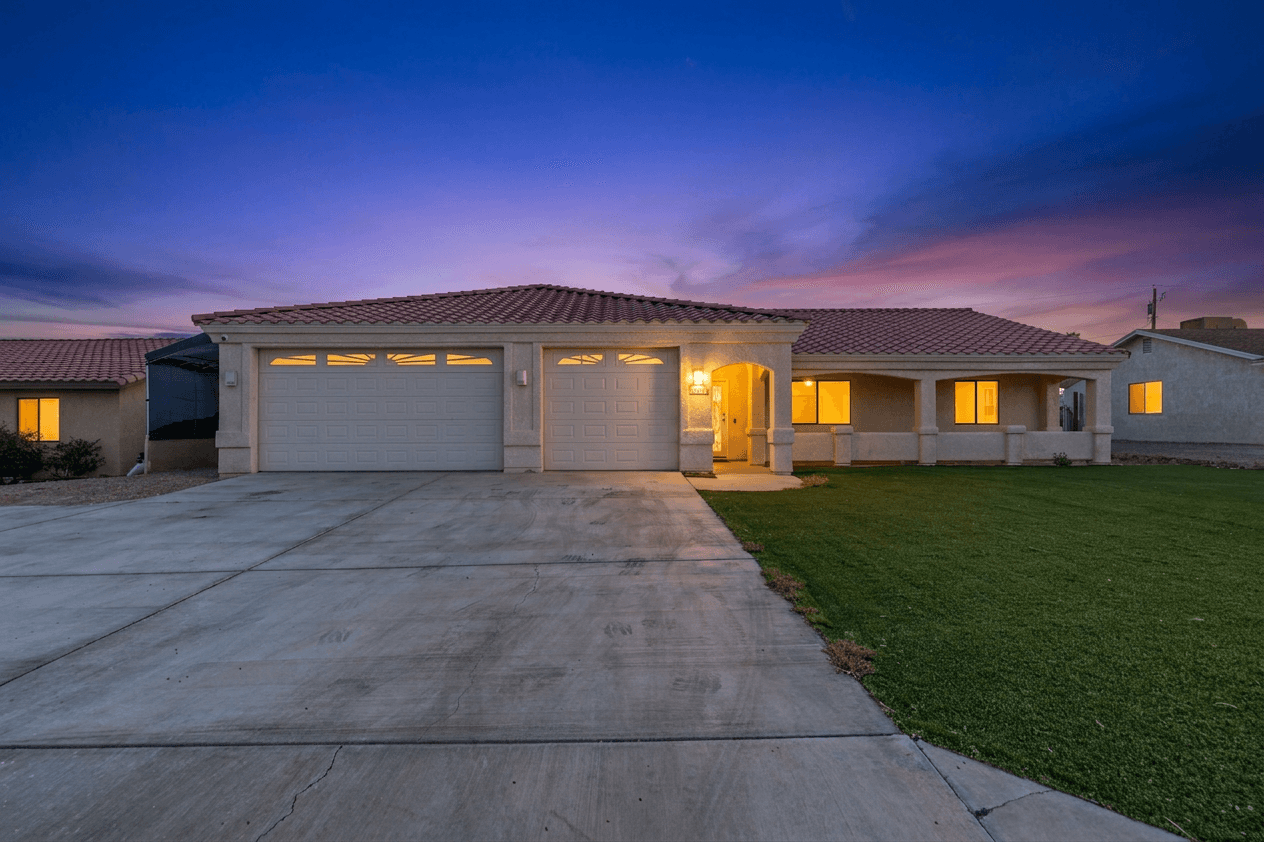
Twilight photos (those warm, glowing images captured during the golden hour just after sunset) are the gold standard of real estate photography. They create an emotional connection that daytime photos simply cannot match. Studies consistently show that listings with twilight hero images receive 50-75% more engagement online.
The problem? Shooting at twilight requires precise timing (a 20-30 minute window), clear weather, and often a return trip to the property. AI twilight conversion takes any daytime exterior photo and transforms it into a stunning twilight scene, complete with warm interior lighting glowing through windows, a dramatic dusk sky, and that signature golden-hour ambiance.
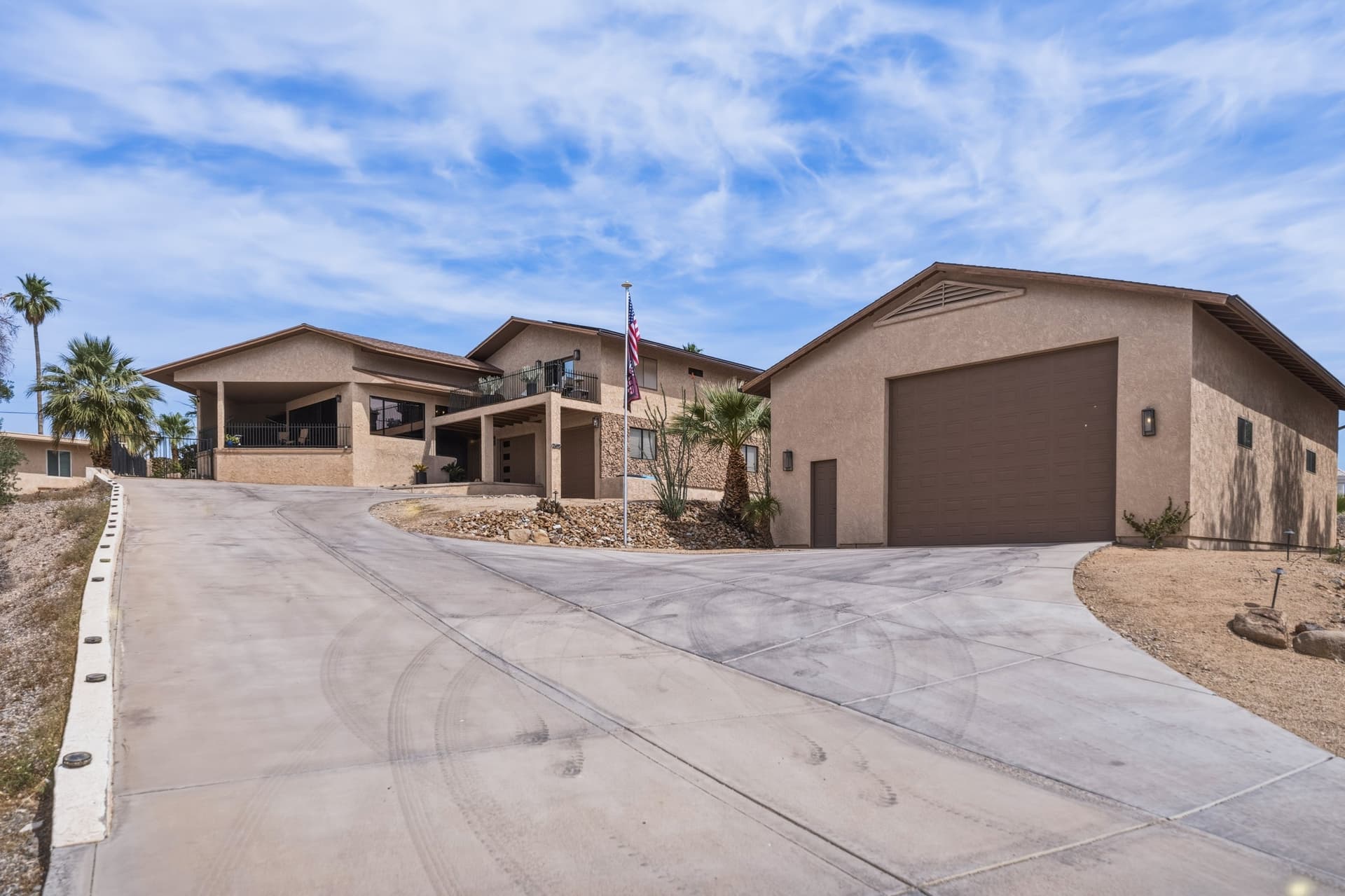
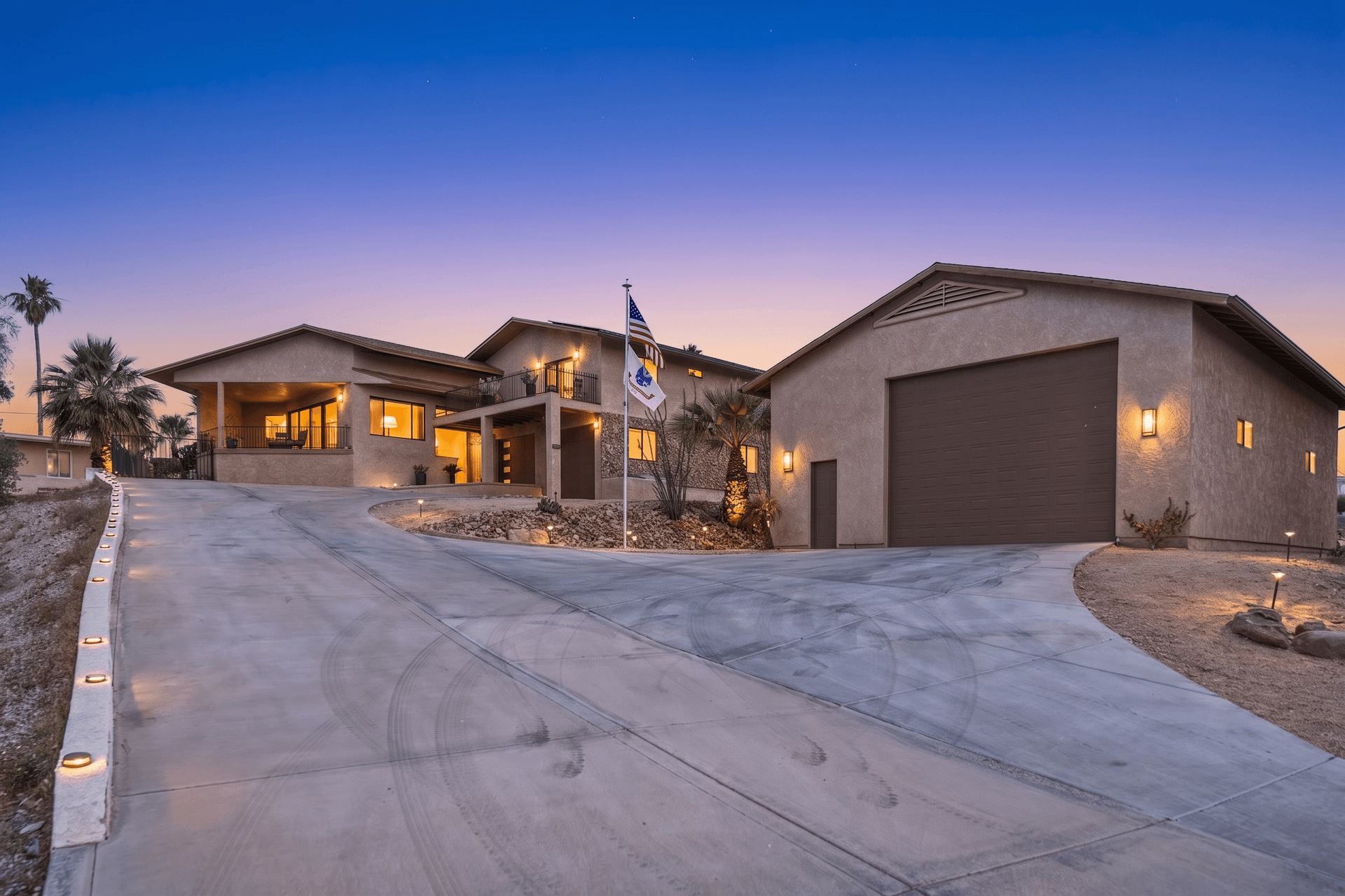 AI Twilight
For a deep dive into twilight photography and why it sells homes, check out our complete guide to twilight photography for real estate.
Bright and Airy Enhancement
The "bright and airy" look has dominated interior design magazines and real estate marketing for years. It makes rooms feel larger, cleaner, and more inviting. Achieving this look traditionally requires careful white balance adjustment, lifting shadows, reducing contrast, and subtle color grading.
AI handles all of this in a single click. Twilight's Retouch mode analyzes the room's lighting conditions, identifies areas that need brightening, and applies natural-looking adjustments that open up the space without looking overexposed or washed out.
Want to learn more about this popular style? Read our detailed guide on bright and airy real estate photography.
HDR Enhancement
High Dynamic Range processing solves one of the most persistent problems in real estate photography: the difference in brightness between interior spaces and the view through windows. In a single exposure, you either get a well-exposed interior with blown-out windows, or properly exposed windows with a dark, muddy interior.
Traditional HDR requires shooting multiple bracketed exposures and merging them in software like Photomatix or Aurora HDR. AI-powered single-shot HDR analyzes the image, recovers detail in both highlights and shadows, and produces a natural-looking result that shows the full dynamic range of the scene.
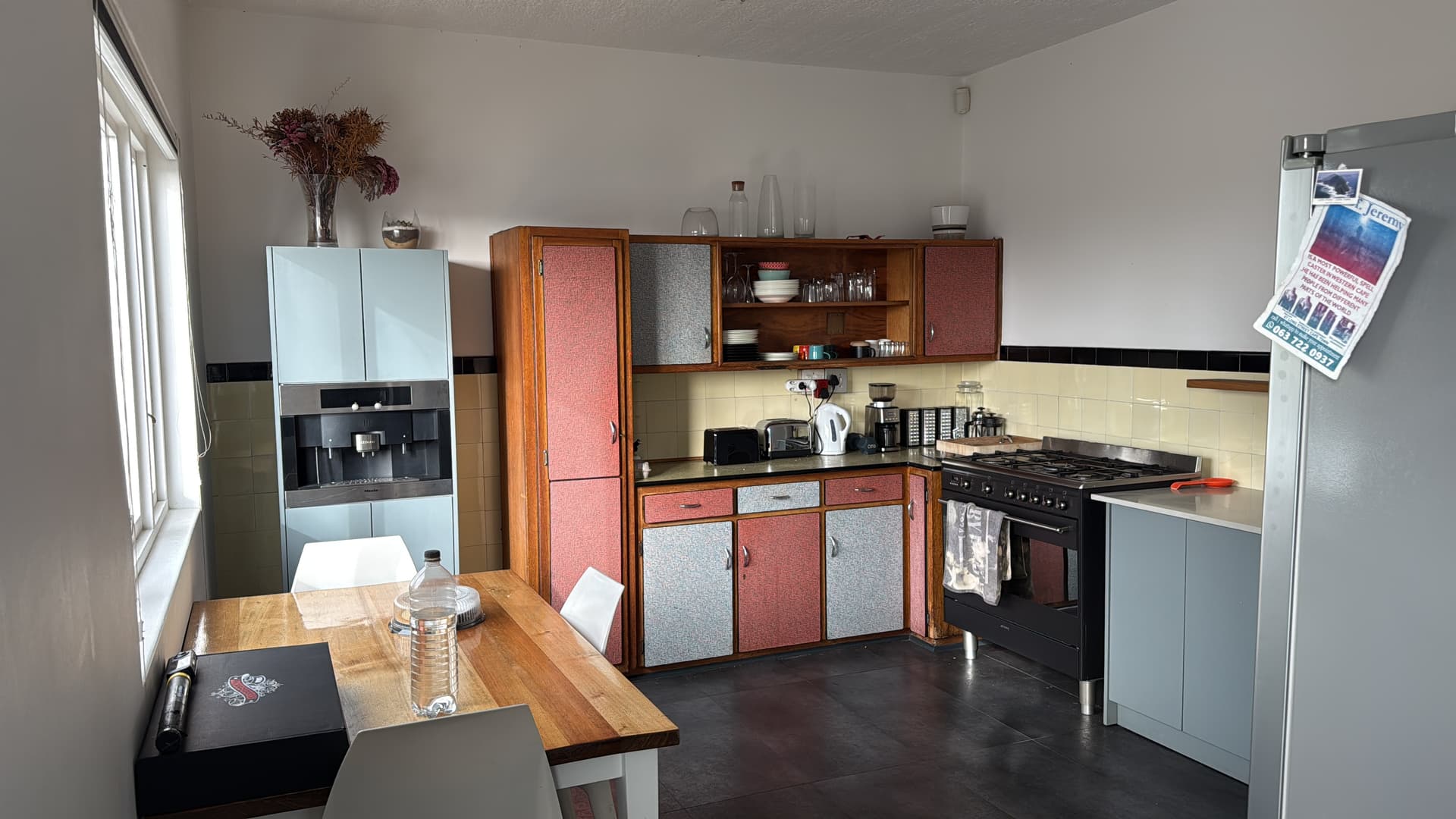
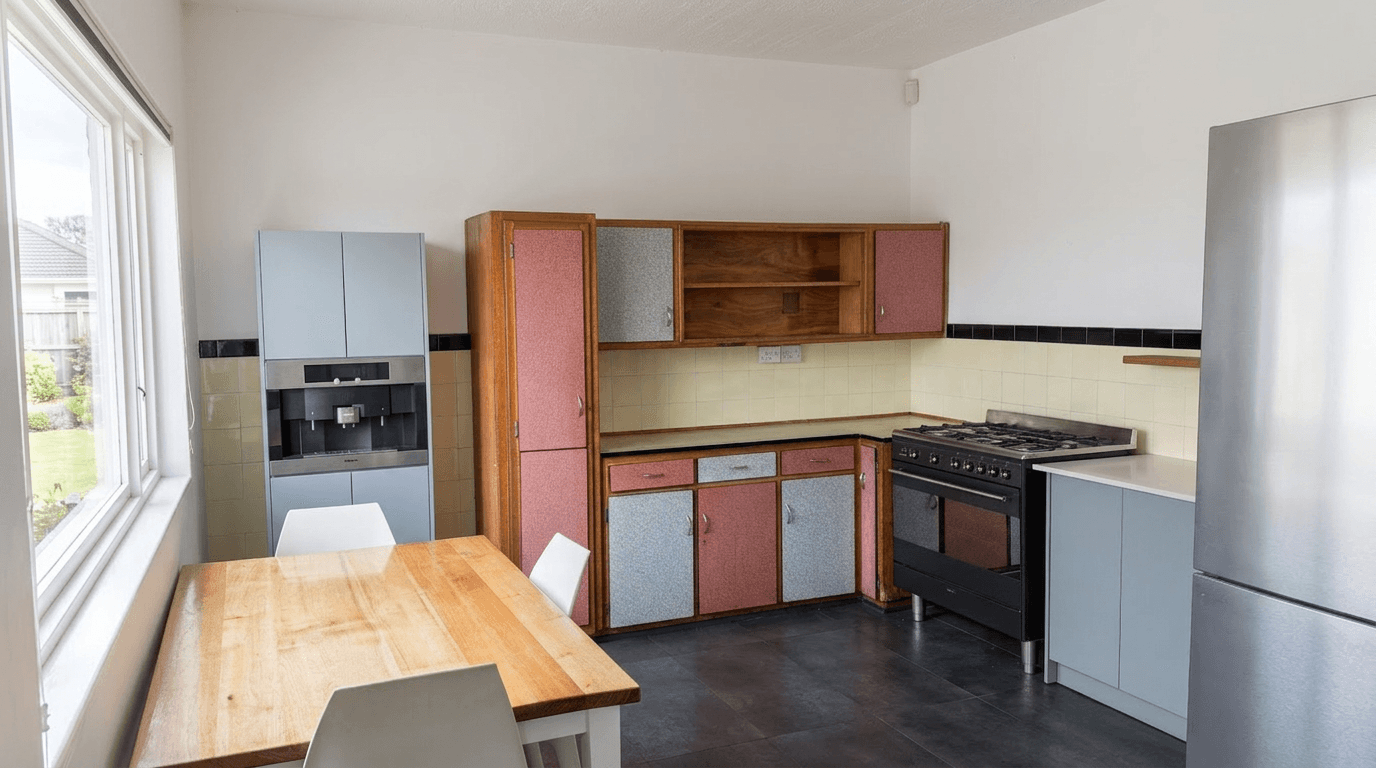 AI HDR Enhanced
We cover HDR techniques in depth in our HDR real estate photography guide.
Sky Replacement
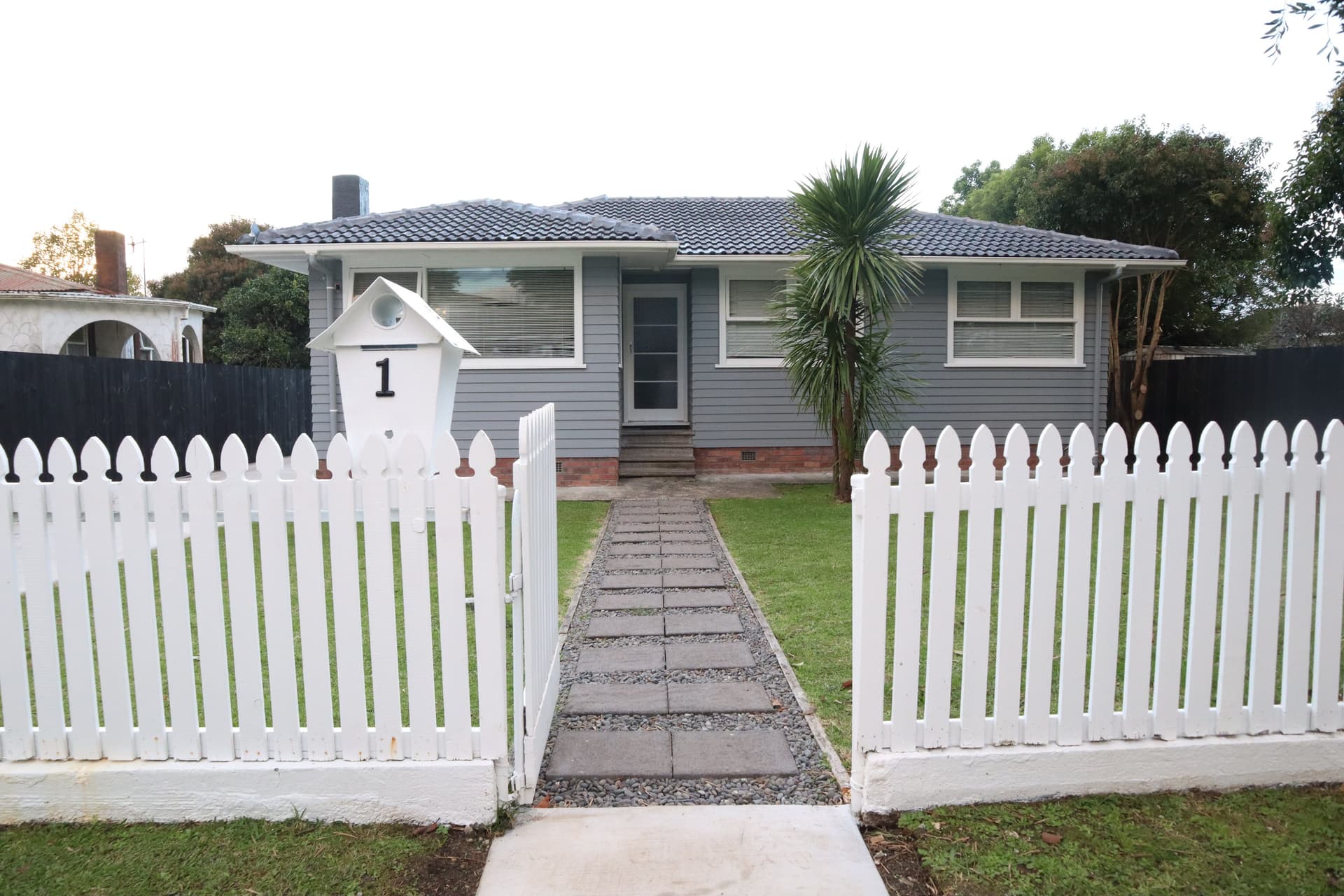
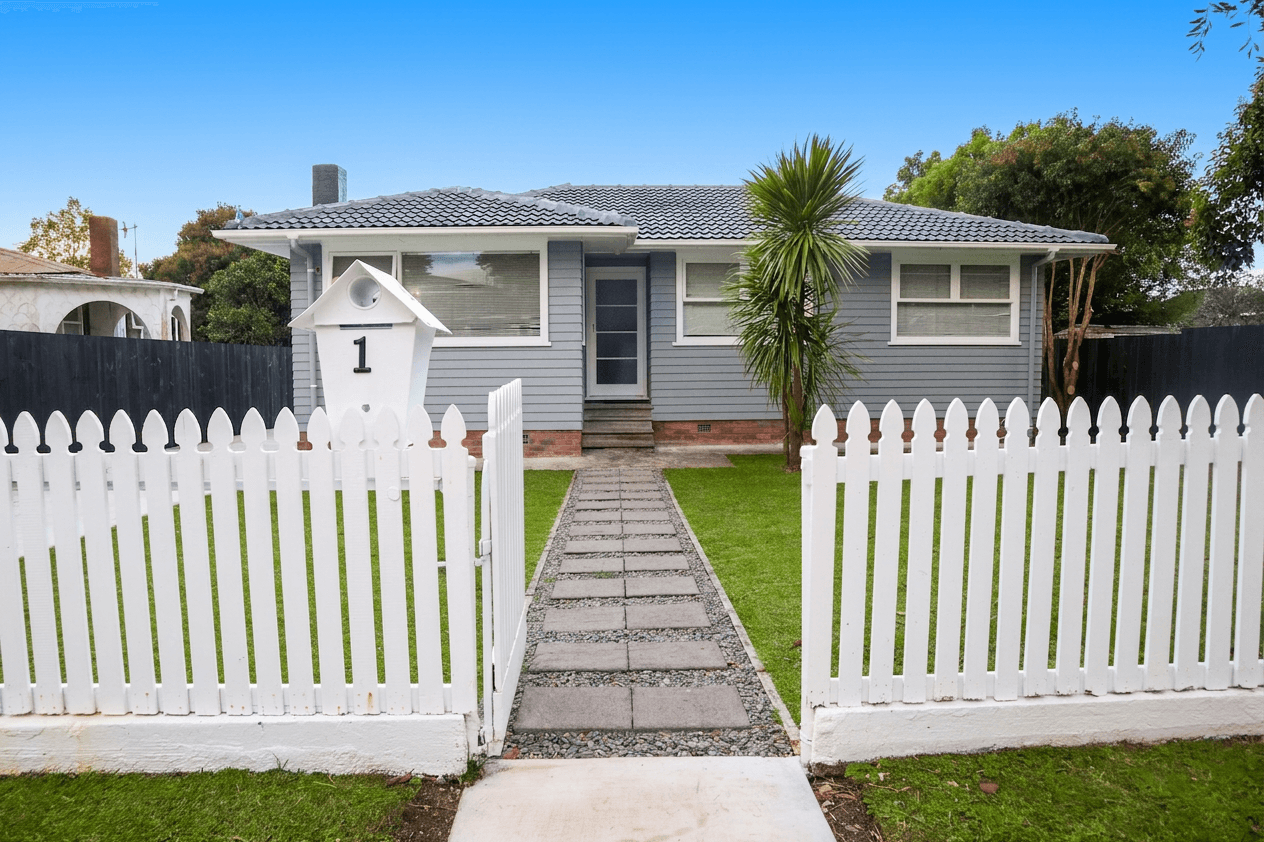
A gorgeous property photographed under an overcast, gray sky loses much of its curb appeal. AI sky replacement detects the sky region in your image and swaps it with a beautiful blue sky with scattered clouds, a warm sunset, or a dramatic twilight gradient. The best AI tools handle complex edges like tree branches and rooflines seamlessly, something that used to take 30 minutes or more of careful masking in Photoshop.
In Twilight, sky replacement is part of the Exterior mode, which also brightens the facade and fills in patchy grass:
 Exterior
Color Enhancement and White Balance Correction
Mixed lighting is the bane of interior photography. Warm tungsten bulbs, cool fluorescent fixtures, and natural daylight from windows create color casts that make rooms look unnatural. AI color correction identifies and neutralizes these mixed light sources, producing clean, accurate colors throughout the frame. For a deeper dive into fixing color casts and mixed lighting, read our color correction guide for real estate photos.
Step-by-Step: Editing Real Estate Photos with Twilight
Now let's walk through the actual process of editing your listing photos using Twilight's AI-powered platform.
Step 1: Upload Your Photos
After signing in (or using the free trial at twilight.pics/try), create a new project for your listing. You can drag in several photos at once, or pick them from your files. Twilight accepts JPEG, PNG, WebP and HEIC, and compresses large files in your browser before upload.
Pro Tip
Upload your photos at the highest resolution available. AI editing works best with more pixel data to work with, and you will want the full resolution for MLS uploads and print materials.
Step 2: Choose a Preset or Write a Custom Prompt
This is where the magic happens. Twilight offers two editing approaches:
One-click modes are pre-built edits tuned for real estate. Choose from:
- Twilight: convert daytime exteriors to twilight scenes
- Retouch: brighten interiors, balance exposure and correct color casts
- Exterior: replace a dull sky and refresh the lawn
- Declutter: clear everyday clutter off counters, floors and surfaces
- Stage: furnish an empty room in a style that suits it
Custom Prompts let you describe exactly what you want in natural language. For example: "Make the lawn greener, brighten the interior visible through the windows, and add a warm sunset sky." The AI interprets your instructions and applies them intelligently.
Step 3: Review and Compare
Twilight generates your edited image in seconds. Use the built-in before/after slider to compare the original with the AI-enhanced version. If you want adjustments, simply apply a different preset or refine your custom prompt.
Step 4: Download and Share
Download your edited photos in full resolution. Twilight also offers shareable links that let you create a beautiful gallery for your listing, which you can send directly to clients or share on social media.
Get started free
Create your free account and get 5 credits to start editing.
Best Practices for AI Real Estate Photo Editing
While AI makes the editing process remarkably easy, following a few best practices will ensure the best results.
Start With the Best Source Material You Can
AI editing is powerful, but it is not magic. A well-composed, properly exposed original photo will always produce a better result than a dark, blurry snapshot. Take the time to stage rooms, open blinds, turn on lights, and compose your shots carefully before uploading.
Be Consistent Within a Listing
Choose one editing style and apply it to all the photos in a listing. Mixing twilight exteriors with heavily filtered interiors and natural-looking backyard shots creates a disjointed viewing experience. Twilight makes this easy by letting you apply the same preset across all images in a project.
Do Not Over-Edit
The goal of real estate photo editing is to present the property in its best light, not to misrepresent it. Avoid edits that remove permanent fixtures, dramatically change room proportions, or alter the property in ways that would surprise a buyer during a showing. AI tools like Twilight are designed to enhance, not fabricate.
Pay Attention to Image Order
Your hero image (typically the front exterior) is the most important photo in a listing. Give it extra attention. A twilight conversion on the hero image paired with bright and airy interiors is a combination that consistently performs well.
Optimize for Multiple Platforms
MLS systems, Zillow, Realtor.com, Instagram, and Facebook all have different image requirements and display differently. Download your edited photos at full resolution and let each platform handle its own compression and resizing.
How AI Real Estate Photo Editing Compares to Traditional Methods
If you are wondering how AI editing stacks up against traditional options, here is a quick comparison:
| Factor | Manual Editing | Outsourced Editing | AI Editing (Twilight) |
|---|---|---|---|
| Time per photo | 5-15 minutes | 24-48 hour turnaround | About 30 seconds |
| Cost per photo | Your time | $1.50-$5.00 | From $0.33 (Agency plan, 1K) |
| Consistency | Variable | Good | Excellent |
| Skill required | High | None (outsourced) | None |
| Control | Full | Limited revisions | Full + instant iteration |
Twilight prices as of October 2026. See pricing for current prices.
For a more detailed comparison of specific tools and services, see our comparison of the best real estate photo editing software in 2026.
The Future of AI in Real Estate Photography
AI photo editing for real estate is evolving rapidly. Here are some trends we are seeing in 2026:
Virtual Staging Integration
AI editing and virtual staging are converging. Rather than using separate tools, platforms are beginning to offer combined workflows where you can enhance the photo and add virtual furniture in a single step.
Video and 3D Enhancement
The same AI models that enhance still photos are being adapted for video walkthroughs and 3D tours. Expect to see AI-enhanced video becoming standard for listings by late 2026.
Personalized Editing Styles
As AI models become more sophisticated, they are learning individual preferences. Agents and photographers will increasingly be able to train custom editing styles that reflect their unique brand, applied consistently across every listing.
Getting Started
If you have read this far, you are ready to experience the difference AI photo editing can make for your listings. Twilight offers a free trial that lets you edit your first property photo with no account required, so you can see the results before committing to anything.
The agents and photographers who adopt AI editing tools today are building a significant competitive advantage. Faster turnaround, lower costs, and consistently stunning imagery are not just nice to have. In 2026, they are quickly becoming the baseline expectation from sellers and buyers alike. If you are an agent looking for a jargon-free introduction, our real estate agent's guide to AI photo editing breaks it down in plain English. And if your photos are headed to Airbnb or VRBO rather than the MLS, start with our comparison of Airbnb versus real estate photography, because the two disciplines optimize for genuinely different outcomes.
View pricing
Credit packs from $12, plans from $29 a month.
Related Articles
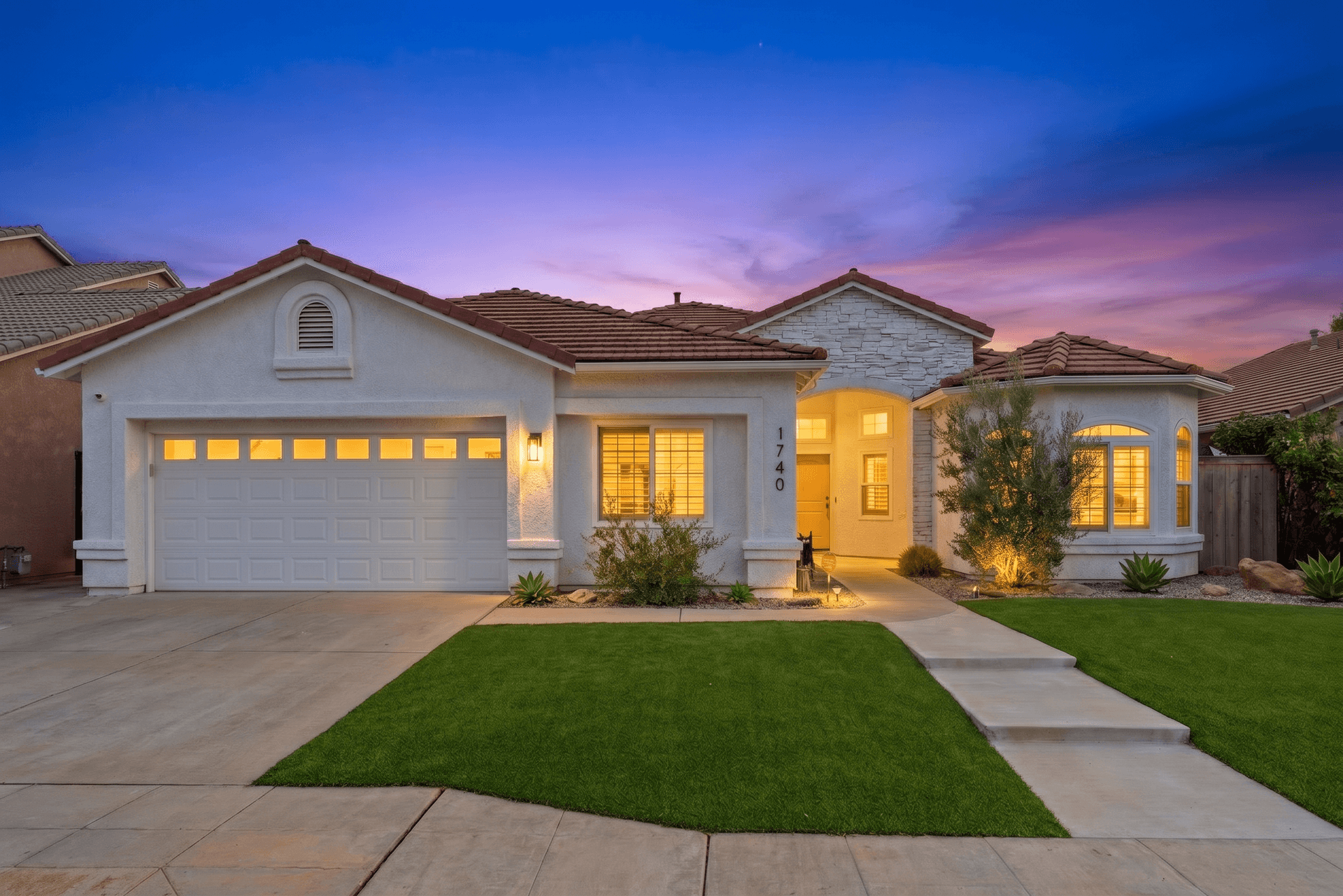
How to Write AI Prompts for Real Estate Photo Editing: A Practical Guide
AI photo editing prompts for real estate that produce reliable edits: templates for day-to-dusk, sky replacement, decluttering, exposure fixes and more.
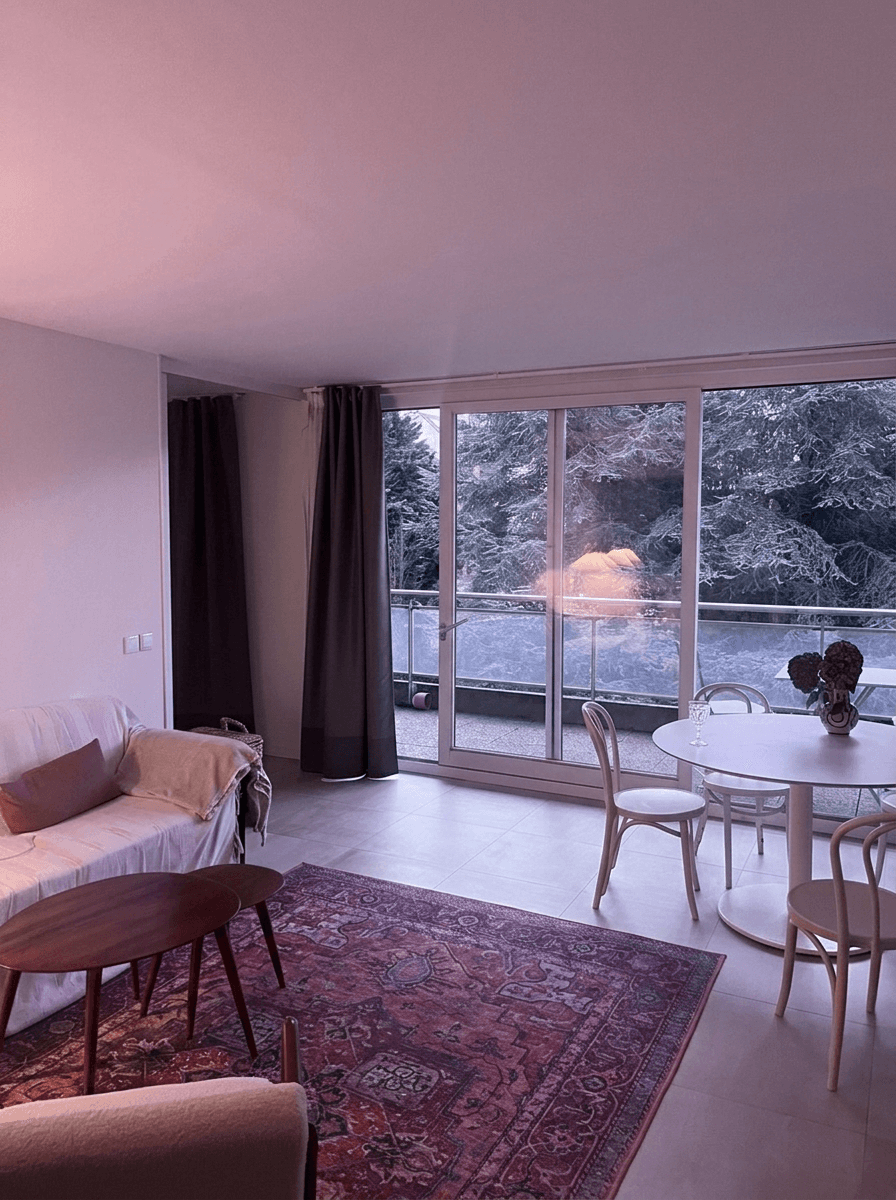
Color Correction for Real Estate Photos: Fix Mixed Lighting, Yellow Casts, and More
How to fix color casts, white balance and mixed lighting in real estate photos, from Kelvin basics to AI color correction.
Sky Replacement for Real Estate Photos: When and How to Use It
When and how to use sky replacement in real estate photos: buyer psychology, manual and AI techniques, ethical guidelines and best practices.