Removing Furniture From Listing Photos: Occupied Homes, Estate Sales and Rentals
How to take a bed, a chair or a whole room of furniture out of a listing photo with AI, what to type, and the mistakes to check for before you publish.
About 1 in 7 agents who type their own instructions into Twilight ask to take furniture out of a photo. It is rarely the whole room. Tables are the piece named most often, then chairs, beds and TVs, and about half of the agents who ask say exactly where the piece is ("on the left", "in front of the door", "by the window").
That is the right instinct. Furniture removal works best as a precise request about one or two pieces, and it goes wrong in predictable ways when it is vague. This guide covers when to remove furniture, what to type, and the three things to check before the photo goes on the MLS.
When removing furniture is the right edit
- Occupied homes. The tenant's bed is too big for the room, or the desk chair blocks the walkway. Taking out one piece makes the room read at its real size.
- Estate sales and probate. The furniture is leaving with the family. Showing it suggests a room buyers will never see.
- Rentals between tenants. You have last year's photos with the old tenant's things in them, and no time for a reshoot.
- Before virtual staging. An empty room stages more cleanly than a half-furnished one.
It is the wrong edit when the furniture is staying (a built-in bench, a fitted wardrobe) or when what is behind it is something the buyer should see (a damaged wall, a stained carpet).
One piece at a time
The cleanest results come from naming one or two pieces and where they are.
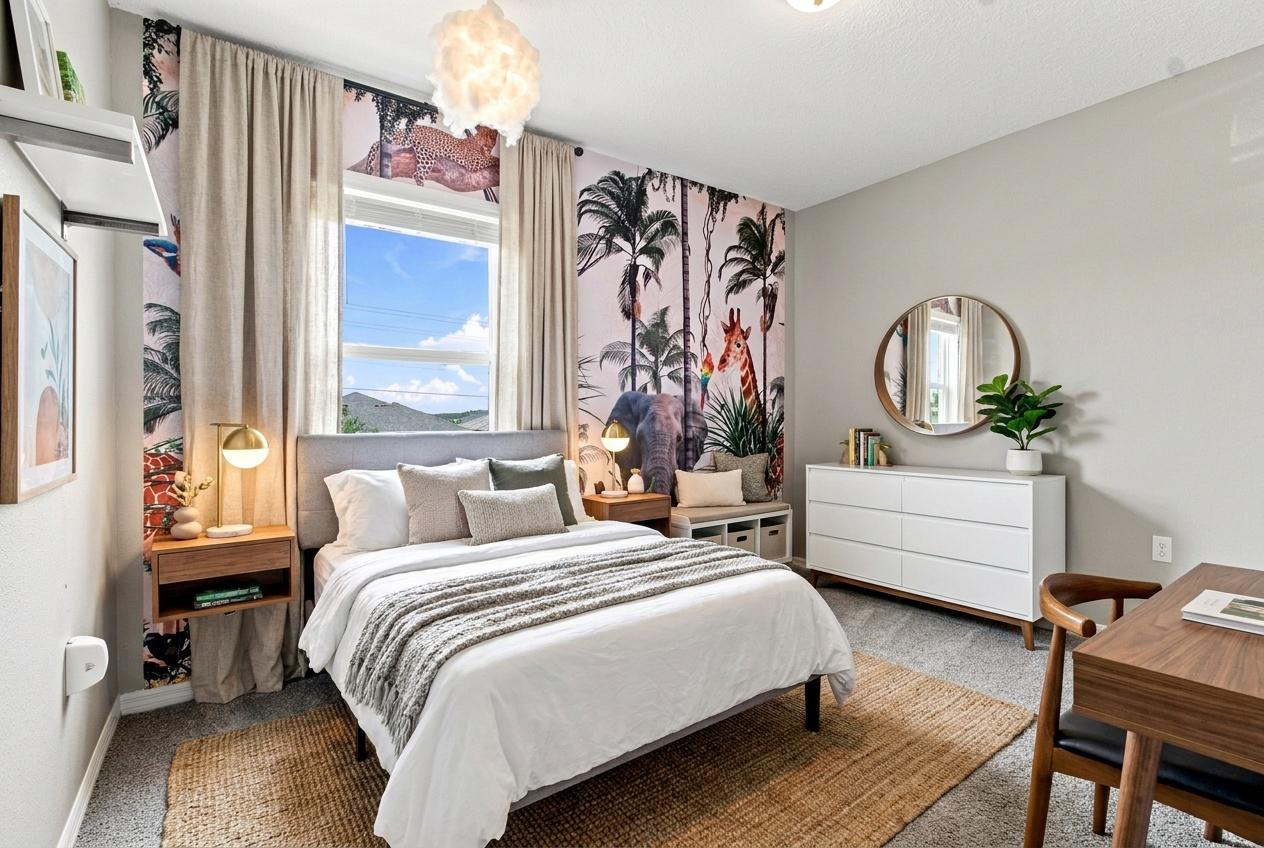
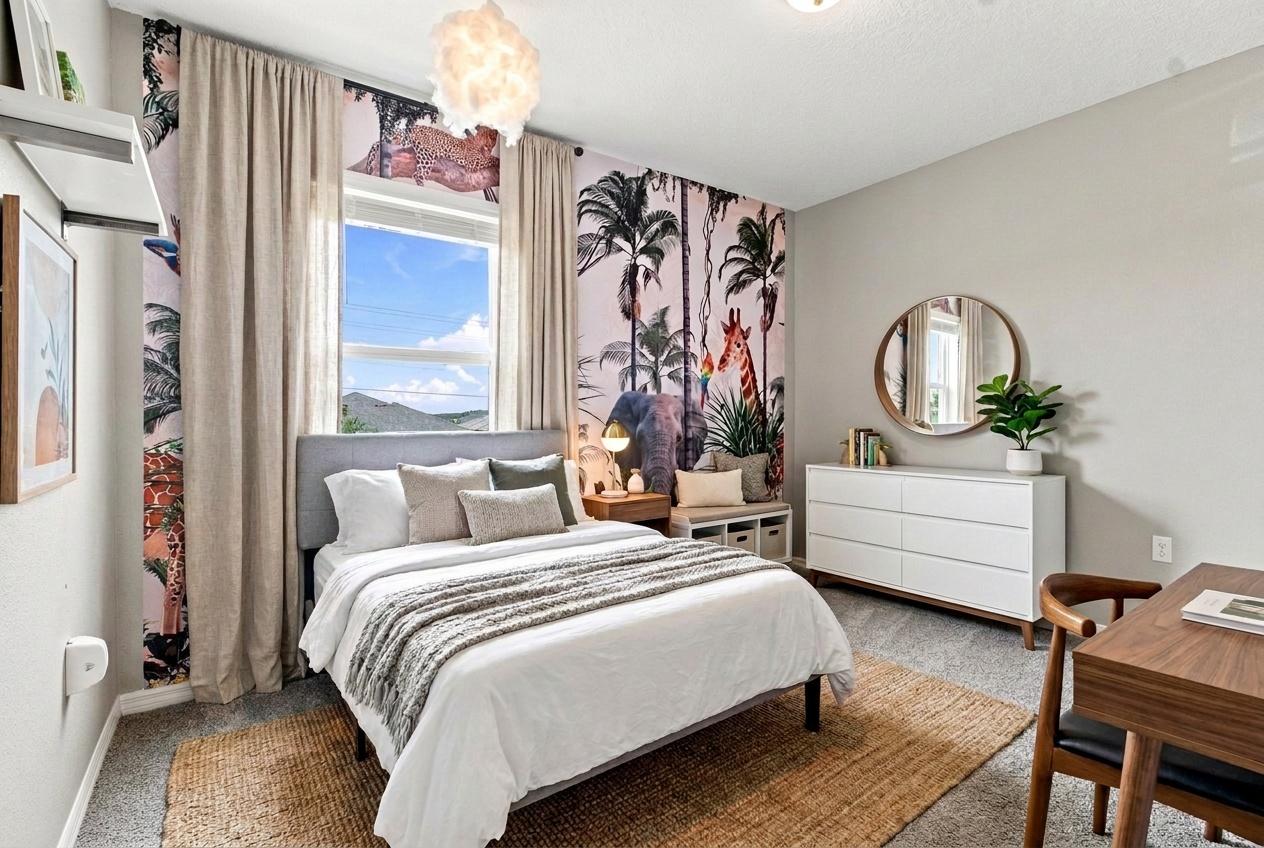 Bedside table removed
The request was "remove the dresser and lamp from the left side of the bed". It is a bedside table rather than a dresser, but "left side of the bed" made the target unambiguous. Everything else (the bed, the curtains, the white dresser on the right, the desk) is untouched.
Look at the wall where the table was. The mural now continues down to the floor, with a giraffe's neck where the table used to be. The AI had to invent what was behind the furniture, and here it guessed well. That is the job every furniture removal asks of the model, and it is where most of the mistakes come from.
Small, freestanding pieces are the easiest case:
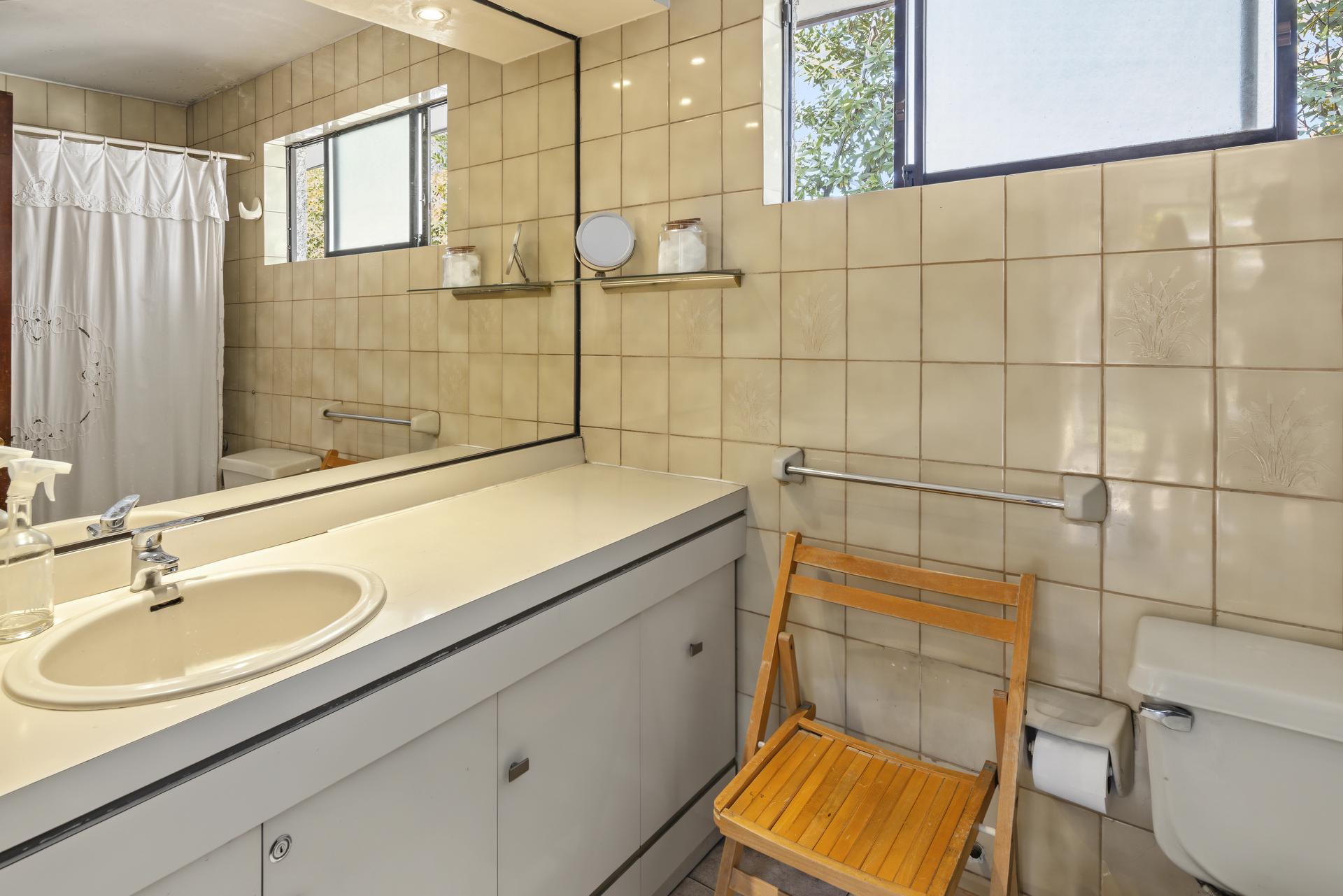
 Chair removed
"REMOVE CHAIR", two words. The folding chair went, and so did its reflection in the mirror, which is the detail that gives a fake edit away. The tiles behind it line up. Note that the spray bottles on the left of the counter went too, which nobody asked for. Harmless here, but it is the same habit that causes trouble in the next example.
The mistake to check for: something new appears
Removing a large piece leaves a large hole, and models sometimes fill a hole with something.
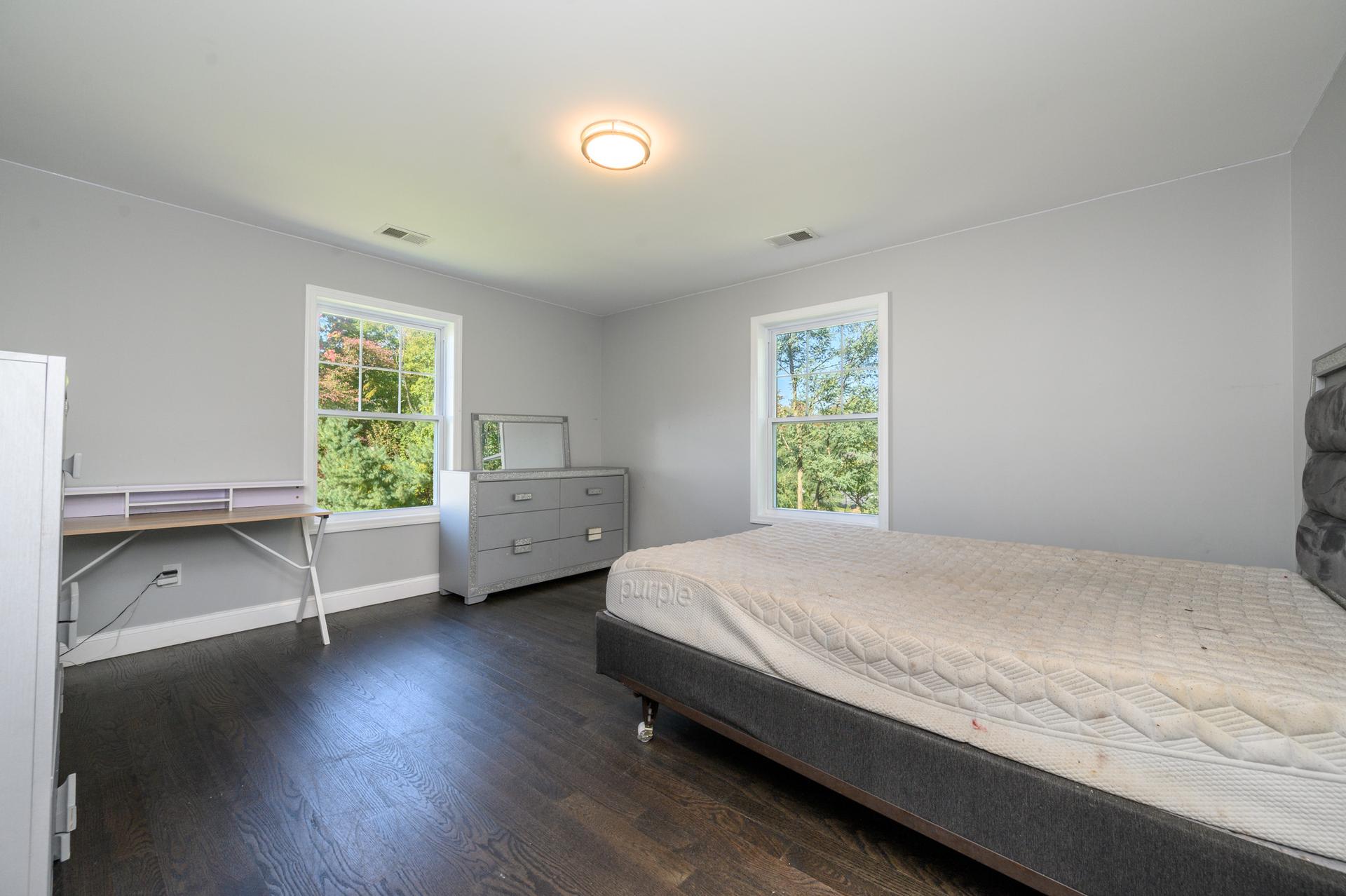
 Bed removed, chair added
"remove the bed" did exactly that, and the room looks bigger and cleaner. But a white swivel chair now sits at the desk, and there was no chair in the original. It is not a big deal in a bedroom, but a buyer who notices will wonder what else was changed, and an added object is the kind of edit disclosure rules exist for.
The fix is one clause: "remove the bed, do not add anything". If it happens anyway, run the edit again and check the new result the same way.
What to type
| You want | Type |
|---|---|
| One piece gone | "remove the armchair in the corner by the window" |
| Two pieces, nothing else | "remove the bed and the small table in front of the door, do not add anything" |
| Furniture gone, decor kept | "remove the sofa and coffee table, keep the rug and the wall art" |
| The whole room empty | "remove all furniture, keep the walls, floor, windows and fixtures unchanged" |
| Prepare for staging | "remove all furniture and rugs, empty room, structure unchanged" |
Two habits make the difference:
- Say where it is. "The chair" in a room with three chairs is a guess. "The chair on the left" is not.
- Say what stays. Rugs, curtains, light fittings and built-ins are the things most often removed by mistake when the request says "all furniture".
Before you publish
- Look at the wall and floor where the furniture was. Skirting boards should line up, outlets should be where they were, and the floor pattern should run straight through.
- Check reflections. Mirrors, glass doors and glossy floors keep a ghost of the piece if the edit missed it.
- Look for anything new. A chair, a plant, a lamp. If it was not in the original, redo the edit.
- Label it. Removing furniture changes what the photo shows, so California's AB 723 and many MLSs treat it as an altered image that needs a statement and a link to the original. Our guide to which AI photo edits need disclosure goes through each edit.
For a cluttered room rather than a furnished one, AI decluttering removes personal items and loose objects in one click and leaves the furniture where it is. For more of what agents ask an AI editor to change, see the listing photo fixes agents ask for most.
Try it free
Transform your first property photo in seconds, no account needed.
Related Articles

How to Turn the Lights On in Listing Photos (Without Inventing Any)
Turning lights on was the second most common AI edit request we saw. When it works in daylight, when it needs dusk, and which lights never to add.

How to Write AI Prompts for Real Estate Photo Editing: A Practical Guide
AI photo editing prompts for real estate that produce reliable edits: templates for day-to-dusk, sky replacement, decluttering, exposure fixes and more.
The Listing Photo Fixes Agents Ask For Most, and How to Get Each Right
Removing clutter, turning lights on, fixing the sky and the lawn. The edits agents request most, with real before/afters and what to type for each.