The Listing Photo Fixes Agents Ask For Most, and How to Get Each Right
Removing clutter, turning lights on, fixing the sky and the lawn. The edits agents request most, with real before/afters and what to type for each.
Most listing photos don't need a dramatic edit. They need one or two specific things fixed: a bin in the driveway, a dark room, a patchy lawn, a flat sky.
When agents type their own instructions into Twilight instead of using a one-click mode, the same handful of requests come up again and again. Here they are in order of how often agents ask for them, with a real before/after for the big ones and what to type to get each right first time.
1. Remove something (about 4 in 10 agents)
The single most common request is taking something out of the frame. Usually it's ordinary: bins, hoses, a barbecue, water bottles, a blanket on a sofa, a traffic cone, a cable running across the floor. Sometimes it's everything, when an occupied or rented home needs to be shown empty.

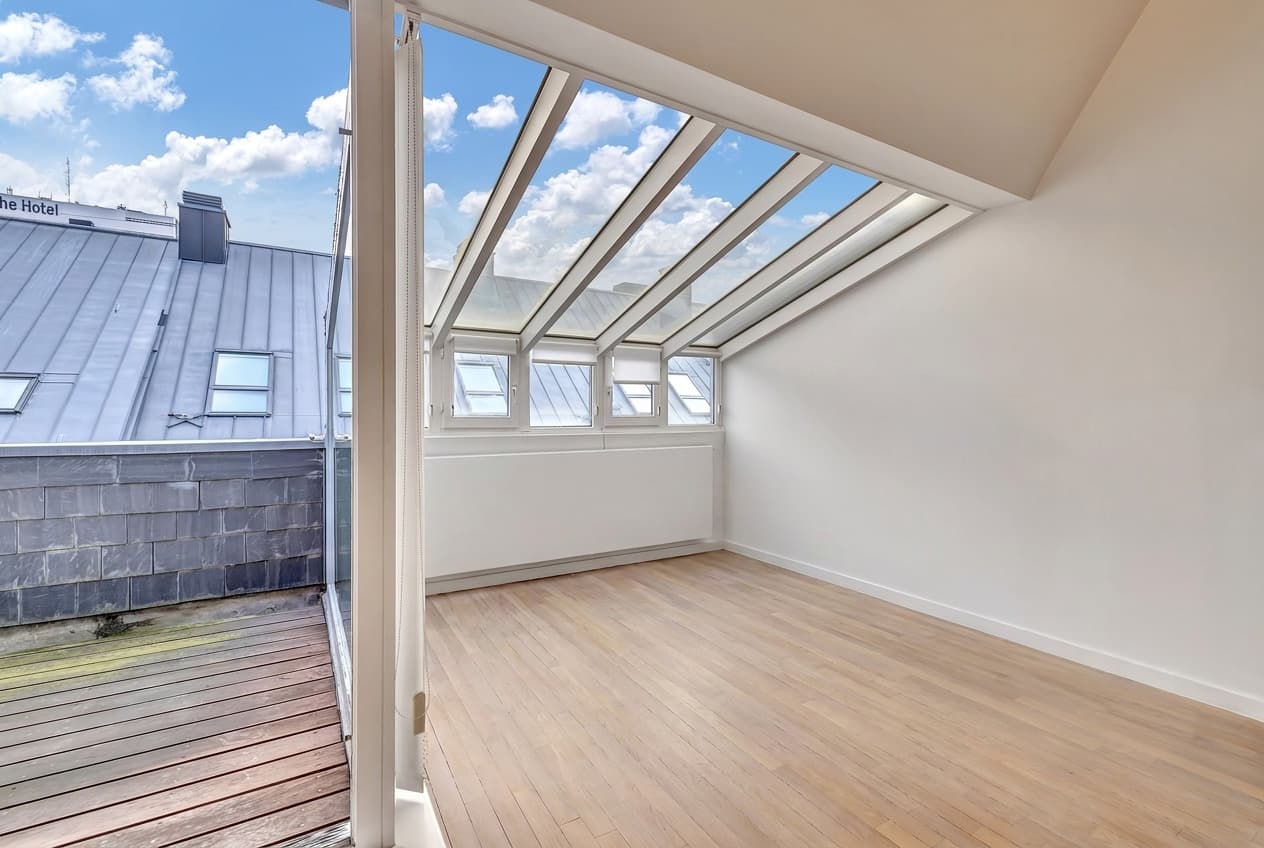 Furniture removed
What to type: name the objects, then say what must stay. The request behind the edit above was "Remove all furniture, make the apartment empty but structurally unchanged". That second half is what kept the floor, the glazing and the walls exactly as they were.
Watch for: the difference between clutter and the property. A sofa, a bin or a toy is fine to remove. A power line, a neighbour's fence or a crack in the driveway is part of what the buyer is getting. California's AB 723 (in force since January 1, 2026) and MLSs that follow it treat removing physical features as an altered image that has to be labelled, with the original available next to it. For whole-room clear-outs, AI decluttering handles the common cases in one click.
2. Turn the lights on (almost as common)
Nearly as many agents ask for lights as ask for removals, and much of it isn't about dusk at all. It's interiors shot at midday with the fixtures off and hard sun patches on the floor.
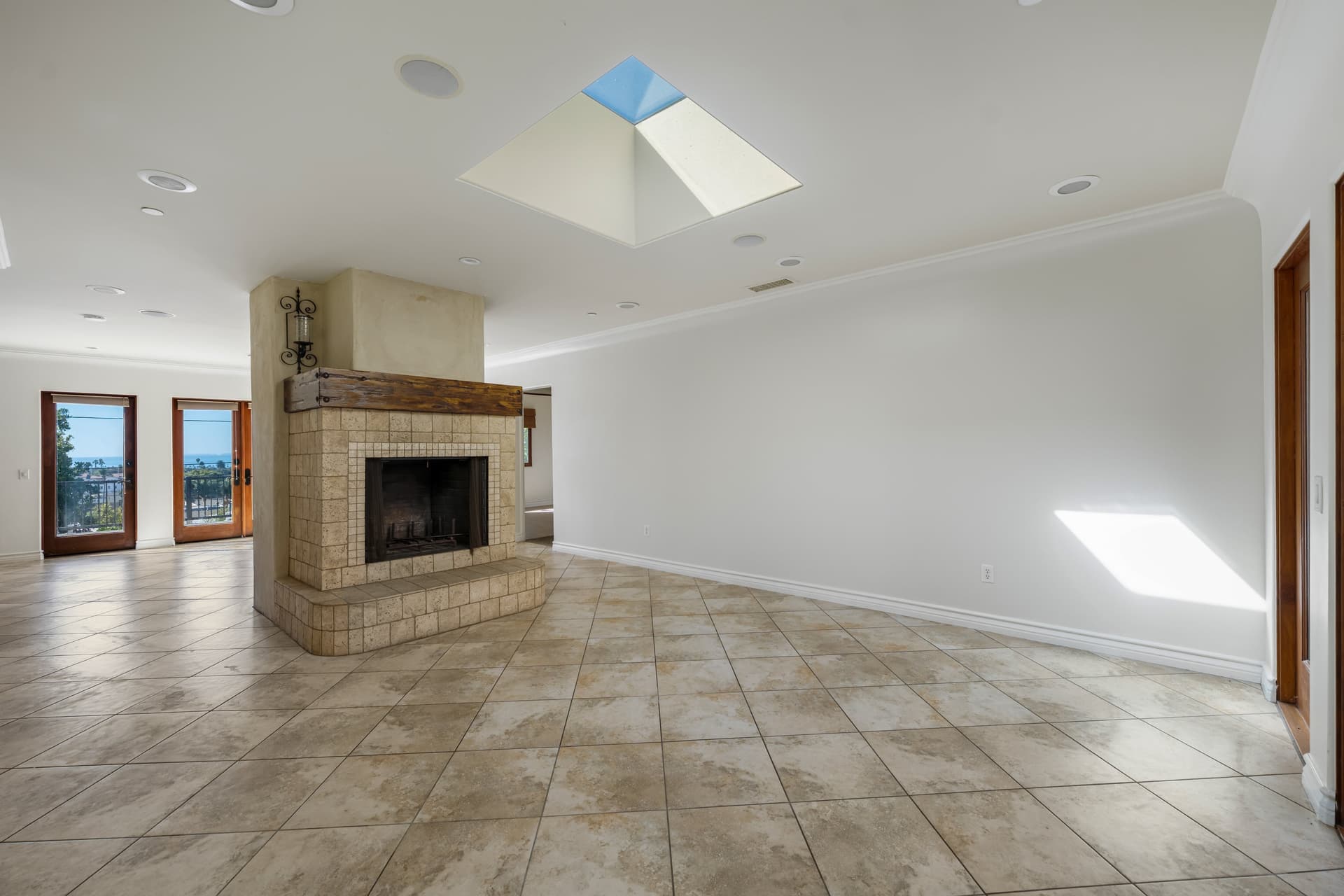
 Lights on
What to type: "turn the lights on", plus anything to leave alone. This one was "turn the lights on. Do not do anything with the fireplace."
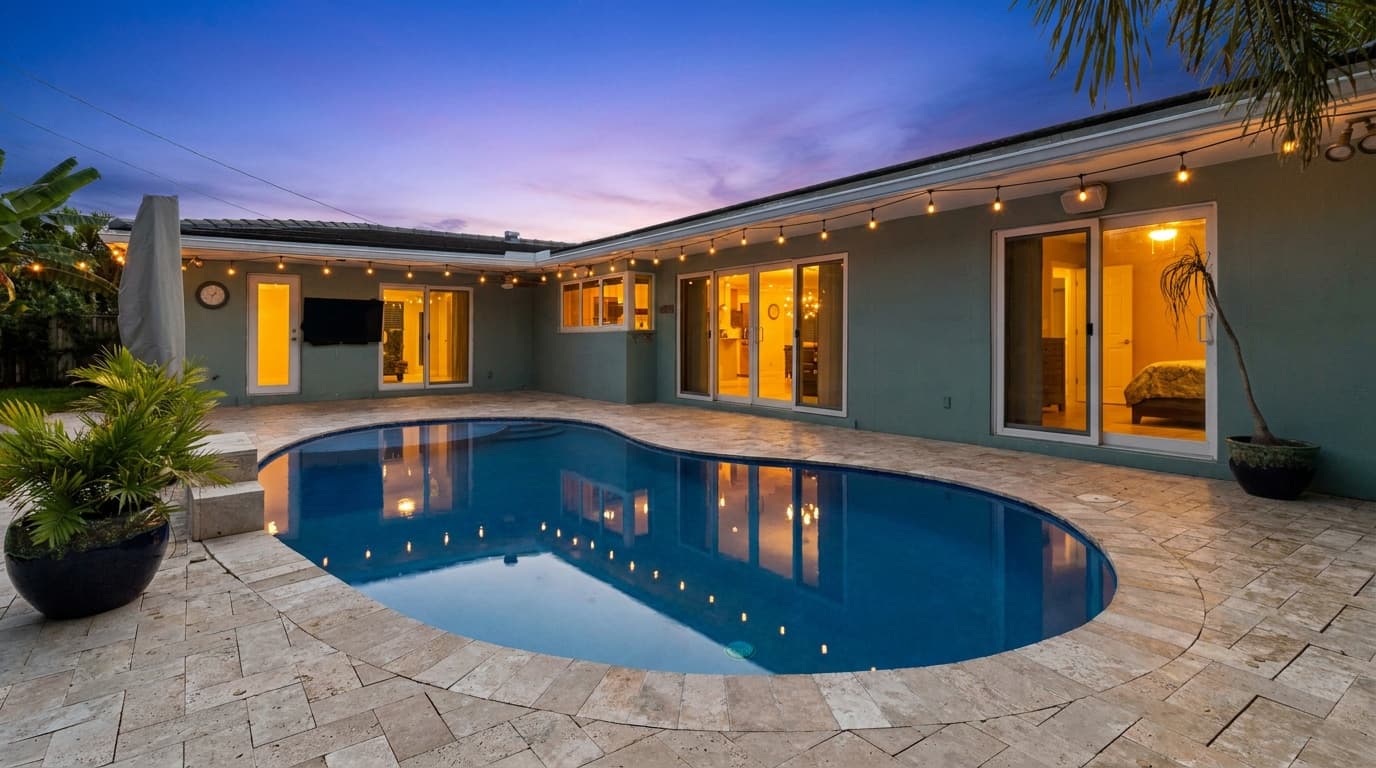
Watch for: lights that don't exist. Only switch on fixtures the house actually has, and only on the house that's for sale. We wrote a full guide to turning the lights on in listing photos, including pool lights, string lights and window glow.
3. Fix the colour (about 3 in 10)
"Enhance colors", "brighten colours", "adjust natural color balance". Colour requests are usually about a photo that came out of the camera too cool, too grey or too saturated.
What to type: say which direction. "Warmer", "more natural", "less saturated" and "keep the walls white" all get very different results from "enhance".
Watch for: walls. White walls that turn cream or grey are the first thing a buyer notices in person.
4. A specific sky or dusk (about 1 in 4)
Agents rarely ask for "a sunset". They ask for "very slight twilight", "a bit darker, more like blue hour", "realistic and not too dark", or "orange and pink and blue sky". They have a picture in their head, and the first result is a starting point.
What to type: how dark and how warm. "Early dusk, sky still blue" and "late twilight, almost dark" are both valid twilight photos, and they look nothing alike. Start with a day-to-dusk conversion and adjust from there.
Watch for: neighbours' windows lighting up along with yours, and a sky that doesn't match the direction of the light on the house.
5. Windows (about 1 in 4)
Two opposite problems. In daytime interiors, windows blow out to white and the view disappears ("lower the brightness of the windows", "enhance view from window"). At dusk, they glow too much ("soft warm glow to windows (not too bright)").
What to type: name the problem and the amount: "bring back the view through the windows", "soft glow in the windows".
6. The lawn (about 1 in 8)
Fewer agents ask for this, but the ones who do ask for it on almost every listing: "repair patchy lawn", "make the grass look real", "replace grass with fresh new lawn".
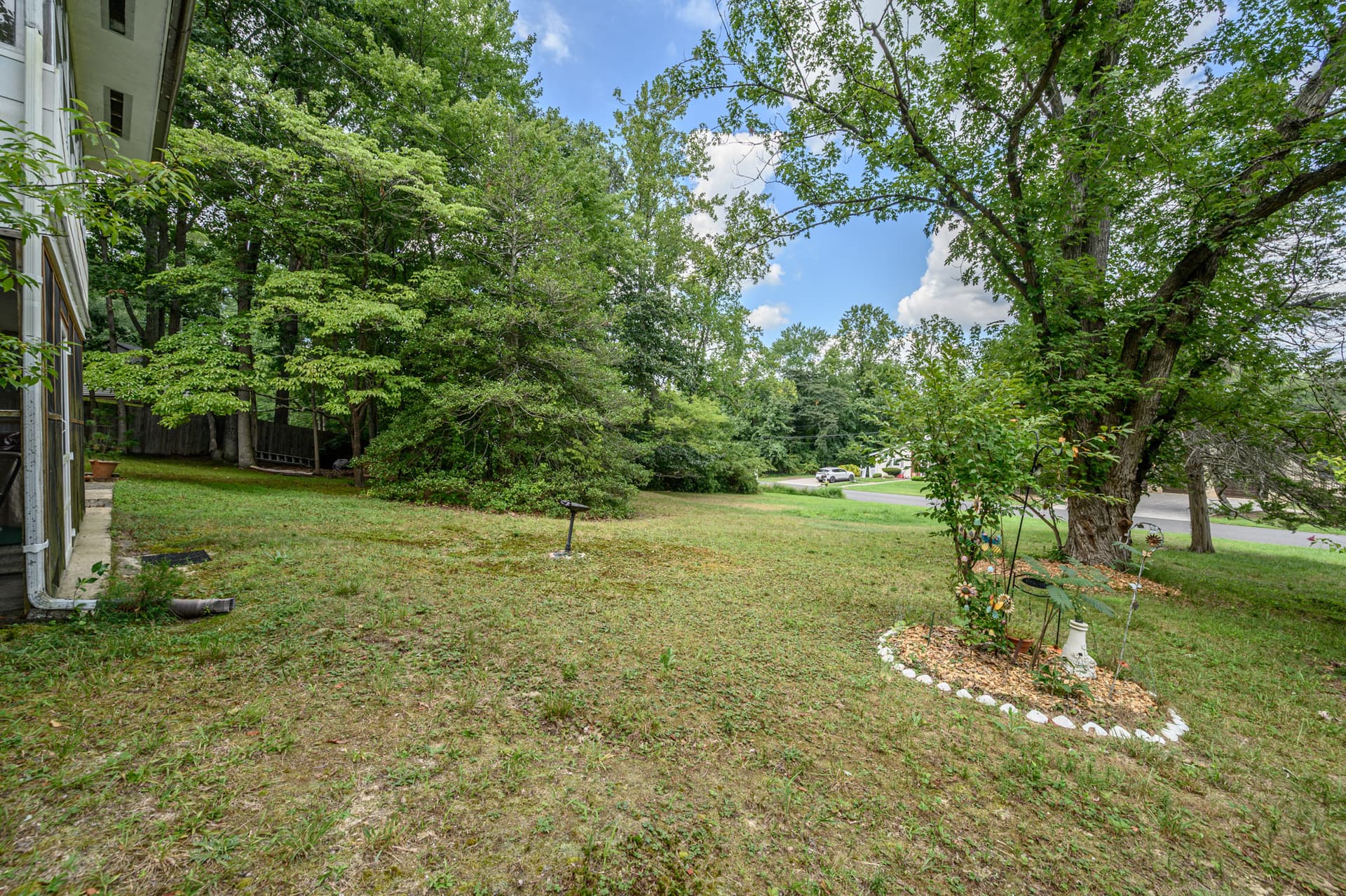
 Lawn repaired
What to type: "remove patches from lawn" got the result above in one pass. If the existing lawn is already decent, ask to "match the shade of green already in the photo" so it doesn't turn artificial.
Watch for: honesty. A lawn that doesn't look like that in person is a landscaping change, and California's rule and MLSs that enforce it, such as SDMLS, treat that as an alteration that needs a label.
7. Harsh shadows and sun splashes (about 1 in 6)
Hard midday shadows across a facade, or bright patches of sun on a floor. "Remove sun shadows" and "remove light splash" are common requests, and they often come bundled with turning the lights on, because one fixes the other.
What to type: "soften the shadows" rather than "remove", if the shadows are cast by the house itself. A house with no shadow at noon looks pasted in.
The two habits that save a second attempt
About a third of photos need a second instruction before the agent is happy. Two habits cut that down:
- Say what to keep. About a quarter of agents add a line like "don't change anything else" or "keep the windows". It's the most effective sentence you can type.
- Say how much. "Slight", "a bit darker", "soft glow". AI editors default to doing a lot; tell them to do a little.
Before any edit goes on the MLS
- Everything you removed is something a buyer wouldn't miss.
- Every light has a real fixture behind it.
- The lawn, sky and walls are believable in person.
- You've kept the original, in case your MLS or state requires it next to the edit.
Try it free
Transform your first property photo in seconds, no account needed.
Related Articles
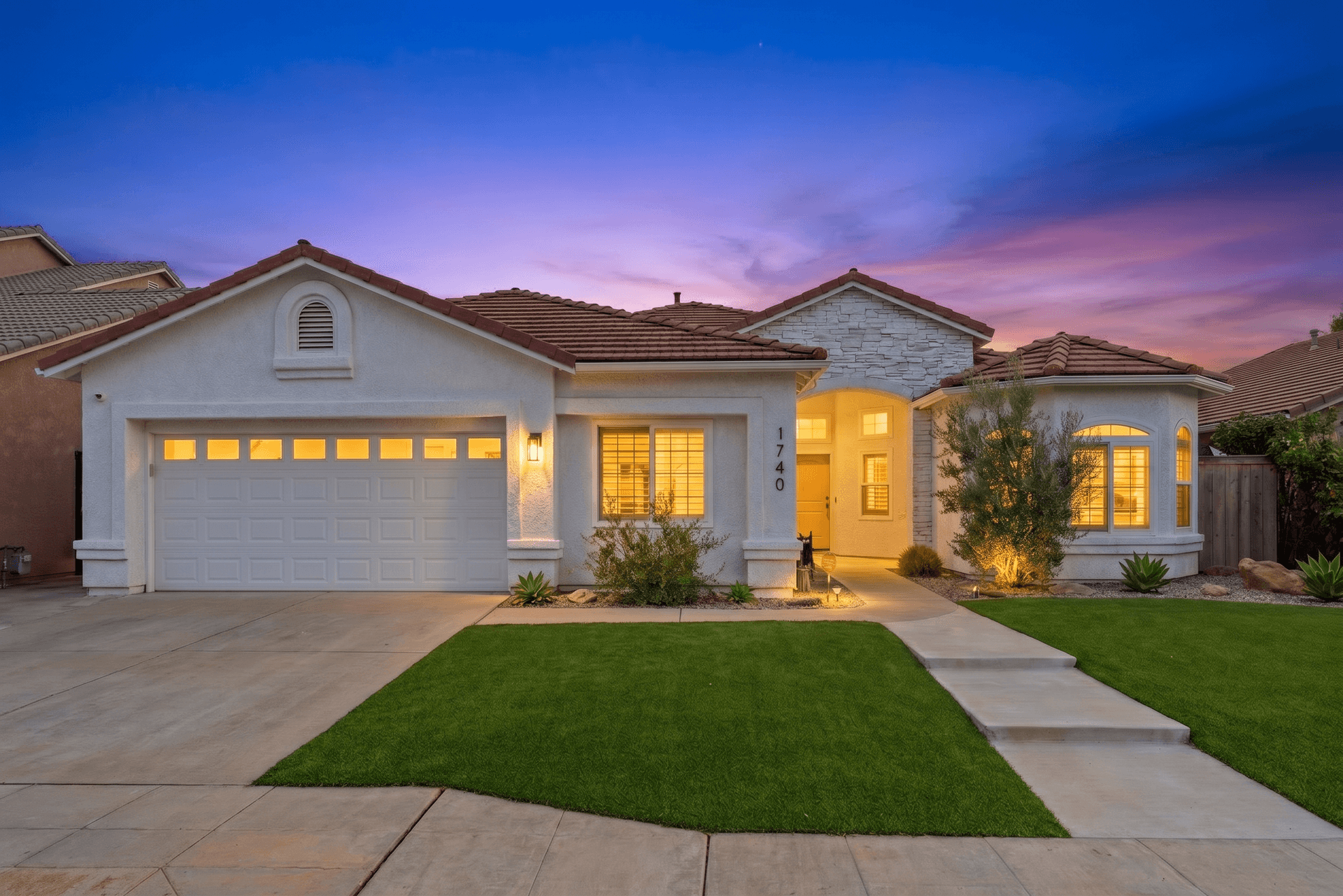
How to Write AI Prompts for Real Estate Photo Editing: A Practical Guide
AI photo editing prompts for real estate that produce reliable edits: templates for day-to-dusk, sky replacement, decluttering, exposure fixes and more.
How to Turn the Lights On in Listing Photos (Without Inventing Any)
Turning lights on was the second most common AI edit request we saw. When it works in daylight, when it needs dusk, and which lights never to add.
The Real Estate Agent's No-Nonsense Guide to AI Photo Editing
A plain-English guide to AI photo editing for real estate agents: the five essential edits, the mistakes to avoid, and pro listing photos in 10 minutes.