Kitchen Listing Photos: Reflections, Appliances and Counters
How to clear kitchen counters, tone down glare and fix a kitchen listing photo with AI, what to type, and the appliance and fixture changes to check for.
About 1 in 7 agents who type their own instructions into Twilight do it on a kitchen photo. What they ask for is consistent. About 6 in 10 want something taken off the counters or out of the room: coffee machines, toaster ovens, knife blocks, rugs, bags, fridge magnets. About 4 in 10 ask for the tone to change (brighter, warmer, less yellow). Fewer than 1 in 10 ask about reflections and glare, but it is the request most likely to come back half done.
Kitchens are also where an AI edit is most likely to change something that matters. The cabinets, the appliances and the counters are what the buyer is paying for, and models redraw every pixel. This guide covers what to ask for, what to type, and what to check before the photo goes on the MLS.
Clearing the counters
This is the edit kitchens need most often, and the one that works best. Counters full of small appliances make a kitchen look smaller and older than it is, and none of those appliances convey with the house.
 Counter cleared
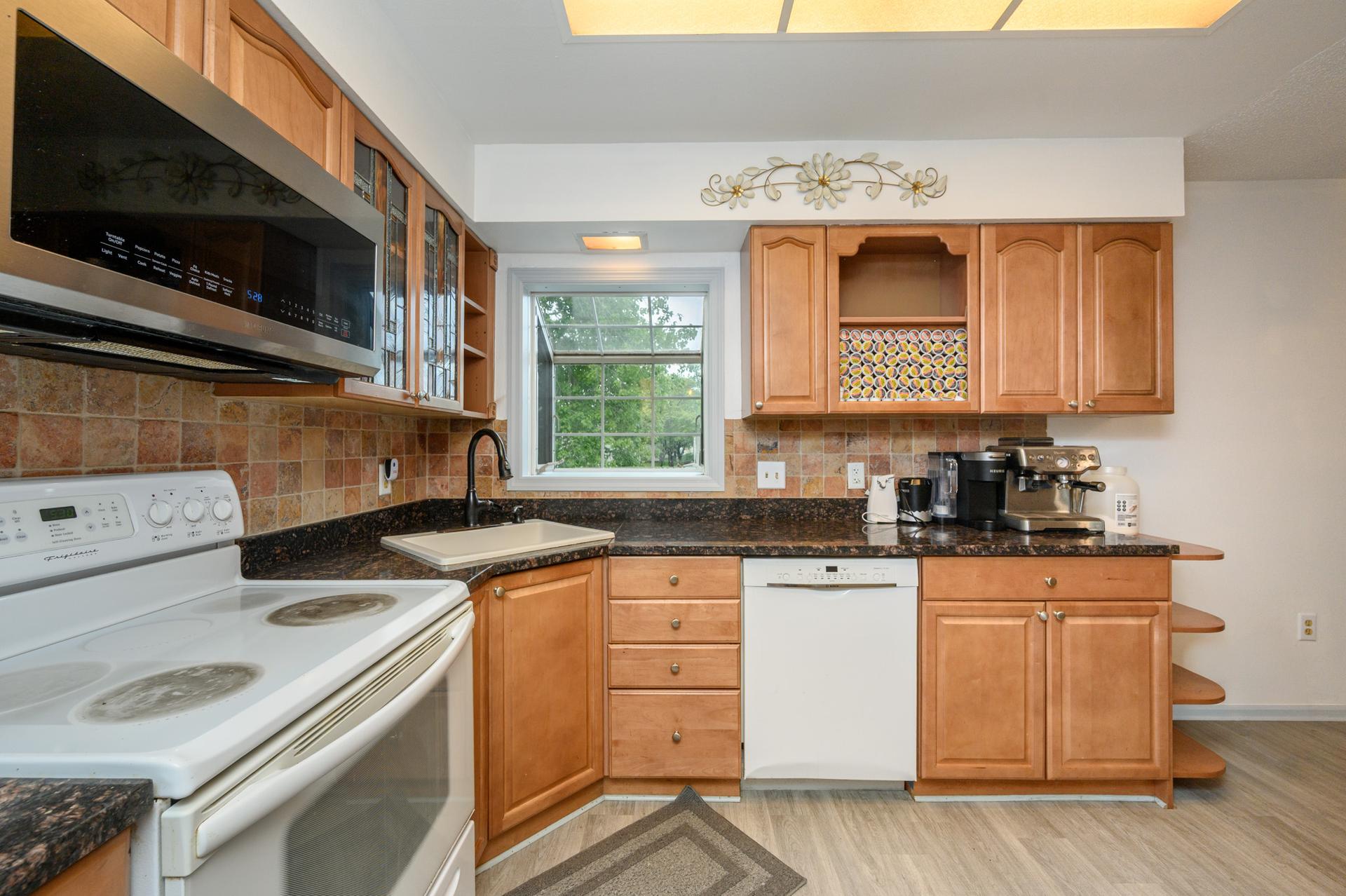
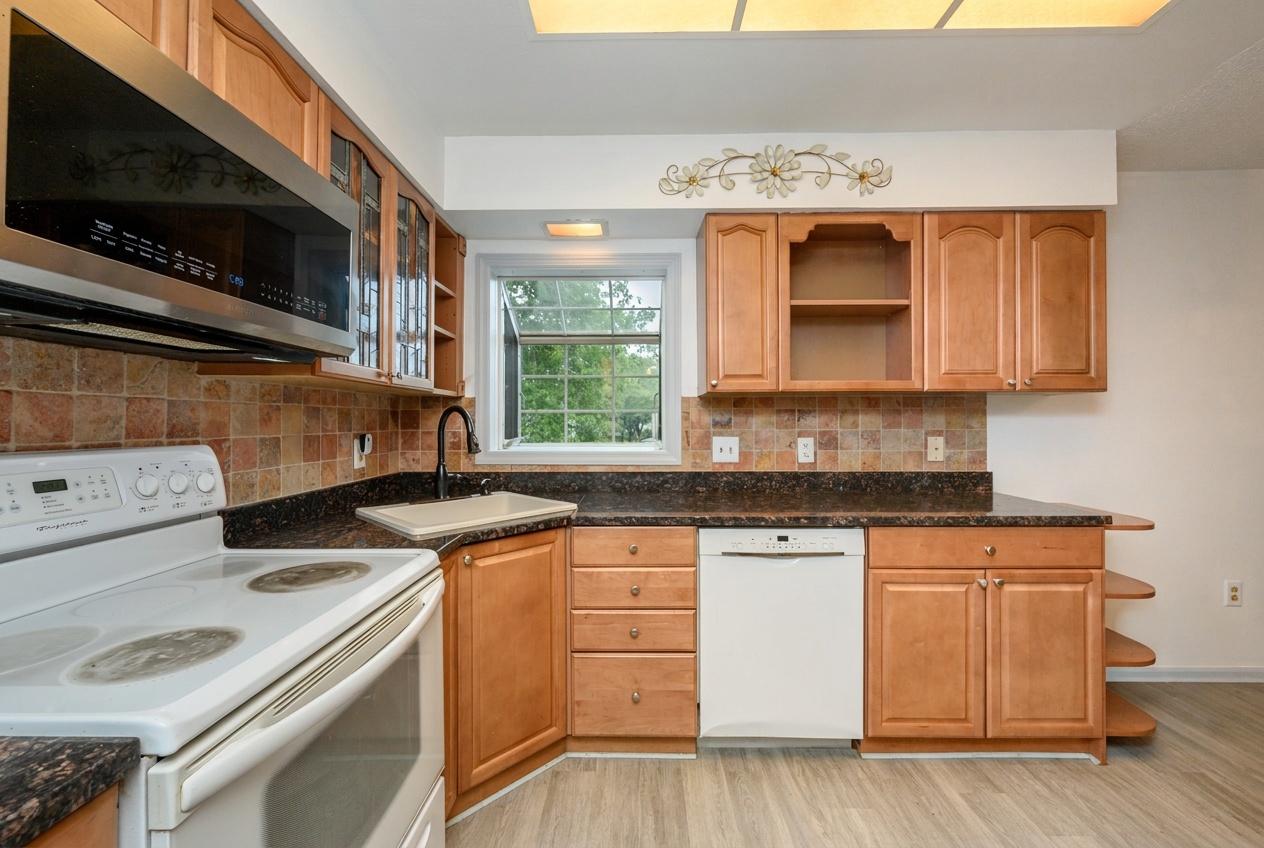
The request listed every item: the appliances on the counter, the rug, the coffee pods, the tub of powder, and "don't change anything else". All of it went. The range, the dishwasher, the cabinets, the glass-front doors and the window are where they were.
Two details are worth a second look. The burners on the white range still show their stains. That is correct: the request did not ask for them to be cleaned, and a buyer will see the real range at the showing. And the wall behind the coffee machines now shows an outlet the original photo never showed. It is probably there, since appliances get plugged into something, but it is the model's guess. When you clear a counter, look at the backsplash where the appliances stood.
Say what stays
"Tidy up the kitchen" works, but a busy kitchen has things you want kept: open shelving, a pot rack, a collection the seller is proud of. About 1 in 3 agents who type on a kitchen photo say what should stay, and that clause is what keeps the edit from going too far.
 Tidied, mugs kept
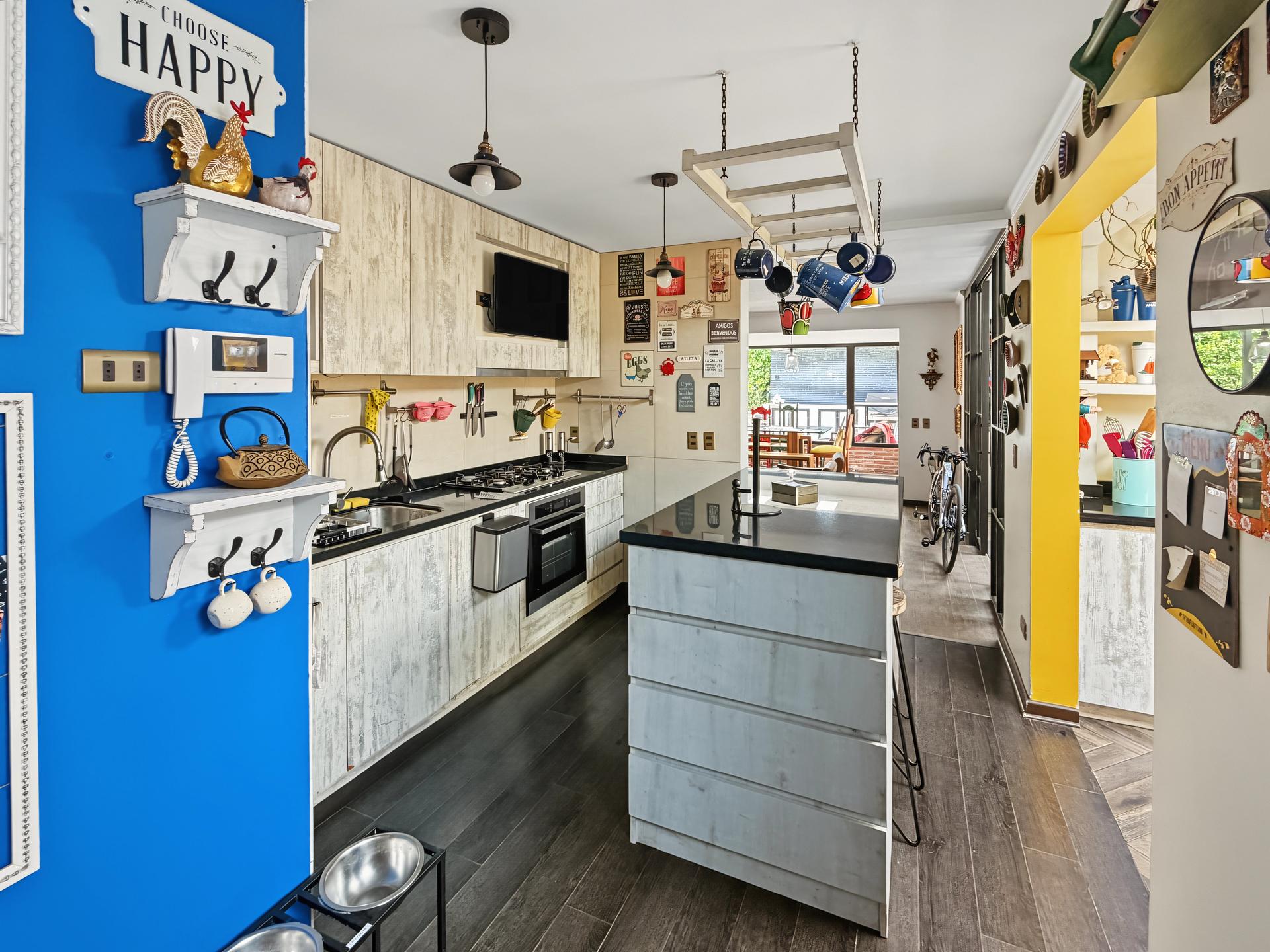
The request was to tidy the kitchen a bit and leave the hanging mugs alone. The mugs stayed. The utensils, the knife strip and the small things on the island went, and the counters read as clean.
It also took away more than "a bit". The rails on the backsplash went with the utensils hanging from them, and the cast iron teapot on the shelf by the door is gone. A rail screwed to the wall is closer to a fixture than to clutter. If the seller is leaving it, name it: "remove the utensils, keep the rails". The other thing to check here is the signs on the wall. Their lettering has been redrawn and some of it no longer reads. Nobody buys a house for its tin signs, but blurred text is one of the quickest tells that a photo has been edited.
Reflections and glare
Stainless fridges, glossy cabinet doors and a dark granite counter all reflect the flash, the window and sometimes the photographer. Expect the model to soften them more often than remove them.
 Glare softened
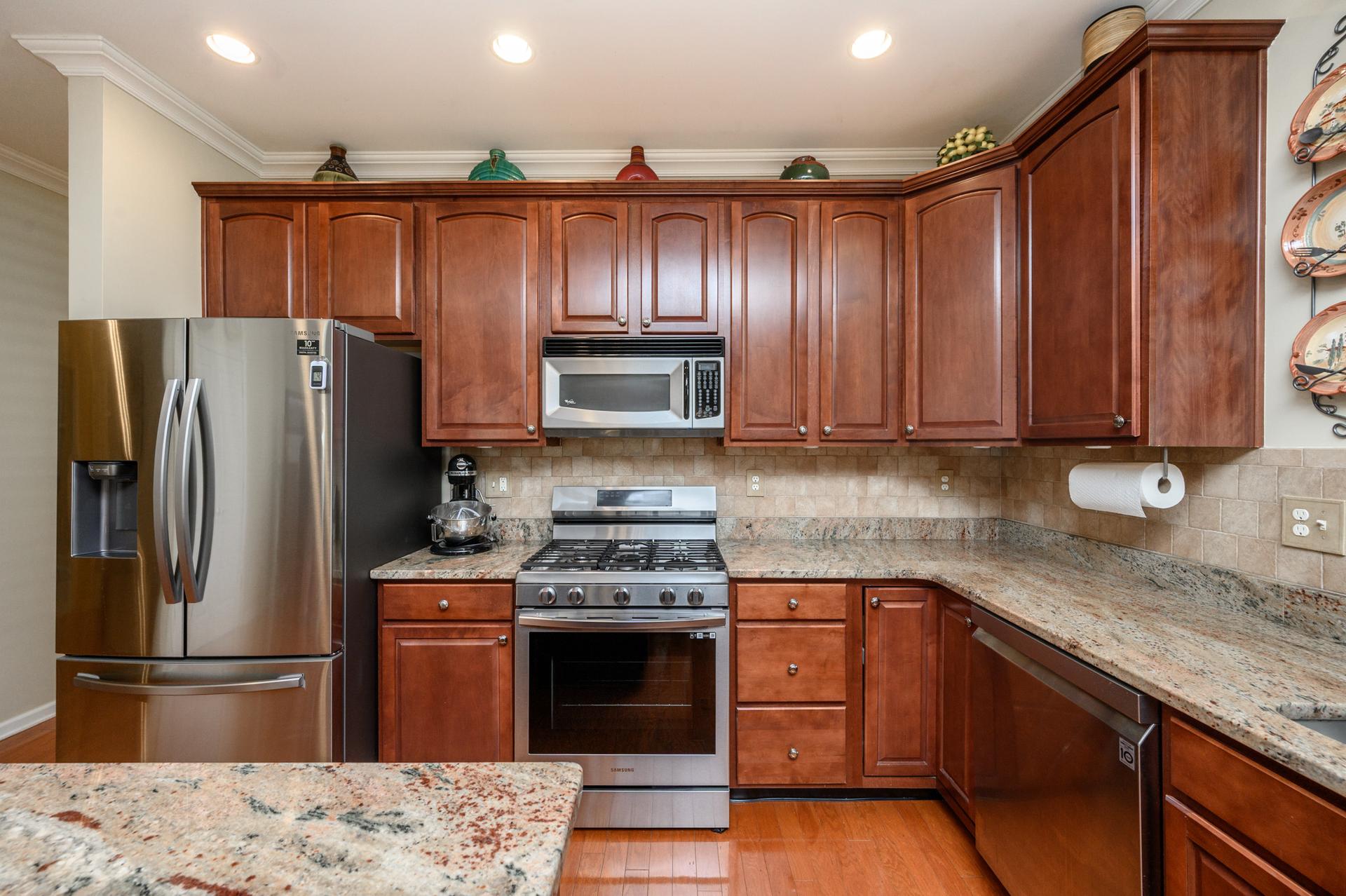
The request was to remove the glare on the cupboards and the reflection of the range on the floor. Drag the slider and the difference is small: the highlights are a little softer, the layout is the same. What did change is easy to miss. The maker's badge on the fridge door is now unreadable, the warranty sticker beside it is a smudge, and the badge on the oven door is gone.
That matters more than it looks. The appliances are part of what a buyer is told they are getting, and a brand name on a fridge is something they will check at the showing. A photo that has quietly lost or garbled it reads as altered.
What works better for reflections:
- Name the surface and the reflection. "Remove the reflection of the window in the fridge door" gives the model one target. "Reduce glare" asks it to repaint the whole room.
- Accept softer, not gone. A stainless fridge with no reflections at all looks painted. Ask for the distracting one to go and leave the rest.
- Reshoot if it is a person. A photographer reflected in a fridge or an oven door is a reason to retake the shot. An AI edit can remove it, but check the appliance itself is unchanged.
The mistake to check for: the fixtures change
The worst kitchen edits change something that is part of the house. It usually happens when a request asks for something to be cleaned or repaired rather than removed.
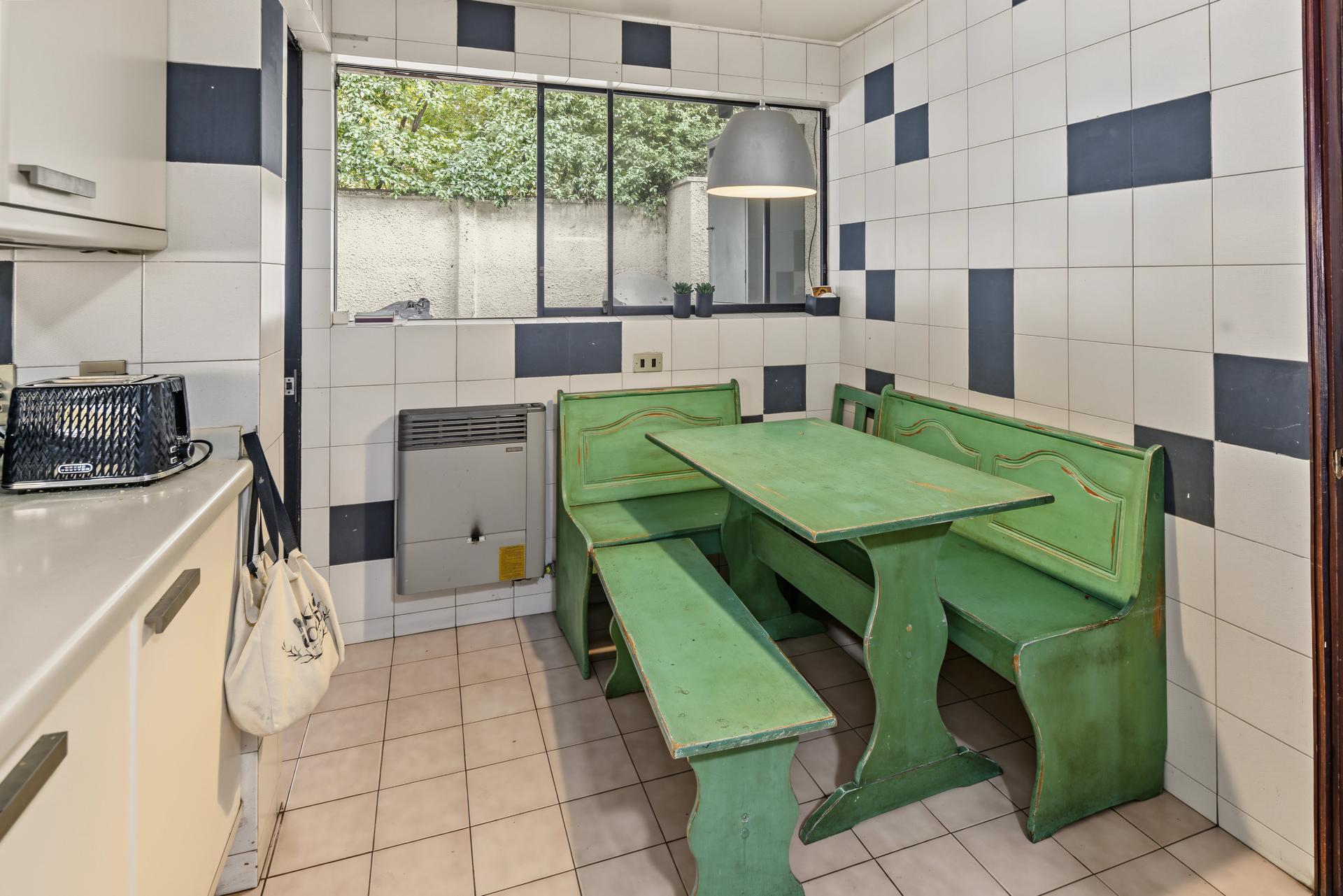
 Heater and floor changed
This request had several parts, including cleaning the floor grout and cleaning the soot off the wall heater. The model did both, too literally. The heater no longer has its flame window, its badge or its safety label, so it now looks like a different appliance. And "clean the grout" turned the beige floor white. A buyer standing in this kitchen would see a beige floor and a gas heater with a flame window, not what the photo shows. This one needs redoing with a narrower request.
Cleaning is where kitchens go wrong because there is no line between "clean" and "replace" for a model. Some rules that keep you on the right side:
- Remove things, do not repair them. Taking a toaster away is fine. Making a scorched burner new, filling a chipped counter edge or regrouting a floor changes the condition of the house.
- Never change a finish. About 1 in 6 agents who type on a kitchen photo ask to change a colour: cabinets, walls or floor. That is a renovation preview, not a listing photo, and it needs to be labelled as one.
- Keep each request short. One or two changes per edit. A long list gives the model more chances to reinterpret one of them.
What to type
| You want | Type |
|---|---|
| A clear counter | "remove the toaster, kettle and coffee machine from the counter, do not change anything else" |
| Clutter gone, decor kept | "tidy the counters and remove the dish rack, keep the fruit bowl and the plant" |
| Fridge door cleared | "remove the magnets and papers from the fridge door, keep the fridge the same" |
| One reflection gone | "remove the reflection of the window in the oven door" |
| Brighter, same kitchen | "brighten the room evenly, keep the cabinet and counter colours as they are" |
Before you publish
Open the edit next to the original and check these, in this order:
- Cabinets. Same door style, same handles, same number of doors. Hardware is small and models sometimes swap a knob for a pull.
- Appliances. Same make, same number of burners and knobs, badges intact, nothing removed that conveys.
- Counter and backsplash. The stone pattern should run through where the clutter was, and outlets should be where they were.
- Floor and walls. Same colour. A brightening edit should lighten the room, not change the tile.
- Disclosure. Removing items changes what the photo shows, so California's AB 723 and some MLSs treat it as an altered image that needs a statement and a link to the original. Our guide to which AI photo edits need disclosure goes through each edit.
Every edit is 1 credit at 1K resolution, so redoing one that went too far costs little. For whole-room clutter rather than a few named items, AI decluttering clears loose objects in one click and leaves the fixtures where they are. For the edits agents ask for in other rooms, see the listing photo fixes agents ask for most.
Try it free
Transform your first property photo in seconds, no account needed.
Related Articles

Removing Furniture From Listing Photos: Occupied Homes, Estate Sales and Rentals
How to take a bed, a chair or a whole room of furniture out of a listing photo with AI, what to type, and the mistakes to check for before you publish.
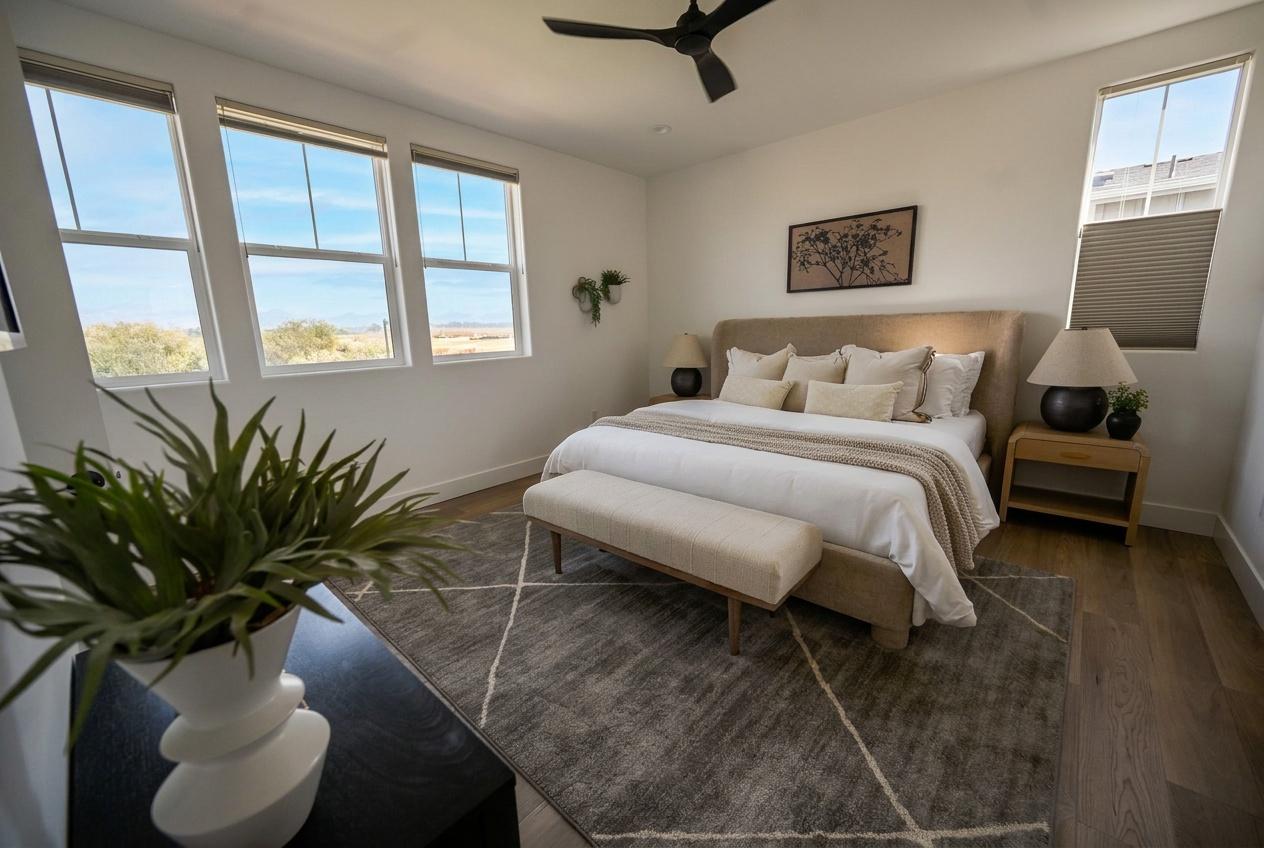
Blown-Out Windows in Listing Photos: Getting the View Back
How to bring back the view through bright, white or hazy windows in an interior listing photo with AI, what to type, and where a fix becomes a fake view.
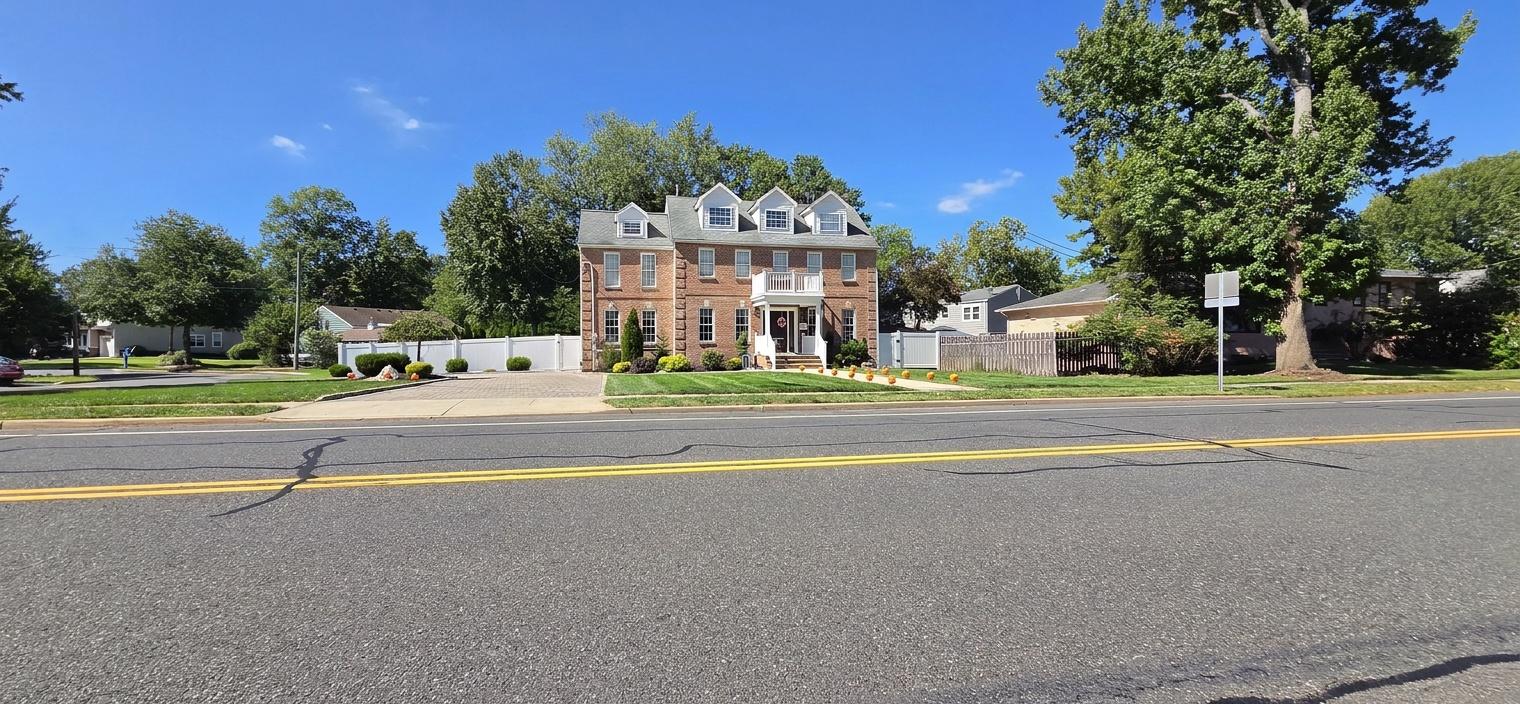
Removing Cars, Bins, Hoses and Cones From Exterior Listing Photos
How to take a parked car, a trash can, a pool hose or a traffic cone out of an exterior listing photo with AI, what to type, and what to check after.