Blue Hour, Golden Hour or Night: How Dark a Twilight Listing Photo Should Be
Golden hour, blue hour or night? Real AI dusk edits at each darkness, what to type to land on the one you want, and why deep blue hour sells most homes.
About 1 in 4 agents who type their own instructions into Twilight mention dusk, twilight, sunset, golden hour or night. When they go further and say how dark they want it, the requests split both ways: about 7 in 10 of them have asked for something warmer, earlier or softer ("golden hour", "subtle sunset sky", "not too dark"), and close to 6 in 10 have asked for darker, bluer or later ("a bit darker, more like blue hour", "late at night"). Close to a third have asked in both directions.
That last number is the useful one. It means a lot of people overshoot, then come back. "Twilight" is not one look. It is a range that runs from late afternoon sun to a black sky, and the right point on it depends on the house.
This guide shows real edits across that range, what to type to land where you want, and the point we recommend for most listings: deep blue hour, with the windows lit and the lot still visible.
The range, from warm to dark
Golden hour: warm sun, no lit windows
Golden hour is the last stretch of direct sunlight. It is a daylight look. Shadows are long, walls go orange, and interior lights barely register because the outside is still bright.
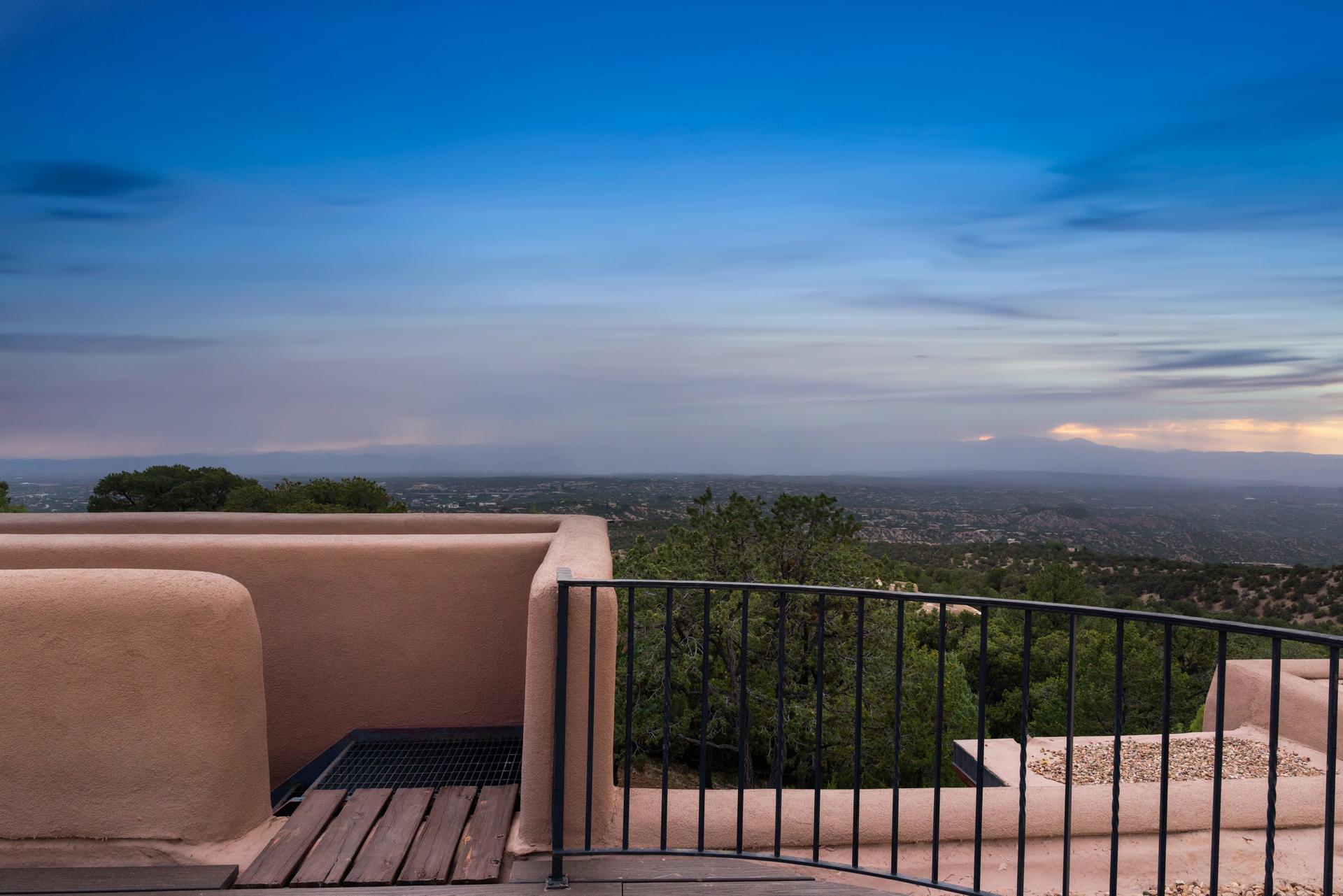
 Golden hour
This one went the opposite way to most: the photographer shot it at blue hour, and the request was two words, "golden hour". The sky turned peach along the horizon and warm sunlight now falls across the curved wall, with the railing's shadow drawn on it. That sunlight is new. It is the nature of the edit, but it does mean the light in the photo was not in the original, which matters for disclosure (more below).
Golden hour suits a view, a west-facing terrace or a pool deck, where the warm light is the point. It does little for a front elevation, because the windows stay dark.
Early blue hour: the sun is gone, the lights take over
Once the sun is below the horizon, the sky goes blue and pink and the house's own lights become visible. This is where most day-to-dusk edits land by default.
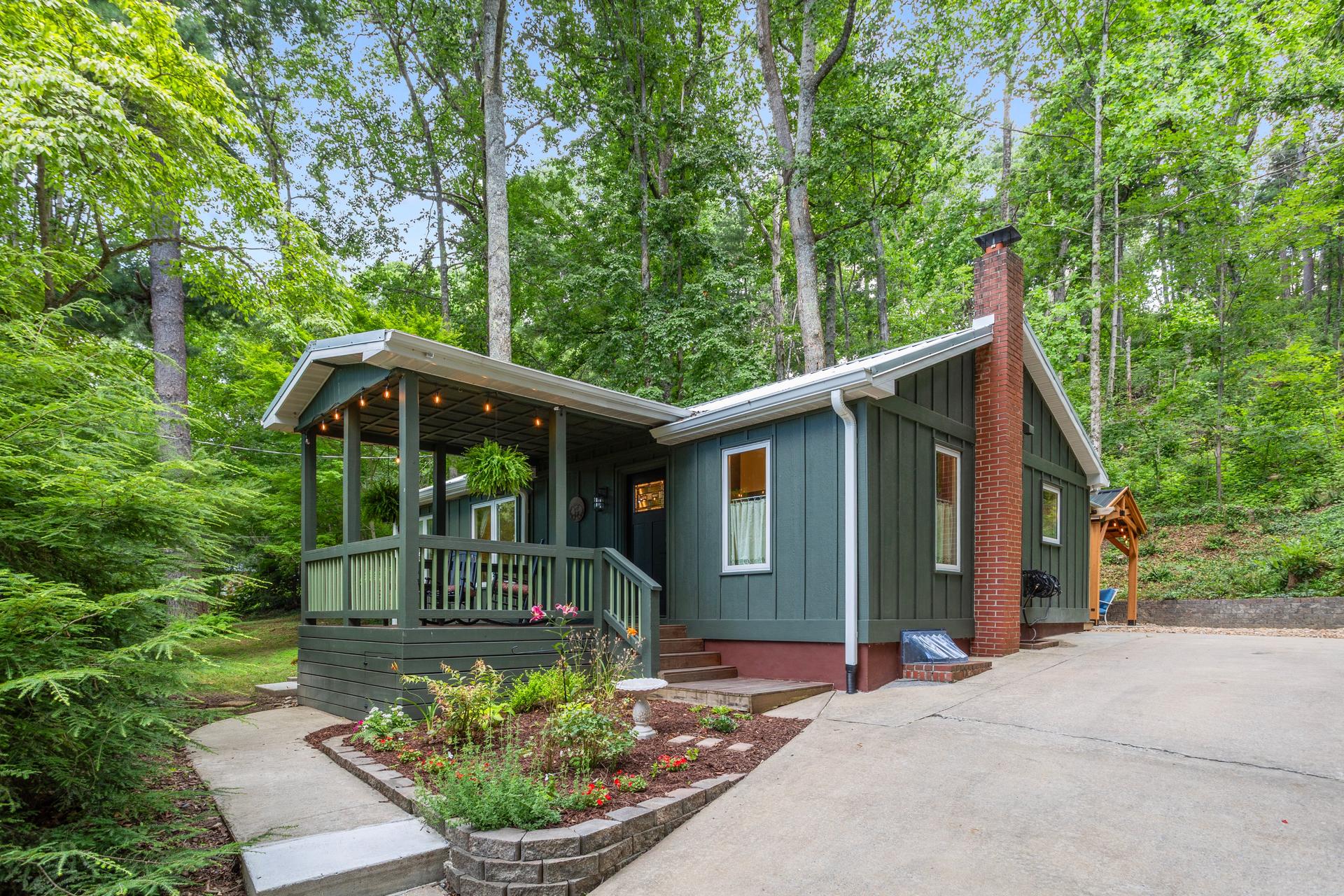
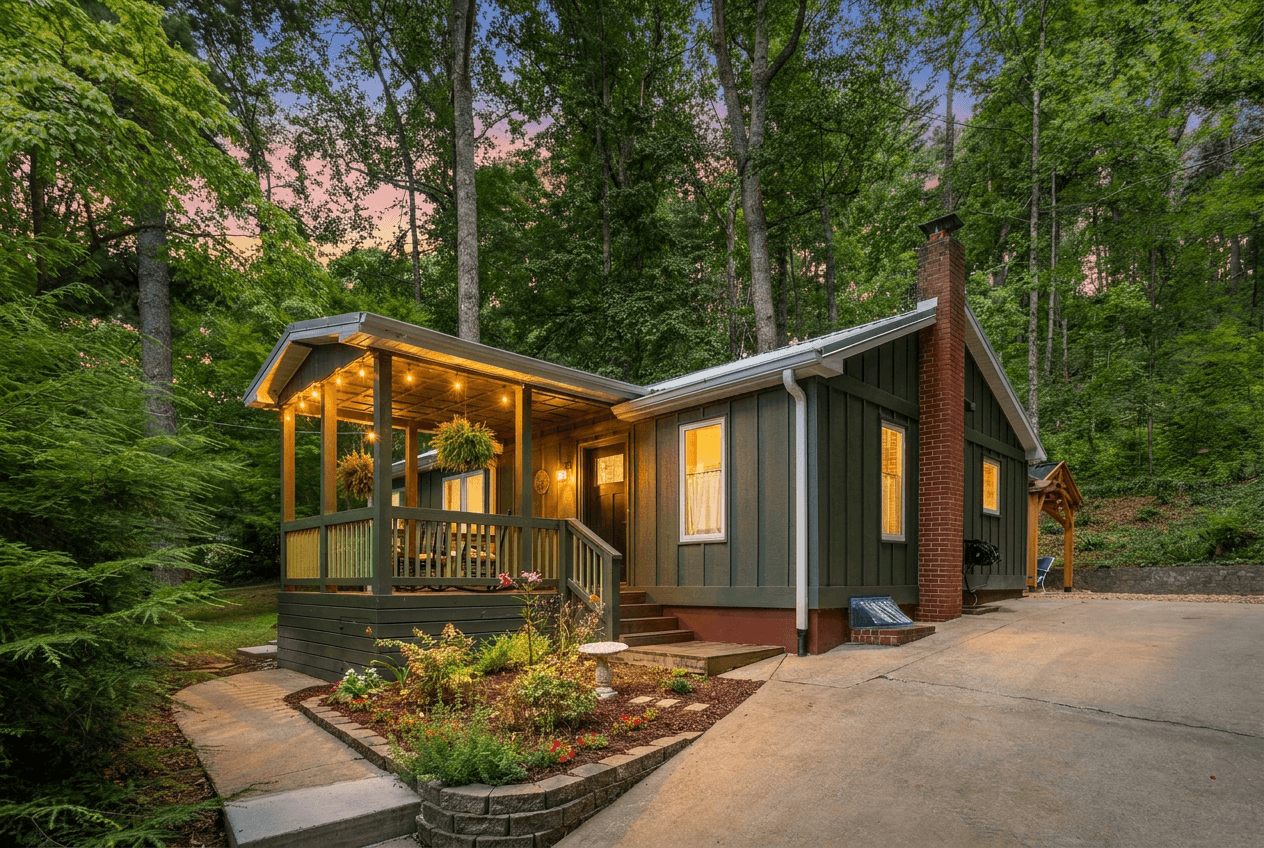 Early blue hour
No typed request here, just the one-click day-to-dusk mode. The sky through the trees went pink and blue, the porch string lights and the wall lantern came on, and the windows picked up a warm glow. Every light has a fixture you can find in the original: the string lights were already hanging under the porch roof. The garden, the path and the chimney are all still readable.
Deep blue hour: the sweet spot for most listings
A little later, the sky darkens to a saturated blue and the contrast between warm interior light and cool exterior is at its strongest. Photographers who shoot twilight by hand wait for this window, which is short.
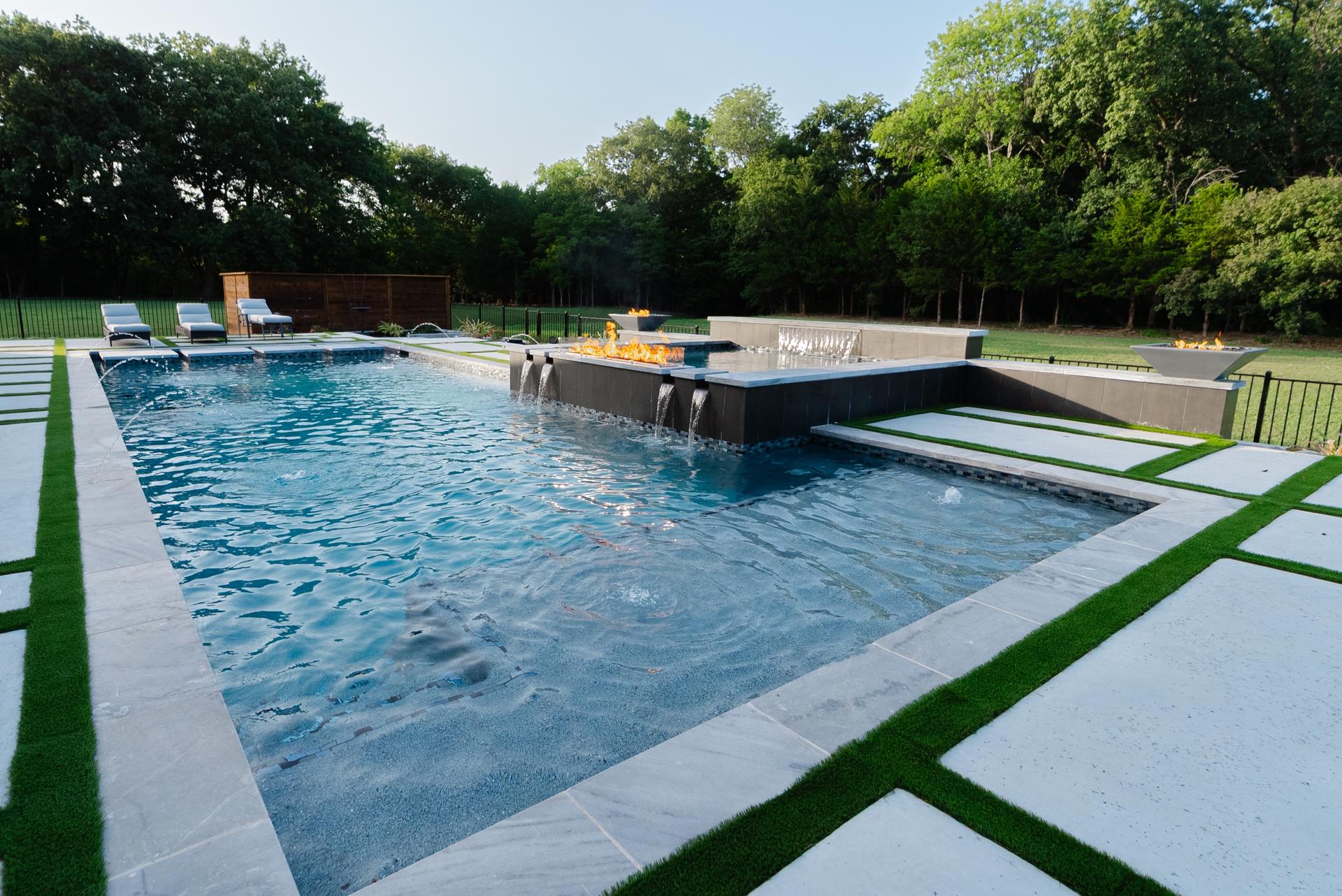
 Deep blue hour
Again the default mode, no typed text. The sky went deep blue with a band of violet, the fire features (already burning in the original) now carry the frame, and their light reflects across the water. The paving, the artificial turf strips and the loungers are still clear. The pool itself got darker rather than lit, which is correct: there is no pool light visible in the original to switch on.
Night: dramatic, and it costs you the lot
Push past blue hour and the sky goes black or keeps only a thin glow. The house becomes a lantern and everything around it falls away.
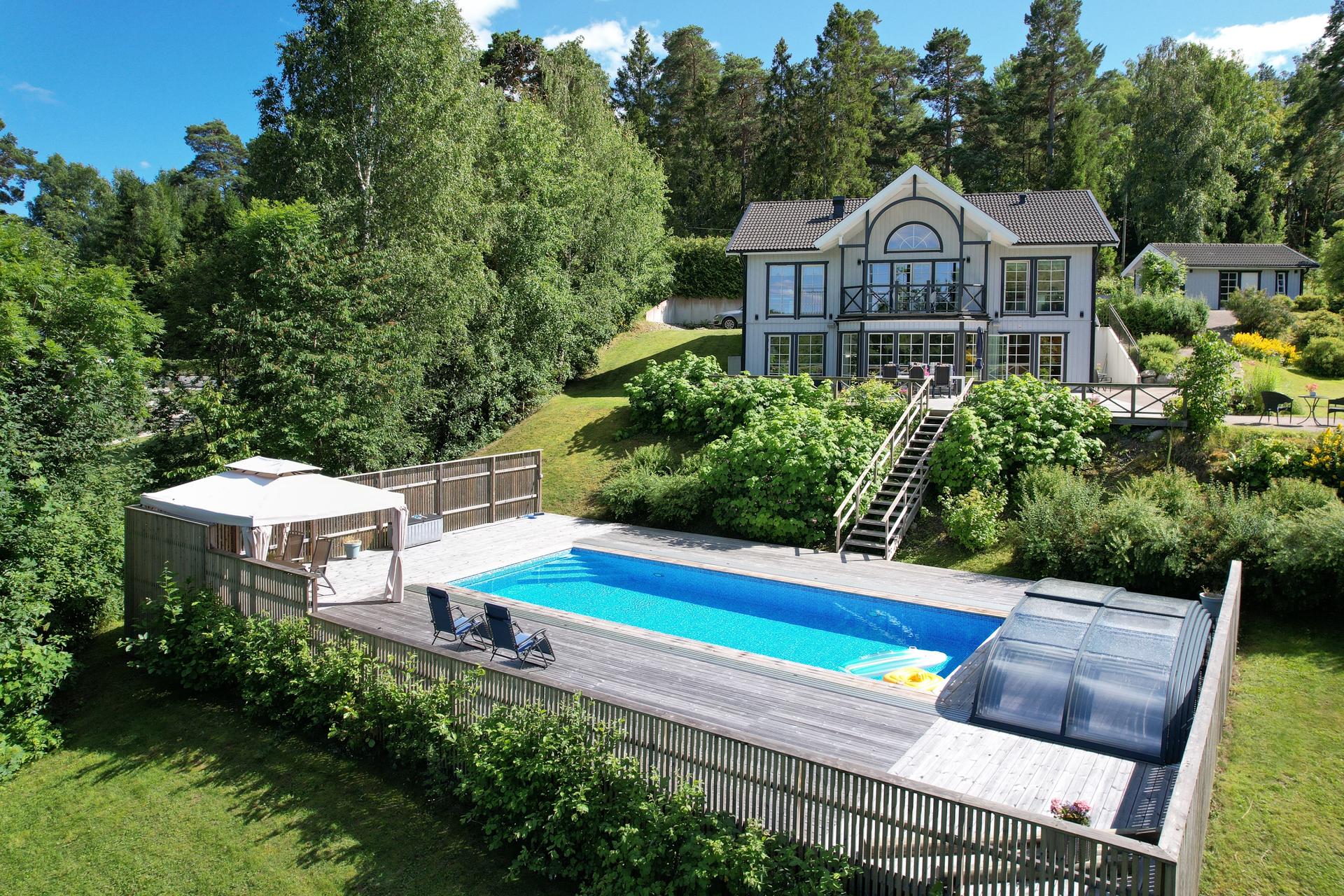
 Late at night
The request: "more shadows, darker, late at night". The house glows, the pool and gazebo are lit, and it is a striking image. Now look at what went: the lawn, the planting and the trees have dropped into near-black, so a buyer can no longer see the garden they would be paying for. A last strip of orange sunset survived in the corner, which is not what night looks like. And the parked car at the top left of the original is simply gone. A darker edit hides things, and sometimes the model takes the hint and removes them.
Night works for one kind of shot: a single feature photo of a lit pool or an outdoor kitchen, late in the listing's gallery. It is a poor lead photo.
Why we recommend deep blue hour
For most homes the lead exterior should sit at early to deep blue hour, with the windows lit and the sky still clearly blue. Three reasons:
- Lit windows only read against a blue sky. In golden hour they look dark; at night they blow out to white. Blue hour is the only stretch where interior light looks like warm light rather than a rectangle.
- The lot stays visible. Lawn, driveway, planting and roofline all still have detail. A buyer can see what they are buying.
- It looks like a real photo. Every twilight shooter works this window, so buyers have seen thousands of real blue-hour listings. A pitch-black sky with every window blazing reads as edited, and that makes people distrust the rest of the gallery.
Golden hour is the exception for views and west-facing outdoor space. Night is the exception for one feature shot. Neither belongs on most front elevations.
What to type
The default mode lands around early blue hour. To move it, say which direction and by how much.
| You want | Type |
|---|---|
| Deeper blue, same lights | "a bit darker, deep blue hour sky, keep the windows soft" |
| Lighter, less dramatic | "earlier in the evening, not too dark, soft blue and pink sky" |
| Warm sunset instead | "golden hour, warm low sun, no interior lights" |
| A specific sky colour | "blue and yellow twilight sky" or "twilight sky with a little pink" |
| Darker, but keep the garden | "darker sky, keep the lawn and planting visible" |
Two habits help. Change one thing per request ("a bit darker" or "less orange", not both at once), and say "a bit" or "slightly". Without a size, "darker" often jumps straight to night. Each new version is another edit, so it costs another credit (1 at 1K, 2 at 2K, 4 at 4K).
What goes wrong, and how to check
Daylight left behind. This is a common giveaway. The sky goes to dusk, but the ground still has hard sun patches and crisp shadows.
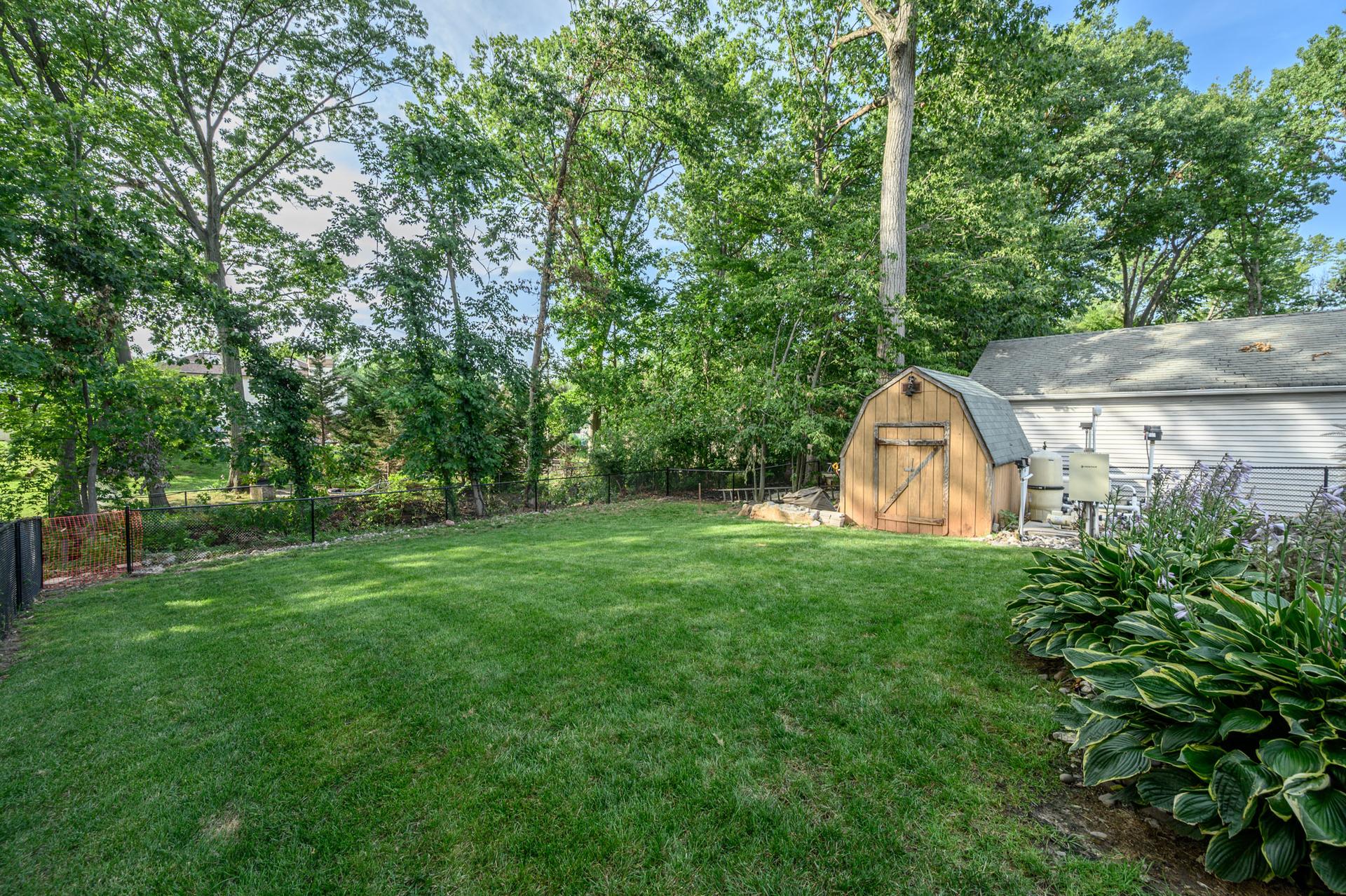
 Sun patches left
"Blue hour edit" gave this garden a pink sky and switched on the lantern over the shed door, which is a real fixture. But the lawn still has bright patches of afternoon sun on it. At dusk there is no direct sun, so the photo contradicts itself, and buyers notice even if they cannot say why. Fix it with "remove the sun patches and shadows on the lawn, even dusk light".
The checklist before you publish:
- No direct sunlight on the ground in a blue-hour or night edit.
- Every light has a fixture in the original. No new path lights, uplights or sconces. Our guide to turning the lights on covers this in detail.
- Only this house is lit, unless you asked for the street.
- Nothing disappeared. Compare the edges of the frame: dark edits drop cars, bins and sometimes garden features.
- Windows glow, they do not blaze. If they are white rectangles, ask for "softer window light".
Disclosure
A twilight conversion changes the sky and the light, not the house, but it is still a digitally altered image. California's AB 723 and some MLSs require altered listing photos to be disclosed, and a golden-hour edit that paints sunlight onto a wall, or a night edit that loses the garden, is further from the original than a sky swap. Keep the unedited photo, label the edit where your MLS asks, and see which AI photo edits need disclosure for the rules edit by edit.
For the technical side of how the conversion works, the day-to-dusk technical guide goes deeper.
Try it free
Transform your first property photo in seconds, no account needed.
Related Articles
Day-to-Dusk AI Conversion: A Technical Deep Dive for Real Estate Photographers
How AI turns a daytime exterior into a magazine-quality dusk shot: the model, the prompt, the failure modes, and a checklist for consistent results.
How to Turn the Lights On in Listing Photos (Without Inventing Any)
Turning lights on was the second most common AI edit request we saw. When it works in daylight, when it needs dusk, and which lights never to add.
Which AI Photo Edits Need Disclosure? AB 723 and MLS Rules, Edit by Edit
California's AB 723 splits listing photo edits into adjustments and alterations. Here is which side each common AI edit falls on, with real before/afters.