Harsh Sun Shadows and Light Splashes in Listing Photos: What to Type and What to Check
How to remove hard sun shadows, sun patches and lamp light splashes from listing photos with AI, what to type, and the mistakes to check for before you publish.
About 1 in 10 agents who type their own instructions into Twilight ask to get rid of unwanted light: a hard shadow across the lawn, a tree's pattern on the facade, sun glare on a tiled floor, or the bright scallops a lamp throws up the wall. Nine in ten of them use the word "shadow". About half ask for it together with a dusk or golden-hour look, and about 7 in 10 say where the problem is ("on the lawn", "on the driveway", "on the house caused by the tree").
Naming the place is the right instinct, and it is the single biggest difference between an edit that works and one that does not. This guide covers when shadow removal is the right edit, what to type, and what to check before the photo goes on the MLS.
When removing shadows is the right edit
- Midday exteriors. The shoot happened at noon, and the eave, a neighbour's tree or the house itself throws a black block across the lawn or the driveway. It pulls the eye away from the house.
- Dusk conversions. A twilight sky with hard noon shadows on the ground looks fake at a glance. This is the most common reason people ask.
- Sun patches indoors. A bright rectangle of sun on the floor or a counter, which reads as a hot spot rather than a room.
- Light splashes from fixtures. Wall sconces, can lights and lamp shades throw bright arcs up the wall. In person you do not notice them. In a wide-angle photo they look like stains.
It is the wrong edit when the shadow tells the buyer something true. A deep porch that keeps the front rooms cool, a big shade tree over the garden, a north-facing yard that never gets sun: removing that shade sells a different property. Shadows under furniture and eaves are also worth keeping. They are what makes a photo look three-dimensional, and a picture with none at all looks pasted together.
Outdoor shadows: say what casts it and where it falls
The cleanest results come from naming the shadow and the surface it falls on.
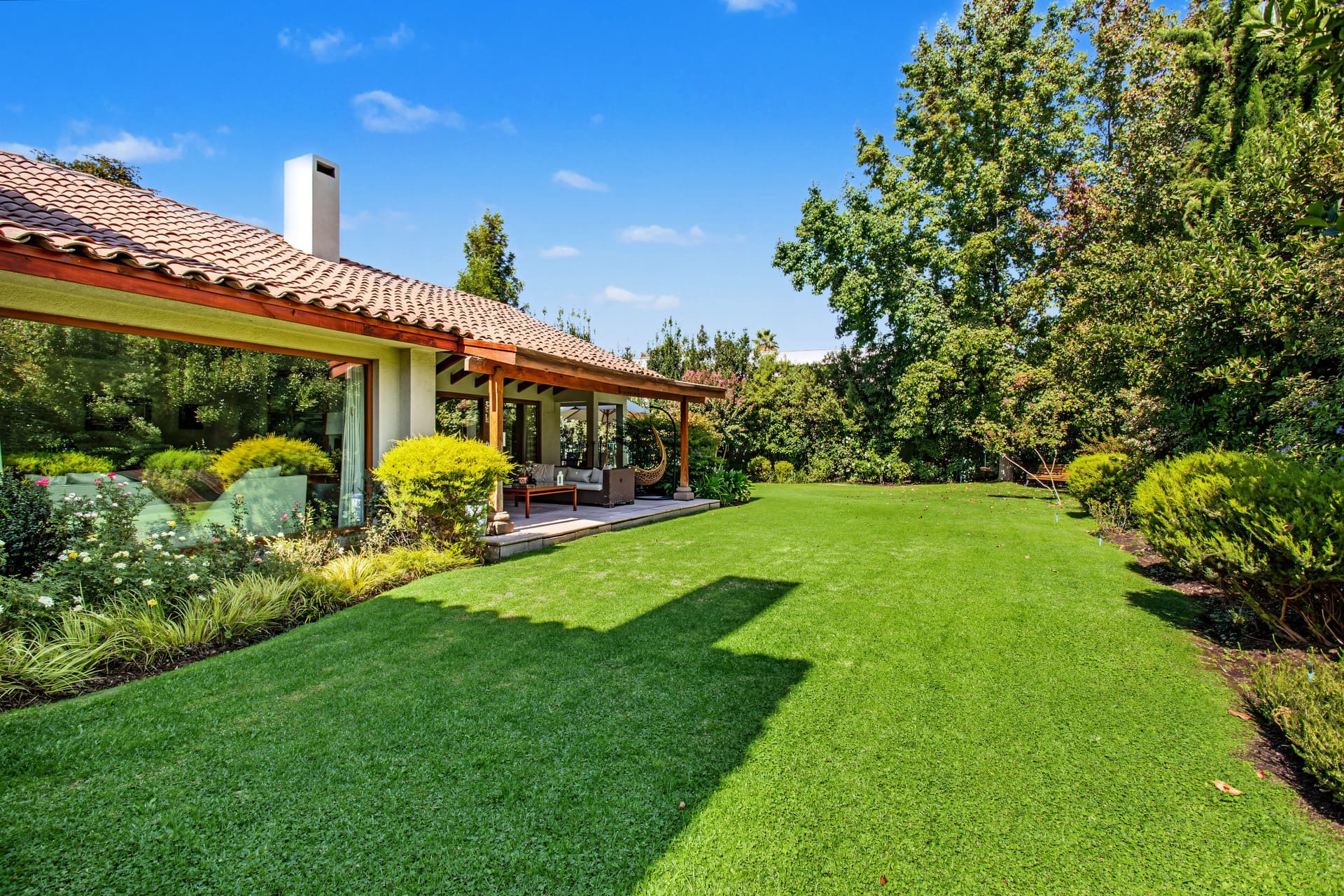
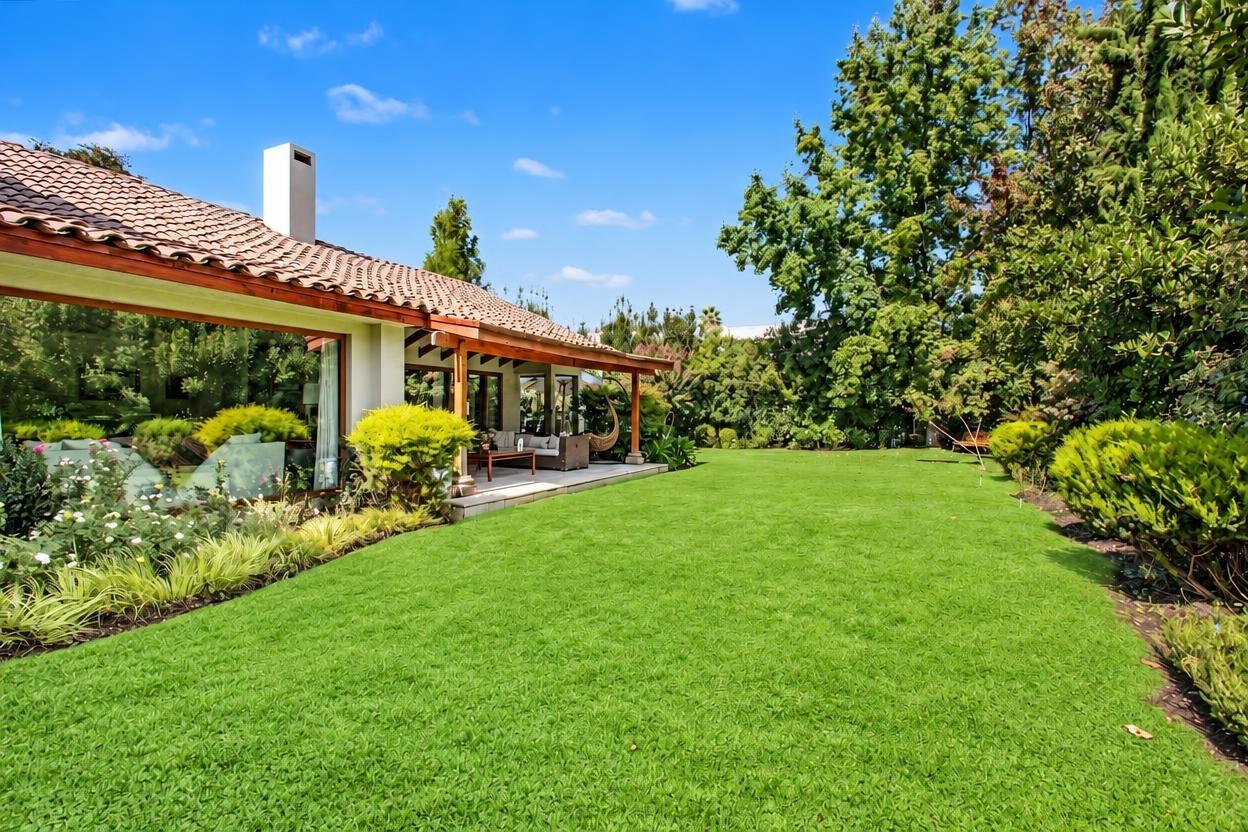 Roof shadow removed
This photo had a general clean-up first, then a two-word follow-up: "remove shadow". The roof's shadow across the lawn is gone, and the terrace, the furniture, the beds and the trees are where they were. Two things to notice. The lawn came out a shade greener than the original, which is worth checking against the real grass. And the smaller shadows under the shrubs on the right went too, which makes that edge of the photo slightly flatter. "Remove the roof shadow on the lawn, keep the shadows under the shrubs" would have kept them.
What to type, exteriors:
| You want | Type |
|---|---|
| One big shadow gone | "remove the shadow of the roof on the lawn" |
| Tree pattern off the house | "remove the tree shadows on the front wall, keep the tree" |
| Driveway evened out | "remove the shadow on the driveway" |
| Softer, not gone | "soften the shadows on the lawn, keep the shade under the tree" |
| Dusk with no daylight shadows | "convert to dusk, remove the sun shadows of the benches and table on the patio" |
Dusk edits: daylight shadows give the game away
About half of the people asking about shadows are doing it alongside a dusk conversion, because a lit-window twilight photo with crisp noon shadows on the ground is the most common way a fake dusk shows itself. The sky changes, the windows glow, and the shadows stay put. Here is what that looks like when the request is general:
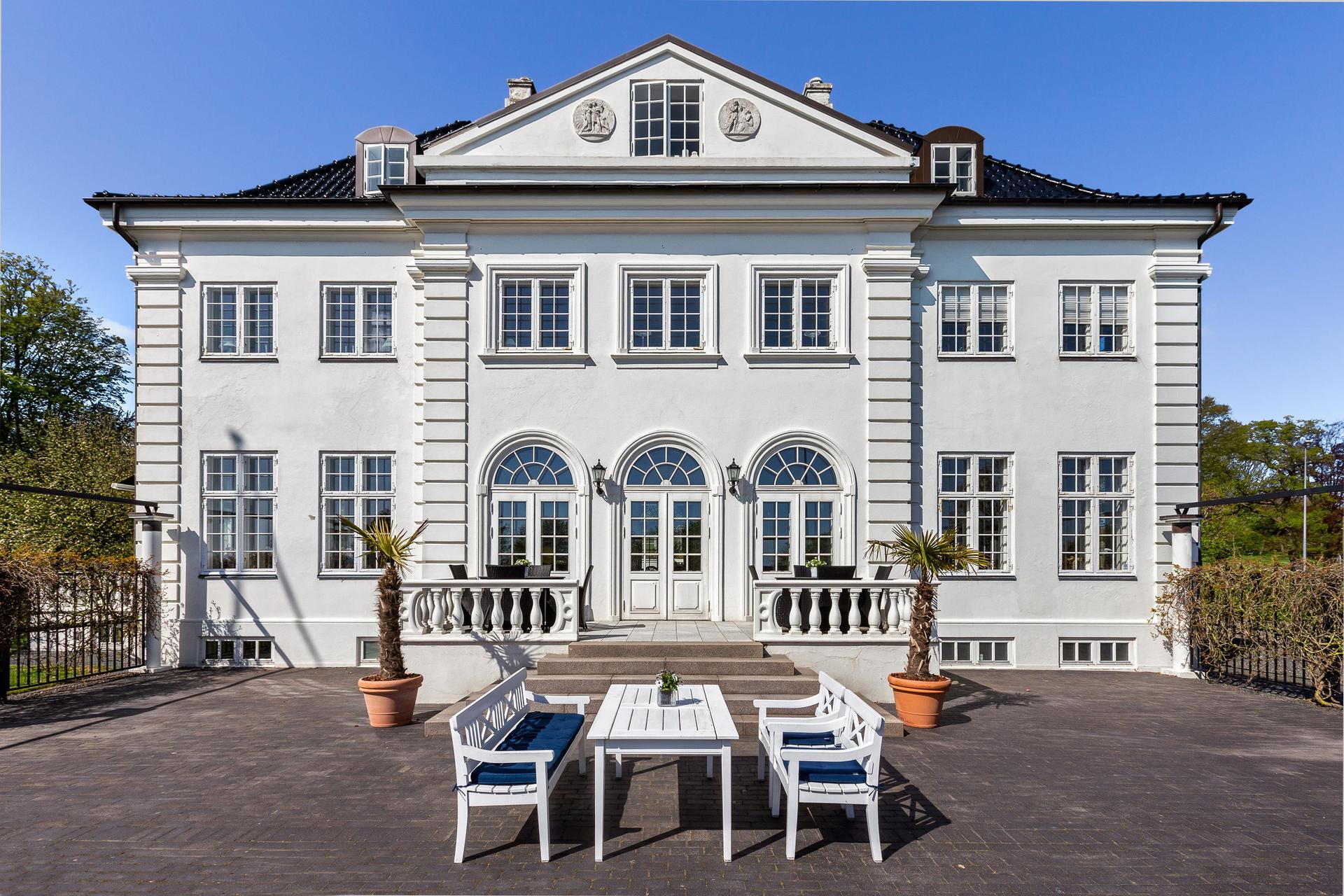
 Dusk, shadows left
The request was "add warm window glow and lightspill. Remove sun shadows". The dusk part worked: the sky, the lit windows and the two wall lanterns all look right. But look at the terrace. The benches and the table still throw sharp shadows down and to the right, and a post still casts a long diagonal shadow up the wall on the left. At dusk there is no sun to cast them. Most buyers will not be able to say why the photo feels off, but it will.
The fix is to be specific about the leftovers in a follow-up edit: "remove the shadows of the benches and the table on the terrace, and the shadow of the post on the left wall". Check the ground, walls and paving of every dusk edit for shadows with hard edges. If you find one, name its source.
Light splashes from lamps and sconces
Indoors, the most common request is not about the sun at all. It is about the bright arcs that wall lights and lamp shades throw on the wall. Name the surface you want clean, not only the light.
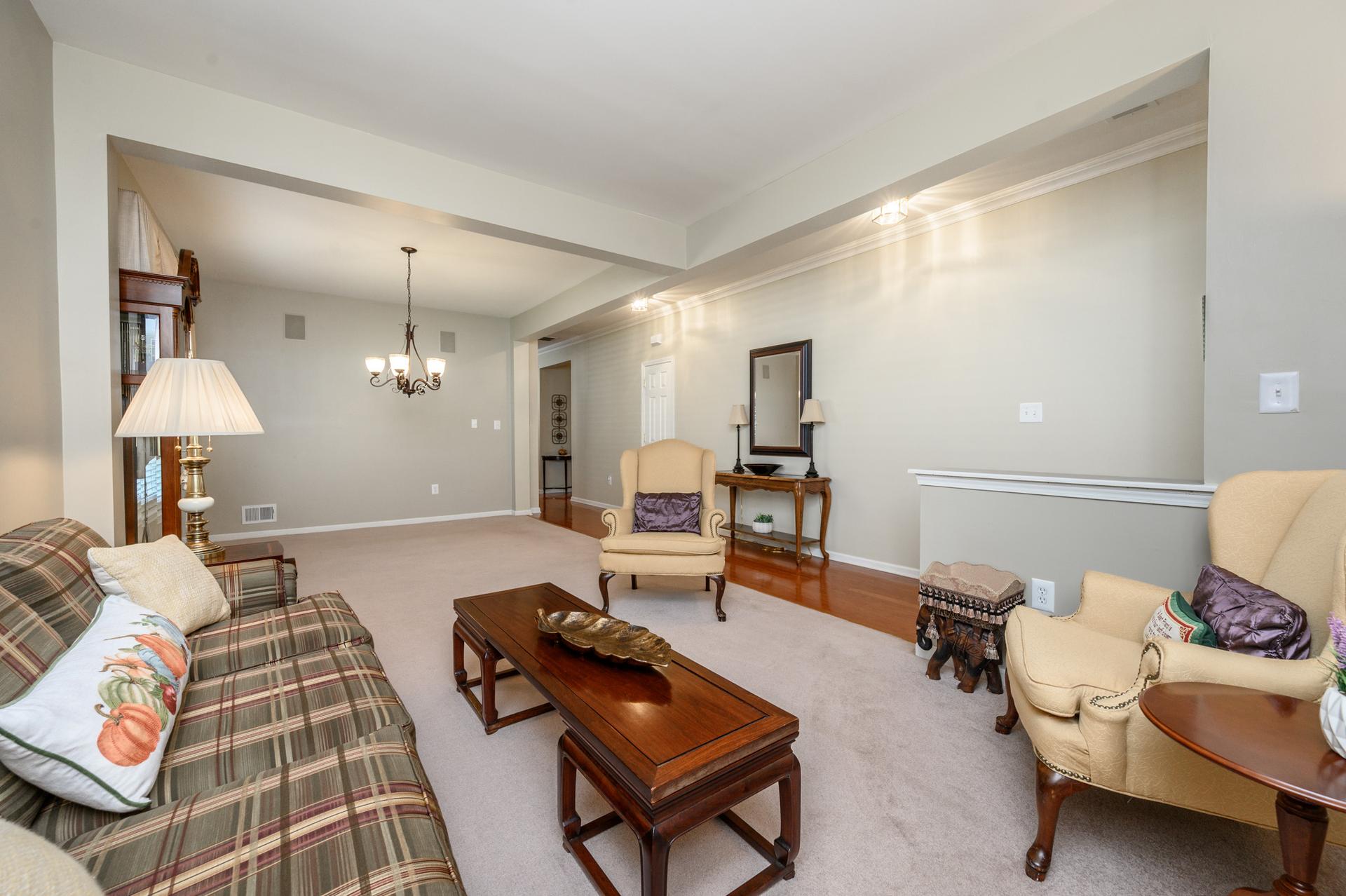
 Walls cleared
"Clear the walls from the light splashes." The ceiling lights are still on, and the long wall and the beam above it are now an even grey. On this photo, an earlier request that named the ceiling lights softened the arcs but left faint scallops behind. Naming the walls cleared them.
Lamps are trickier, because the quickest way for an AI to remove a lamp's splash is to switch the lamp off:
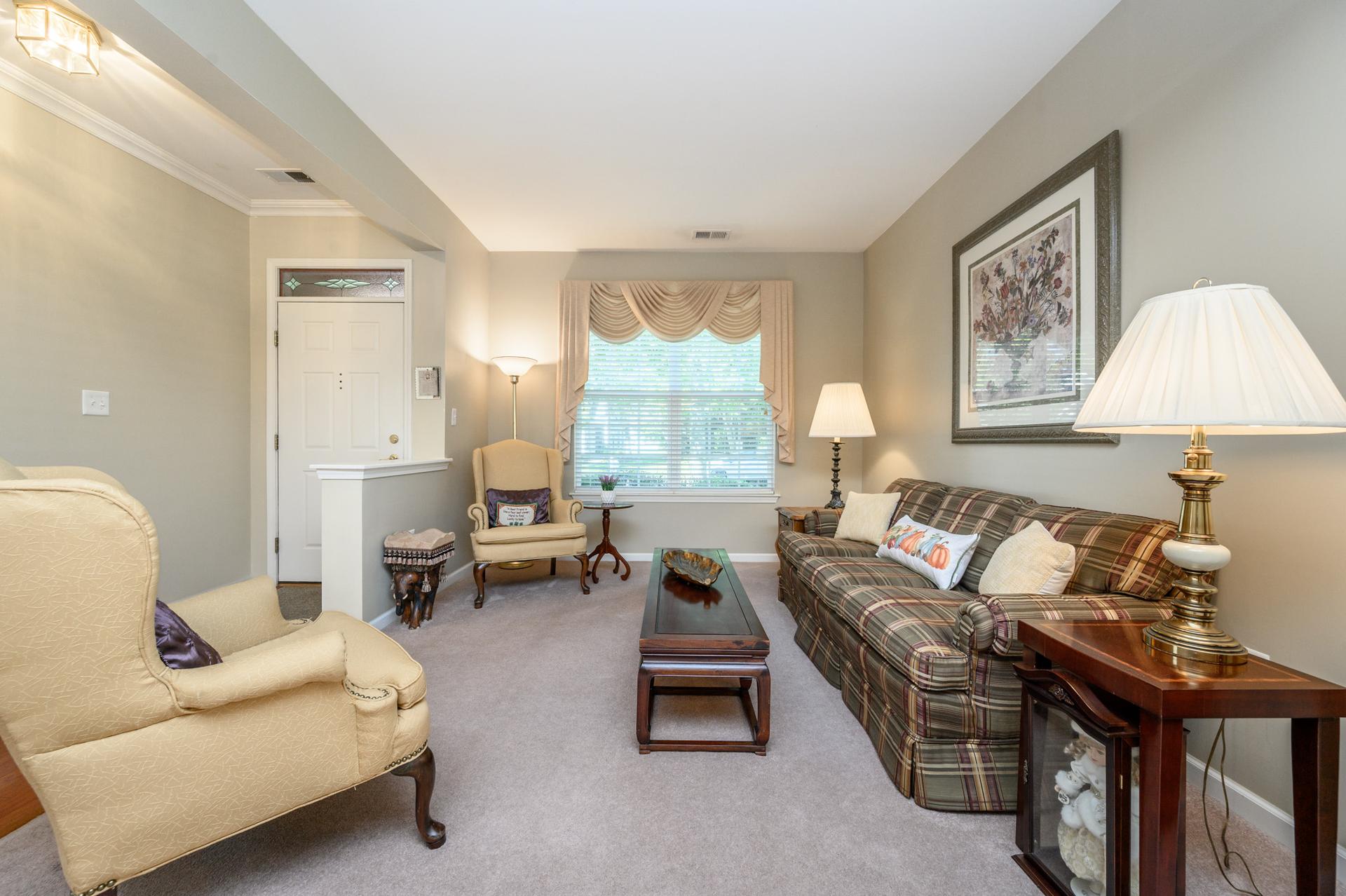
 Lamps switched off
The request was "remove light splashes coming from the lamps". The splashes went because the floor lamp and both table lamps came out switched off, and the room is cooler and more even as a result. That may be exactly what you want. If it is not, say so: "keep the lamps on, remove the bright patches on the wall above them".
Sun patches indoors, and what else can change
Sun glare on a floor or a window wall is the indoor version of the noon shadow, and a general "remove shadows" usually fixes it. The risk is that a vague request gives the model room to "tidy" other things on the way.
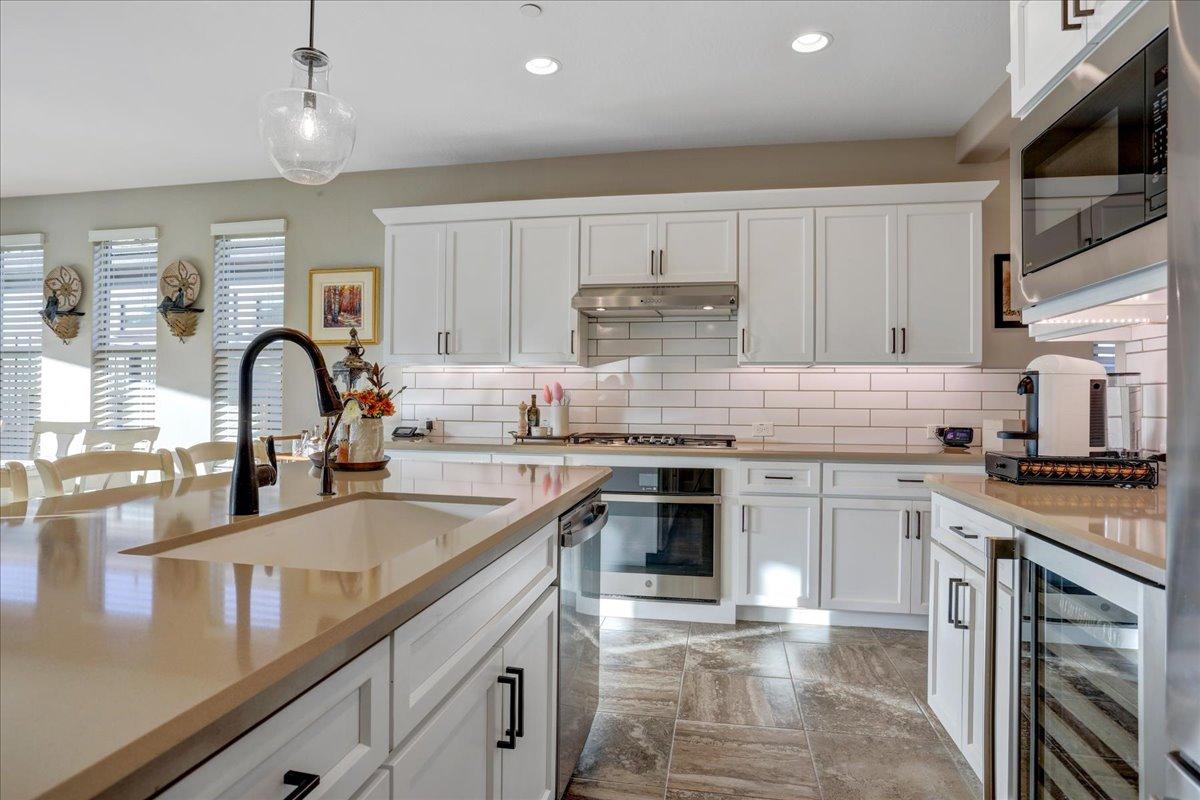
 Watch for this
The request was "remove shadows". The glare on the floor tiles and around the windows is gone, which is what was asked. But the coffee machine, the capsule rack, the flowers and the bottles by the hob went with it, and a second small tap appeared beside the sink that is not in the original. The frame also shifted slightly. None of that was asked for.
This is why the request should say where the light problem is and what to leave alone: "remove the sun glare on the floor tiles, do not change anything on the counters". And it is why every shadow edit needs a second look at the parts of the photo you were not thinking about.
Before you publish a shadow edit
- The shadows you named are gone, including the small ones under benches, tables and posts on a dusk edit.
- The shadows you wanted are still there. Under eaves, under furniture, under the big tree if the shade is part of the property.
- Nothing else moved. Same objects on the counters, same taps and fixtures, same framing.
- Colours are believable. Removing a shadow can push a lawn greener or a wall brighter than the real thing.
- Lamps are in the state you meant. On if you wanted them on.
Do you need to disclose it?
Removing a shadow or a light splash changes the lighting, not the property, and California's AB 723 lists lighting and exposure among the adjustments that do not need a label. That changes the moment the edit also removes or adds something, as in the kitchen above: taking items off the counters is object removal, and some MLSs and AB 723 treat that as an altered image. Our guide to which AI photo edits need disclosure goes through each case. Keep the original either way.
Where to start
Upload the photo, type where the shadow or splash is and what casts it, and check the result against the list above. An edit is 1 credit at 1K, so a second, more specific try is cheap. For interiors, interior enhancement evens out sun patches and dark corners as part of a general clean-up. If the shadows are part of a dusk conversion, our guide to turning the lights on in listing photos covers the other half of the job.
Try it free
Transform your first property photo in seconds, no account needed.
Related Articles
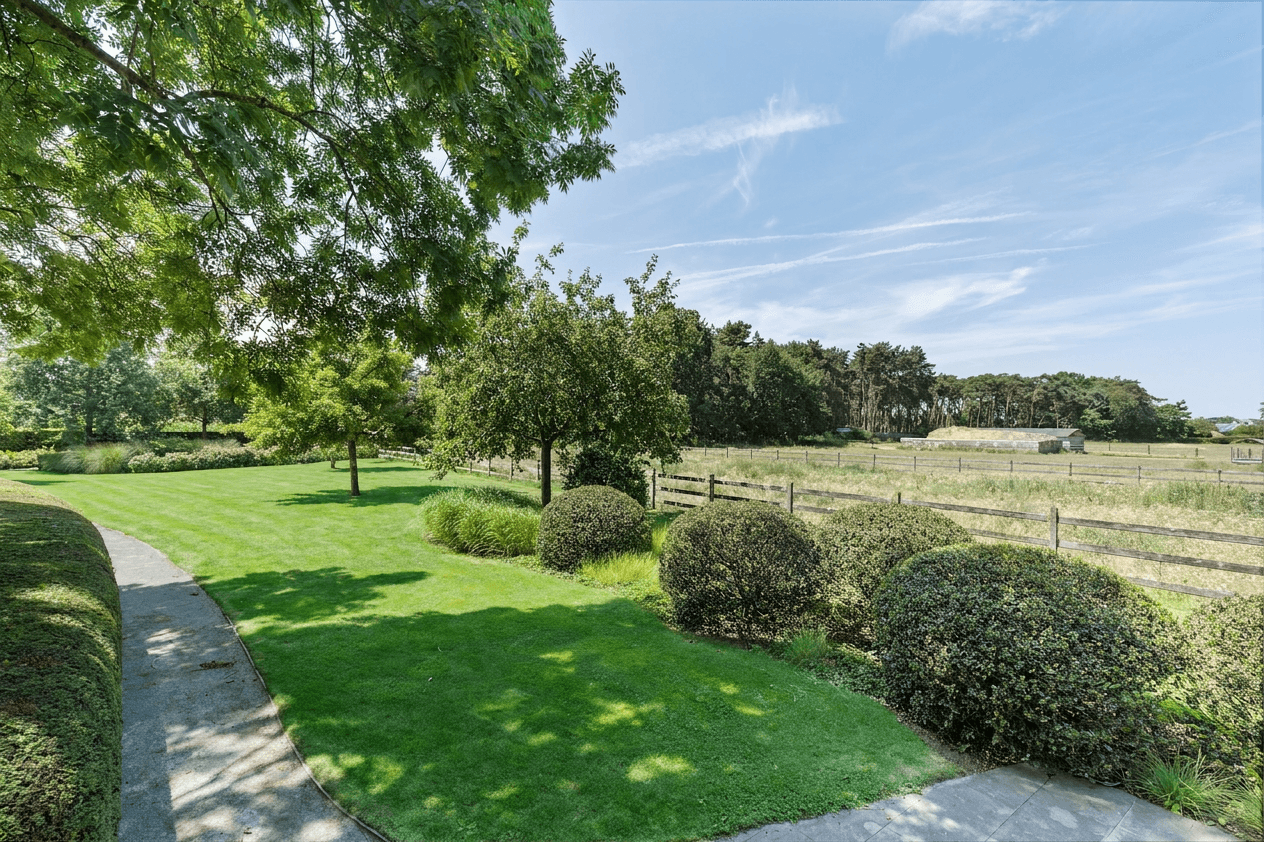
Fixing a Patchy or Brown Lawn in Listing Photos, and When Not To
How to fix brown patches and worn grass in a listing photo with AI, what to type, how to keep it believable, and where greening a lawn becomes misleading.
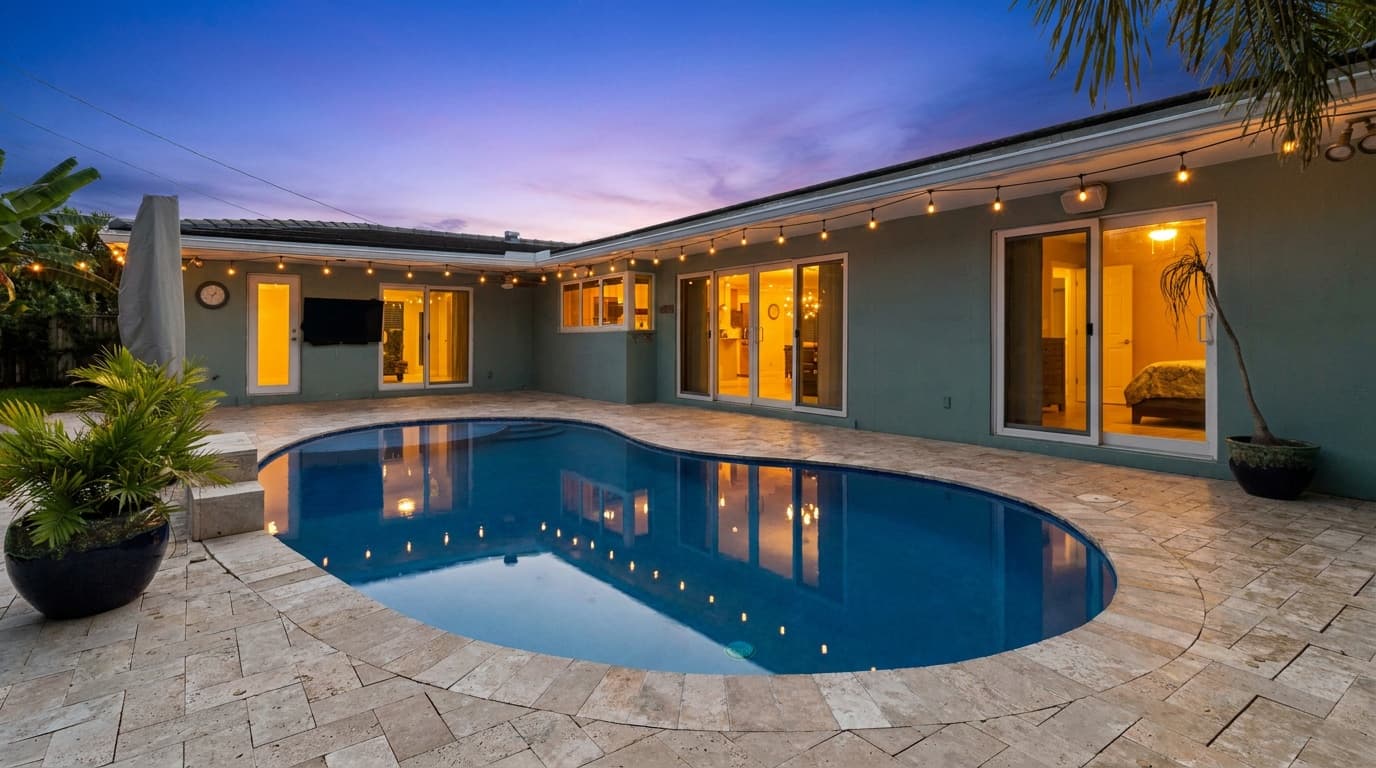
How to Turn the Lights On in Listing Photos (Without Inventing Any)
Turning lights on was the second most common AI edit request we saw. When it works in daylight, when it needs dusk, and which lights never to add.
Removing Furniture From Listing Photos: Occupied Homes, Estate Sales and Rentals
How to take a bed, a chair or a whole room of furniture out of a listing photo with AI, what to type, and the mistakes to check for before you publish.