


The new Twilight

Built fromyour feedback.

A new editing engine, a second look at every edit, and an editor that remembers what you ask for.

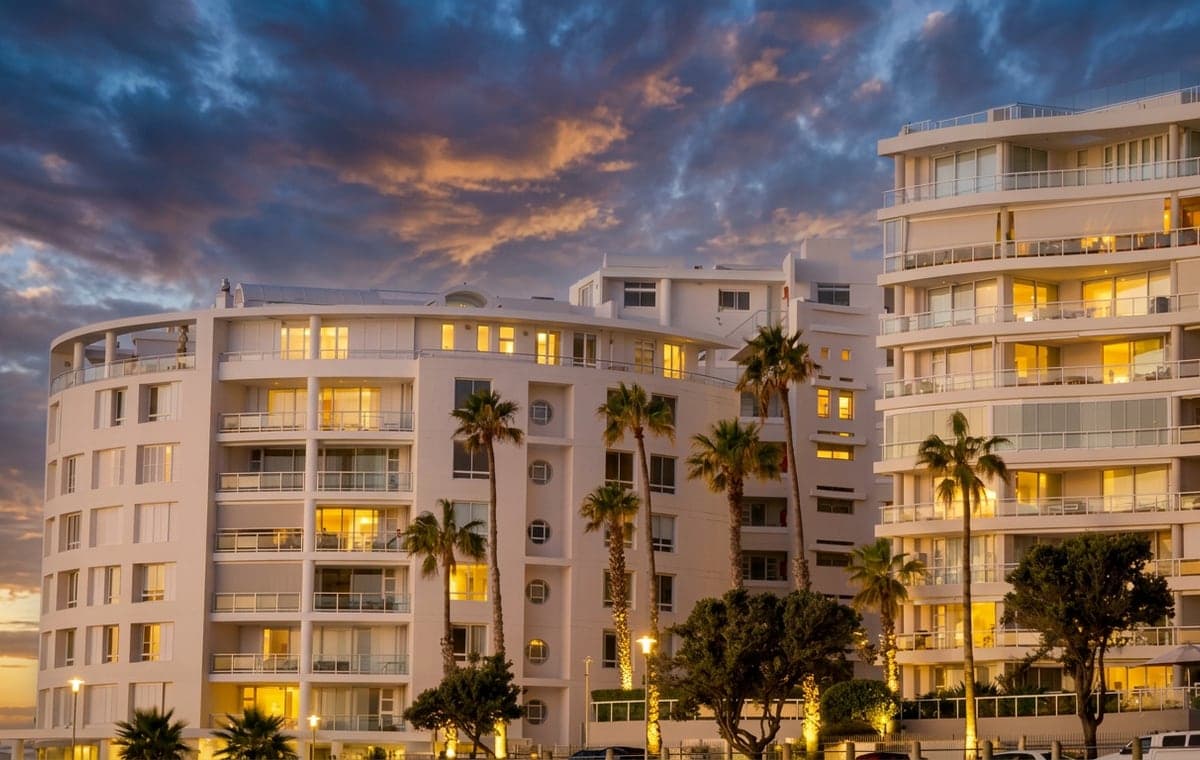
Seafront apartment buildings at dusk with their windows lit, edited in Twilight

What changed, and who asked for it

For months you told us what Twilight got wrong: in support messages, in thumbs-downs, and in the same requests typed photo after photo. We read all of it, and rebuilt the editor around it.

  • A second look

    Every edit is checked against your photo.

  • Dusk first

    Exteriors open with Twilight ticked.

  • Ask once

    Type it on two photos, it becomes a chip.

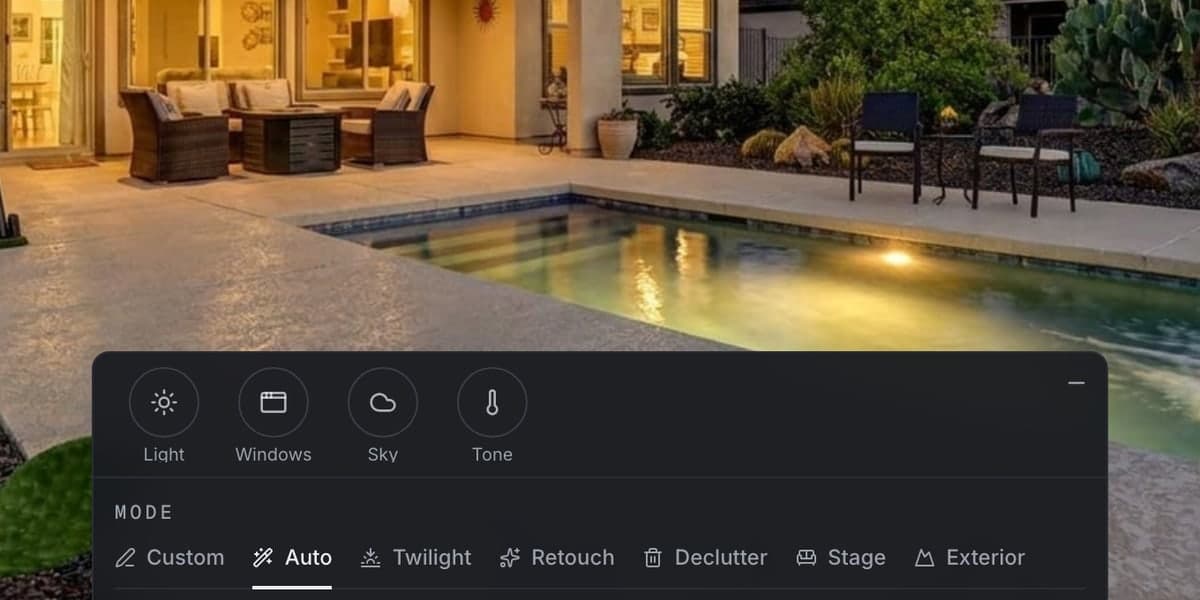
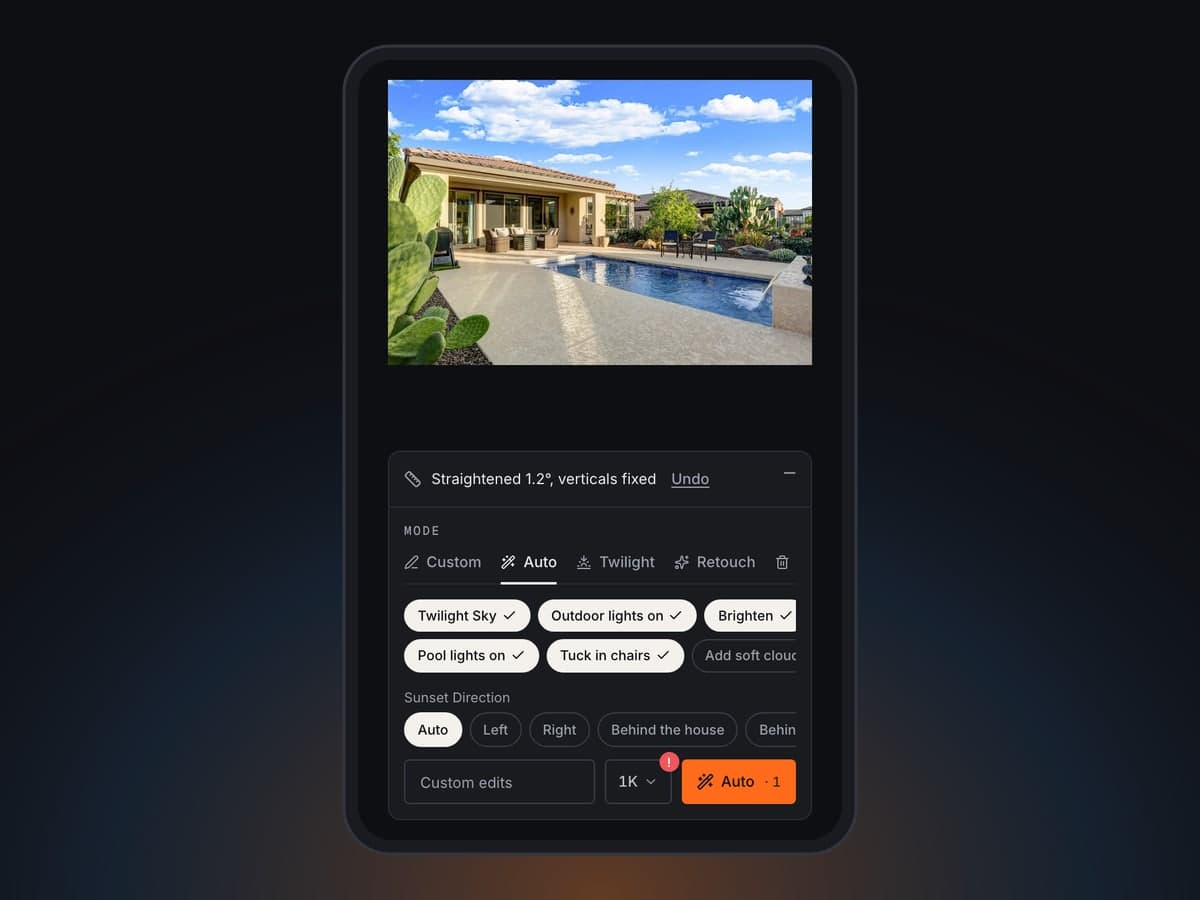
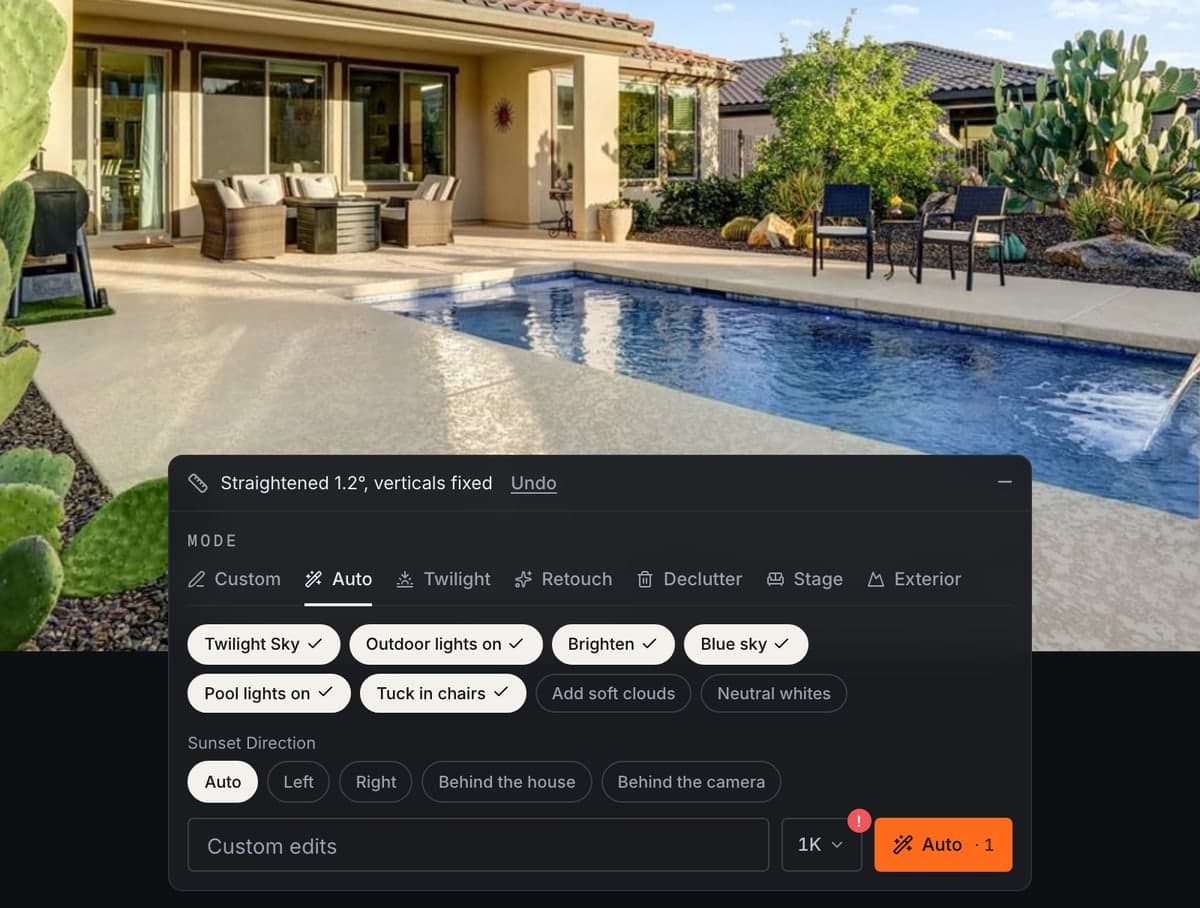
The new Twilight editor on a backyard pool photo: Straightened 1.2 degrees, the mode tabs, ticked chips for Twilight Sky, Pool lights on, Outdoor lights on and Remove pool hose, the Sunset Direction picker, and Apply

How an edit works now

  1. 01OpenYour photo opens straight, with an edit already ticked.
  2. 02ApplyOne tap. The result shows the moment it is ready.
  3. 03CheckedTwilight looks it over against your photo, reruns what clearly went wrong and tells you the rest.
  4. 04TweakLight, windows, sky and tone, one tap each.
  5. 05Keep goingType a change or tick another chip. Every edit is a new version.

You told us

“It changed things I didn’t ask for.”

Every edit gets a second look

After your result appears, Twilight checks it against your photo: the framing, what you asked for, everything else on the property, and the light. If something slipped it tries again, and your version history shows what it checked.
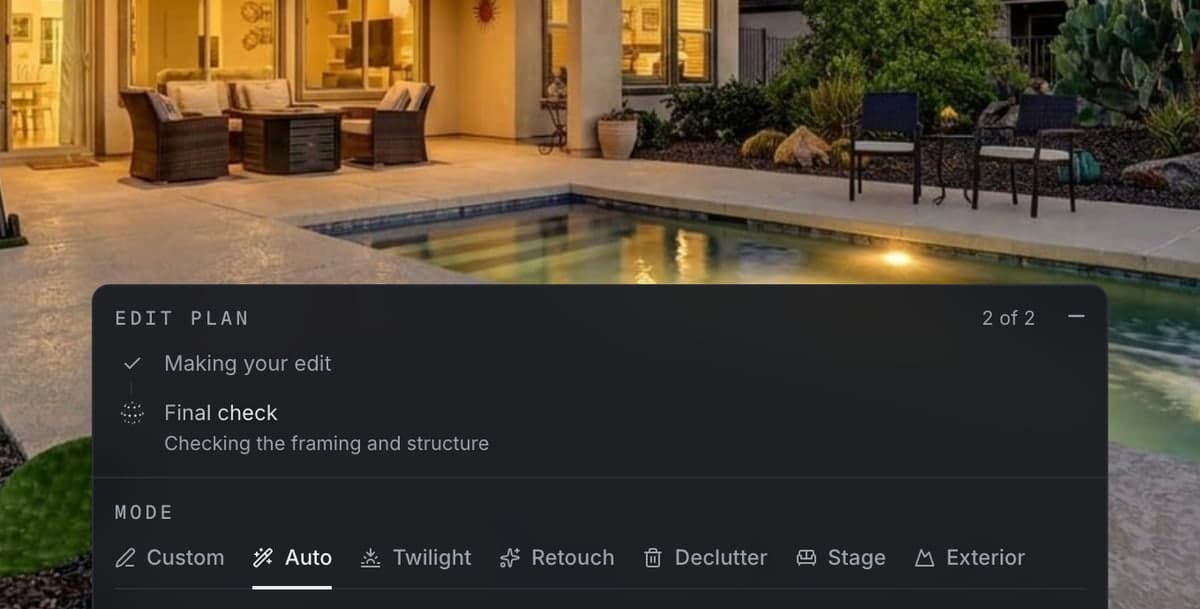
The editor after an edit, showing the edit plan: Making your edit ticked, and Final check running on the framing and structure

We noticed

Nearly every exterior you edited, you took to dusk.

Exteriors start at dusk

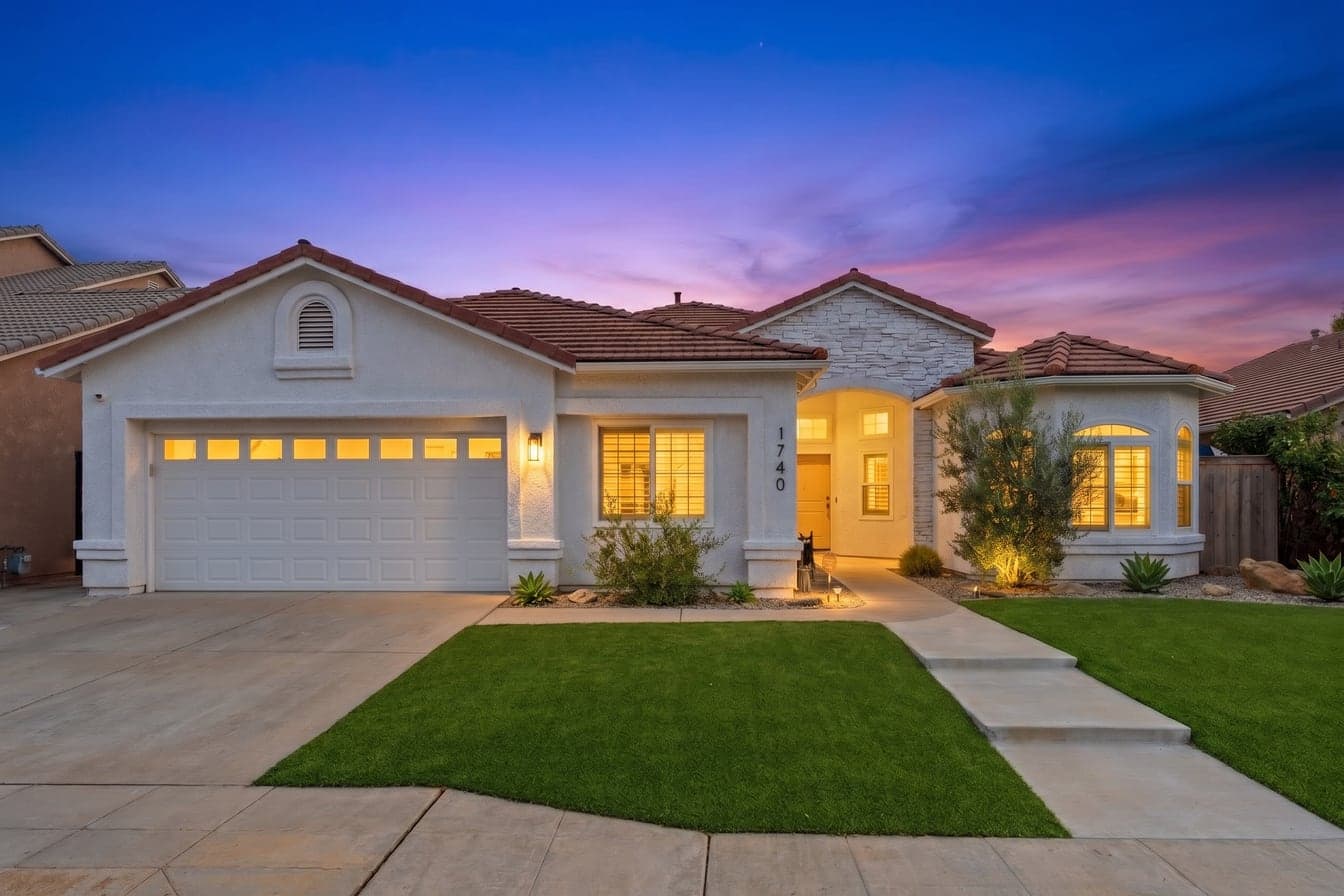
Open an exterior with sky in it and Twilight is already ticked. Pick where the sun sets and the glow comes from the right side of the house.

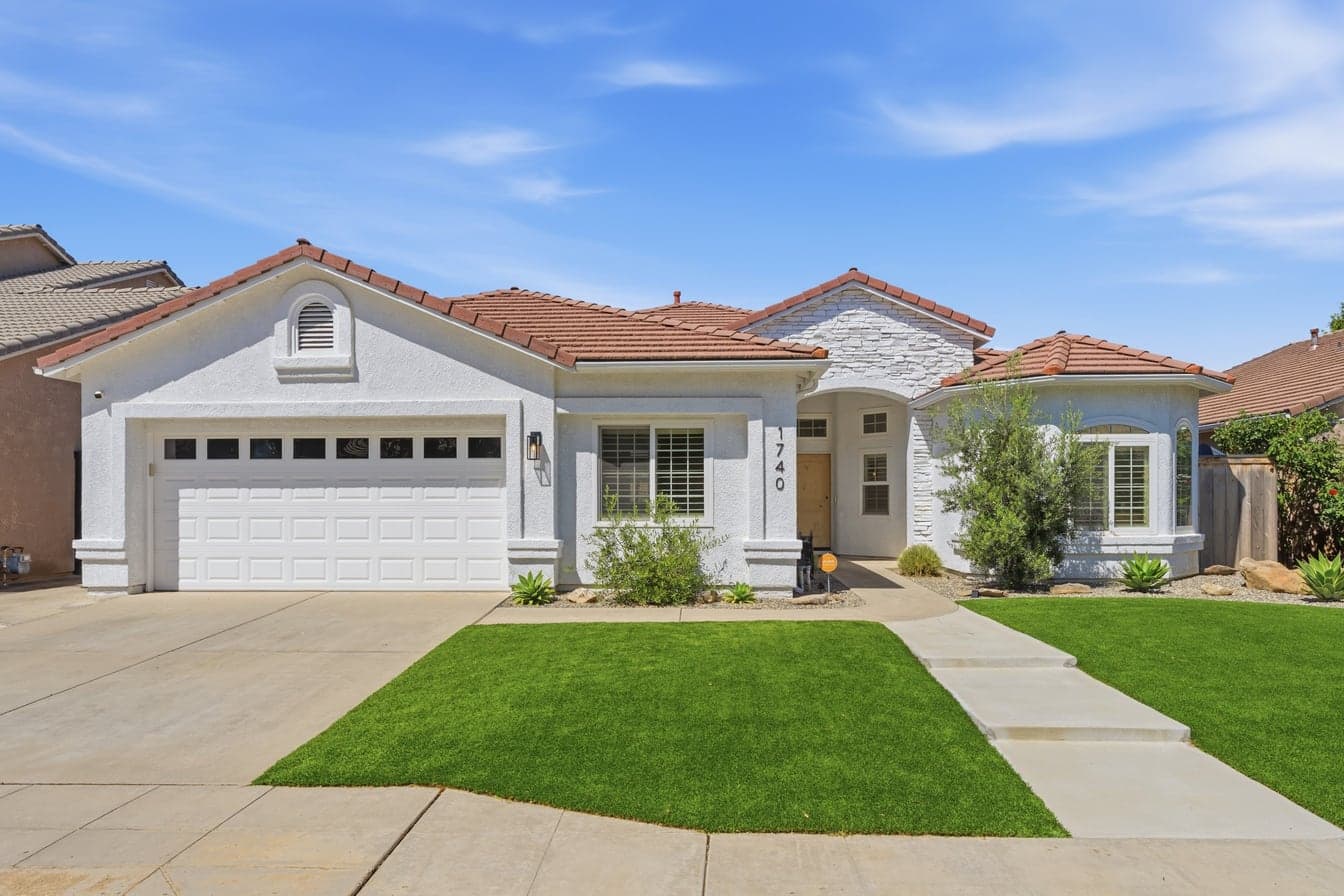
A white home with a tiled roof in bright daylight
Before
The same home at dusk under a pink sky, with its windows and entry litAfter

You told us

“Turn on the pool lights.”

The lights you ask for come on

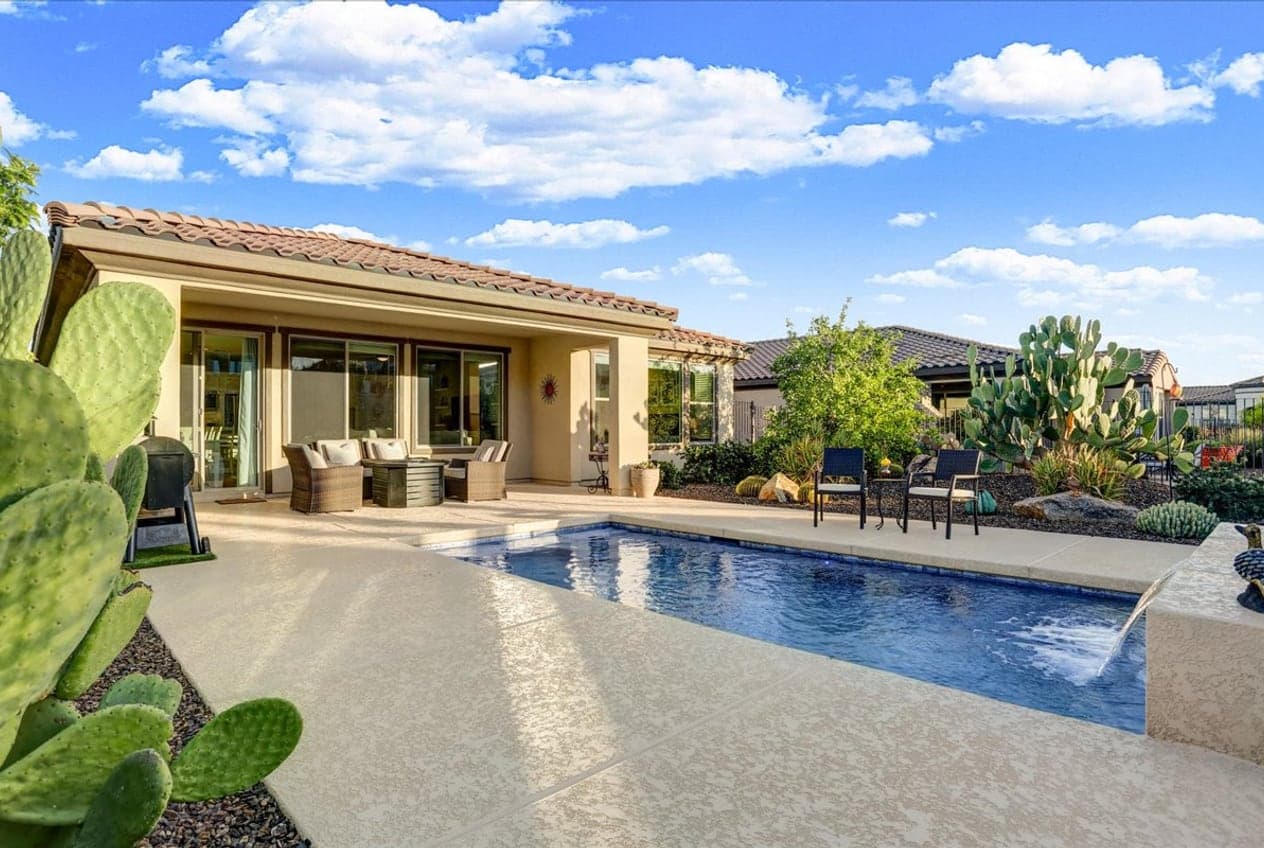
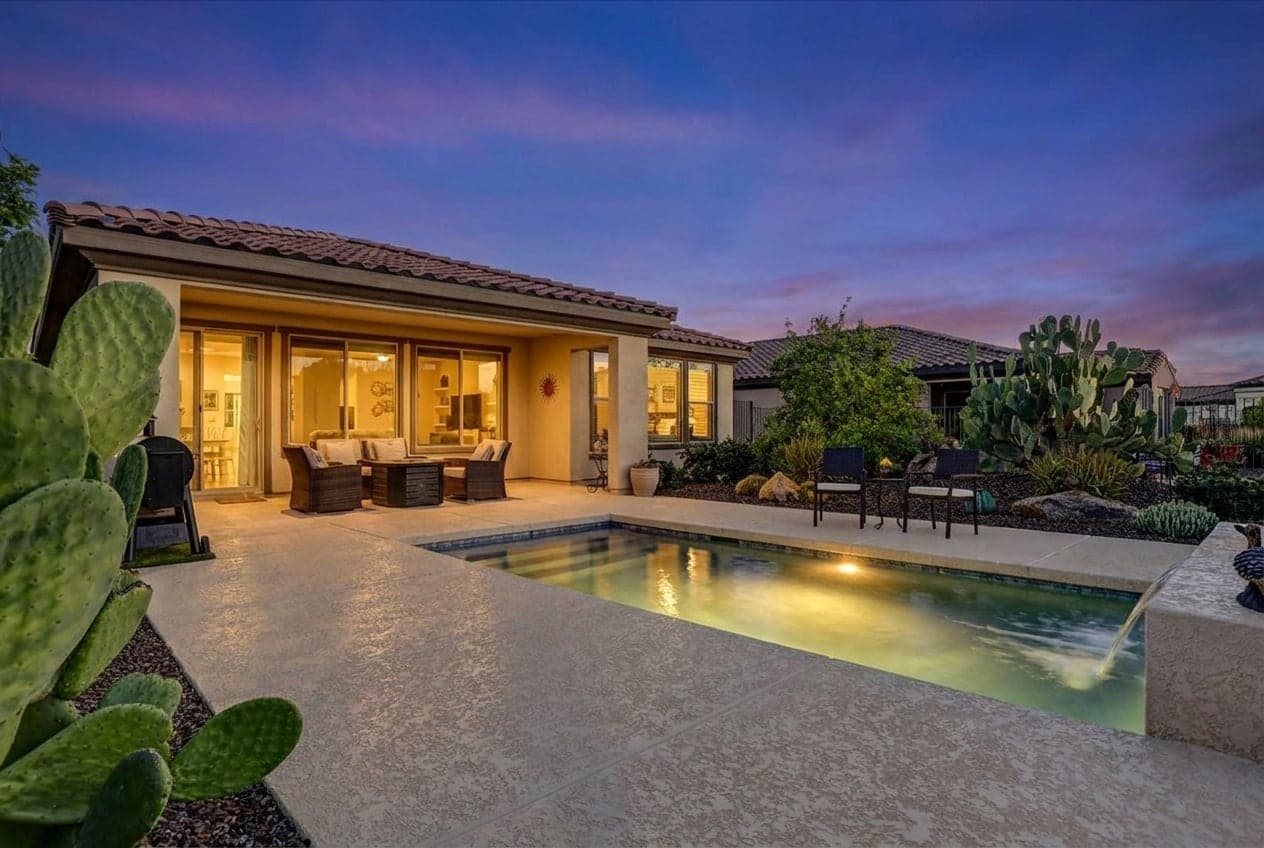
Pool lights on and Outdoor lights on are ticked for a Twilight edit, and they switch on the lights your property already has.

A covered patio and pool under a bright blue sky
Before
The same patio at dusk, with the pool light on and the patio litAfter

We noticed

You typed the same request on photo after photo.

Ask once

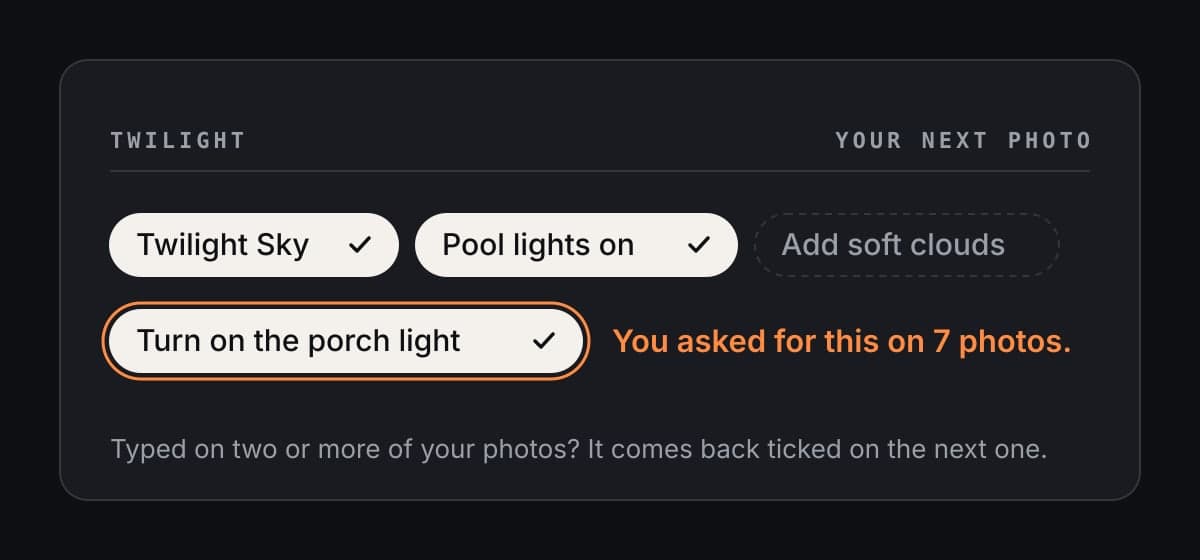
Anything you type on two or more of your photos comes back as a ticked chip on the next one, with a note saying why. Untick it any time.

The editor's chips, with a ticked chip reading Turn on the porch light and the note: You asked for this on 7 photos.

You told us

“Don’t change the original room. Keep the wall colours.”

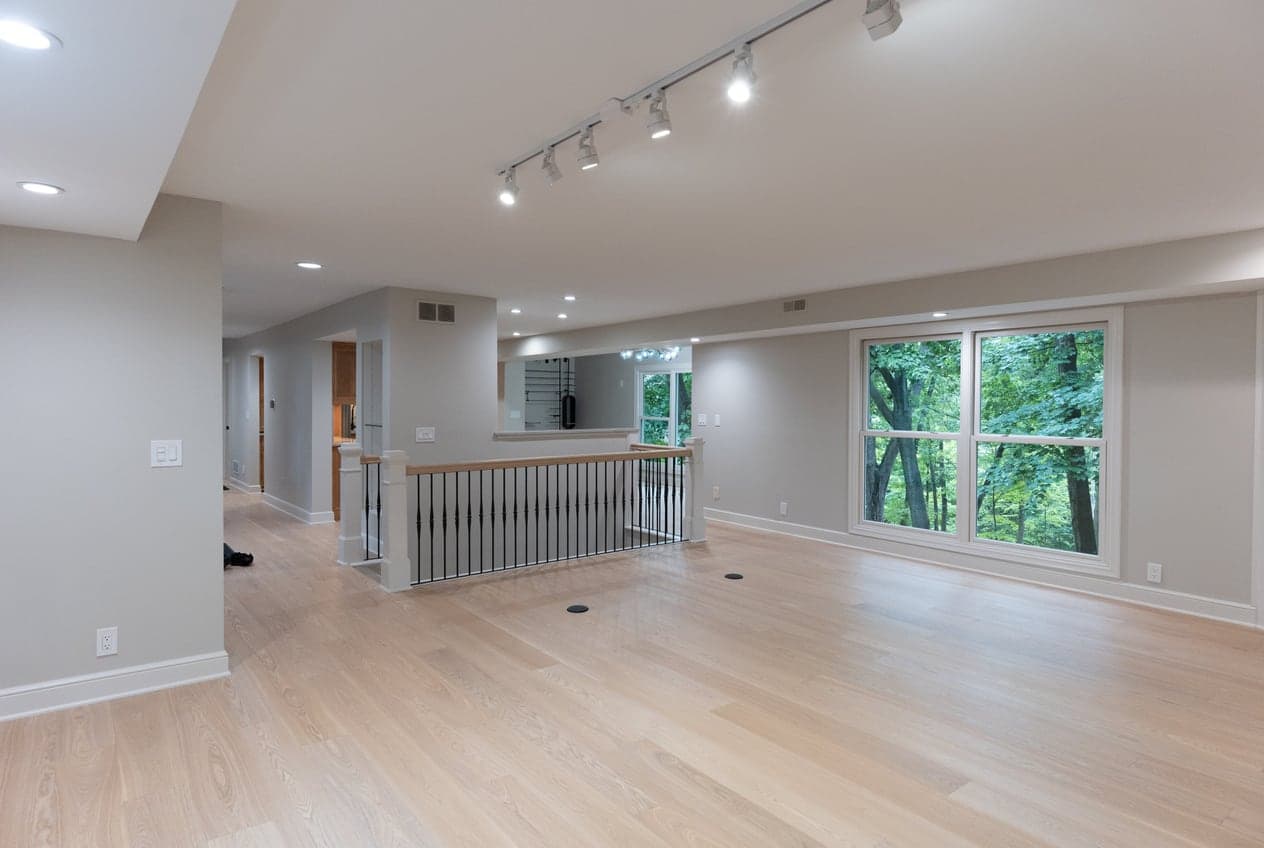
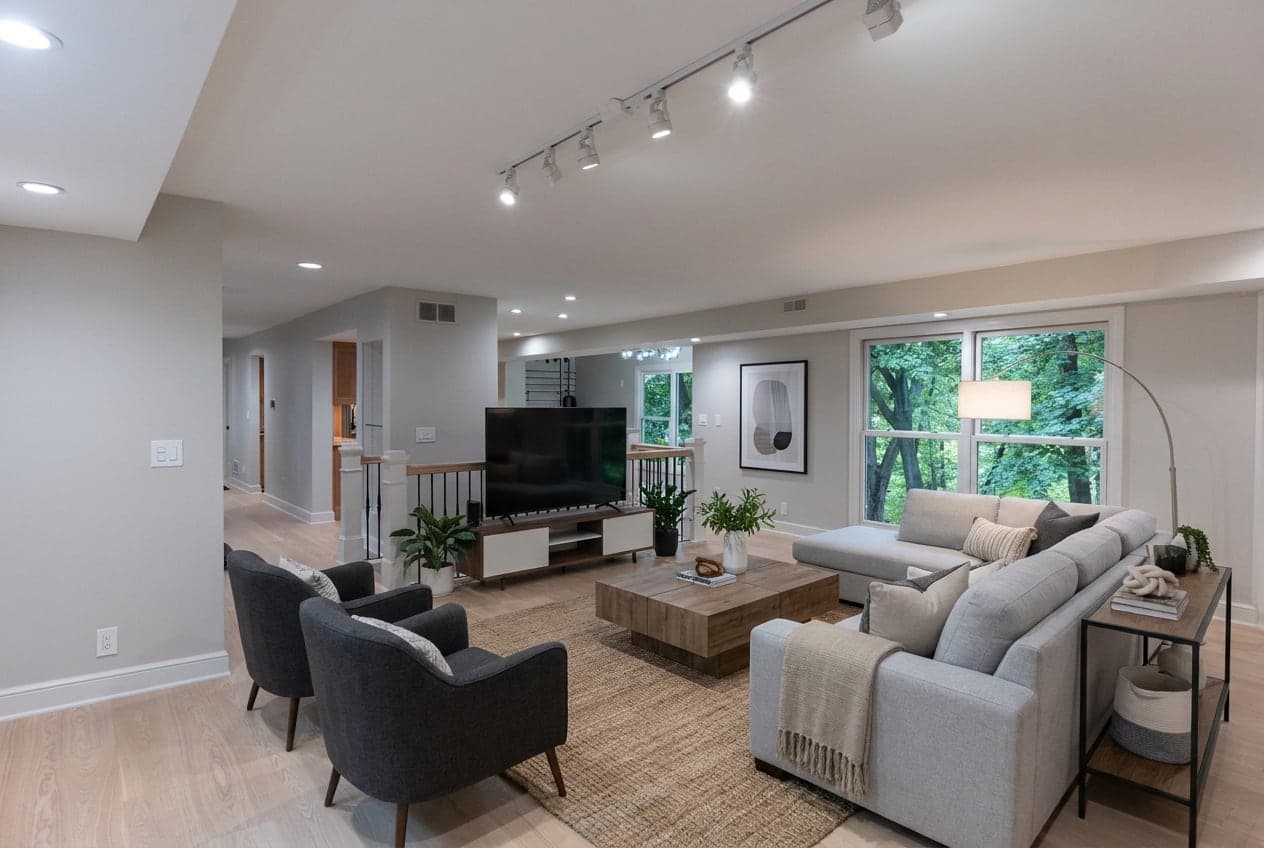
Staging that respects the room

Staging furnishes the room and is designed to keep its own walls, floors and windows. Stage one room in a listing and the next empty room opens with staging ready.

An empty lounge with pale wood floors and a window onto trees
Before
The same lounge furnished with a sofa, armchairs and a rug, with the same walls and windowsAfter

You told us

“The windows are too bright.”

One tap to adjust

After an edit, make the light darker or brighter, the sky lighter or deeper and the tone cooler or warmer, and after a dusk the windows softer or brighter. No retyping, no starting over.

The editor after a dusk edit with one-tap dials: Light darker or brighter, Windows softer or brighter, Sky lighter or deeper, Tone cooler or warmer

And a lot of small things

  • Photos open straight, verticals fixed. One tap to undo.
  • Screenshots open cropped to the photo.
  • Tidy-up chips for what you would fix on the day: make the bed, close the cupboards, level the blinds.
  • Bags, bins and hoses are ticked for removal. Furniture stays unless you ask.
  • A heads-up when 1K would soften your photo, with one tap to 2K.
  • On your phone, the whole edit lives in one Edit button.
The Twilight editor on a phone, with the whole edit in one panel under the photo

Tell us what is next

Every change on this page started with an agent telling us something. Try the new editor, then tell us what to build next.