Commercial Real Estate Photography: How to Shoot and Edit Office, Retail, and Industrial Spaces
Complete guide to photographing and editing commercial real estate -- offices, retail, industrial, and multi-family. Techniques for spaces that sell or lease.
Commercial real estate photography is a different discipline from residential. The properties are larger, the spaces are more complex, the lighting challenges are more extreme, and the decision-makers evaluating the photos are sophisticated real estate professionals rather than emotional homebuyers. A retail space, a Class A office suite, a 50,000-square-foot warehouse, and a 200-unit apartment complex each require different approaches to both shooting and editing.
Yet despite these differences, the fundamental truth remains the same: better photos lead to faster leases, higher rents, and more competitive sales. In this guide, we cover the specific techniques for photographing and editing the four major commercial property types --- office, retail, industrial, and multi-family --- and how AI editing tools are increasingly relevant to the commercial real estate market.
Commercial vs. Residential: Key Photography Differences
Before diving into property-specific techniques, it is important to understand the fundamental differences between commercial and residential photography.
The Audience Is Different
Residential buyers are emotional. They are looking for a home, a place to live their life, and their decisions are driven by how photos make them feel. Commercial decision-makers are analytical. They are evaluating a space for its functional utility, foot traffic potential, zoning compliance, layout efficiency, and financial return. Photos need to communicate function and potential, not just beauty.
The Spaces Are Larger
Commercial properties are often measured in thousands or tens of thousands of square feet. Capturing the scale and flow of a 15,000-square-foot office requires different equipment (wider lenses, elevated positions) and different compositional thinking than a 1,500-square-foot home.
Lighting Is More Challenging
Commercial spaces frequently have fluorescent or industrial lighting, high ceilings that create uneven illumination, large glass facades that create extreme dynamic range, and areas with minimal or no natural light. The color correction challenges in commercial photography are often more severe than in residential.
The Listing Platforms Are Different
Residential listings go on the MLS, Zillow, and Realtor.com. Commercial listings go on CoStar, LoopNet, Crexi, and CREXi, each with different image requirements and display formats. Understanding these platforms' specifications is essential for commercial photographers.
Shooting Office Spaces
Office photography serves two purposes: helping prospects visualize their business in the space, and demonstrating the quality and amenities of the building.
Open Floor Plans
Open offices are among the most challenging commercial spaces to photograph because they are often vast, uniformly lit, and visually monotonous.
Shooting strategy:
- Shoot from elevated positions (standing on a chair or using a monopod) to show the full layout and depth of the space
- Use diagonal compositions rather than shooting straight down aisles; diagonal angles create depth and make the space feel dynamic
- Include architectural elements --- columns, ceiling treatments, window walls --- as visual anchors
- If vacant, show one or two areas rather than the entire empty floor; a tight composition of a well-lit section near windows is more compelling than a wide shot of a cavernous empty room
Editing approach: Bright and clean with accurate color. Office prospects want to see the actual quality of light in the space, the ceiling height, the floor condition, and the window views. HDR enhancement is almost always necessary because office spaces have extreme dynamic range between window walls and interior areas.
Private Offices and Conference Rooms
Shooting strategy:
- Show the view if the office has one --- this is a major selling point
- Include the door frame in conference room shots to communicate room size relative to a known reference point
- Photograph technology infrastructure --- built-in screens, cable management, integrated AV systems
Editing approach: Window-balanced HDR is critical. The view through the windows must be visible while the interior remains well-exposed. AI HDR processing handles this automatically and produces natural-looking results.
Common Areas and Amenities
Building amenities --- lobbies, fitness centers, rooftop terraces, cafeterias --- are often the differentiators that win tenants. These spaces deserve the same attention to photography and editing as the primary office space.
Editing approach: These spaces benefit from the same editing styles as residential photography. Lobbies should look bright and welcoming. Fitness centers should look clean and modern. Rooftop terraces look stunning with twilight conversion or sky replacement.
Shooting Retail and Restaurant Spaces
Retail photography is about communicating three things: visibility, foot traffic potential, and the character of the space.
Storefronts
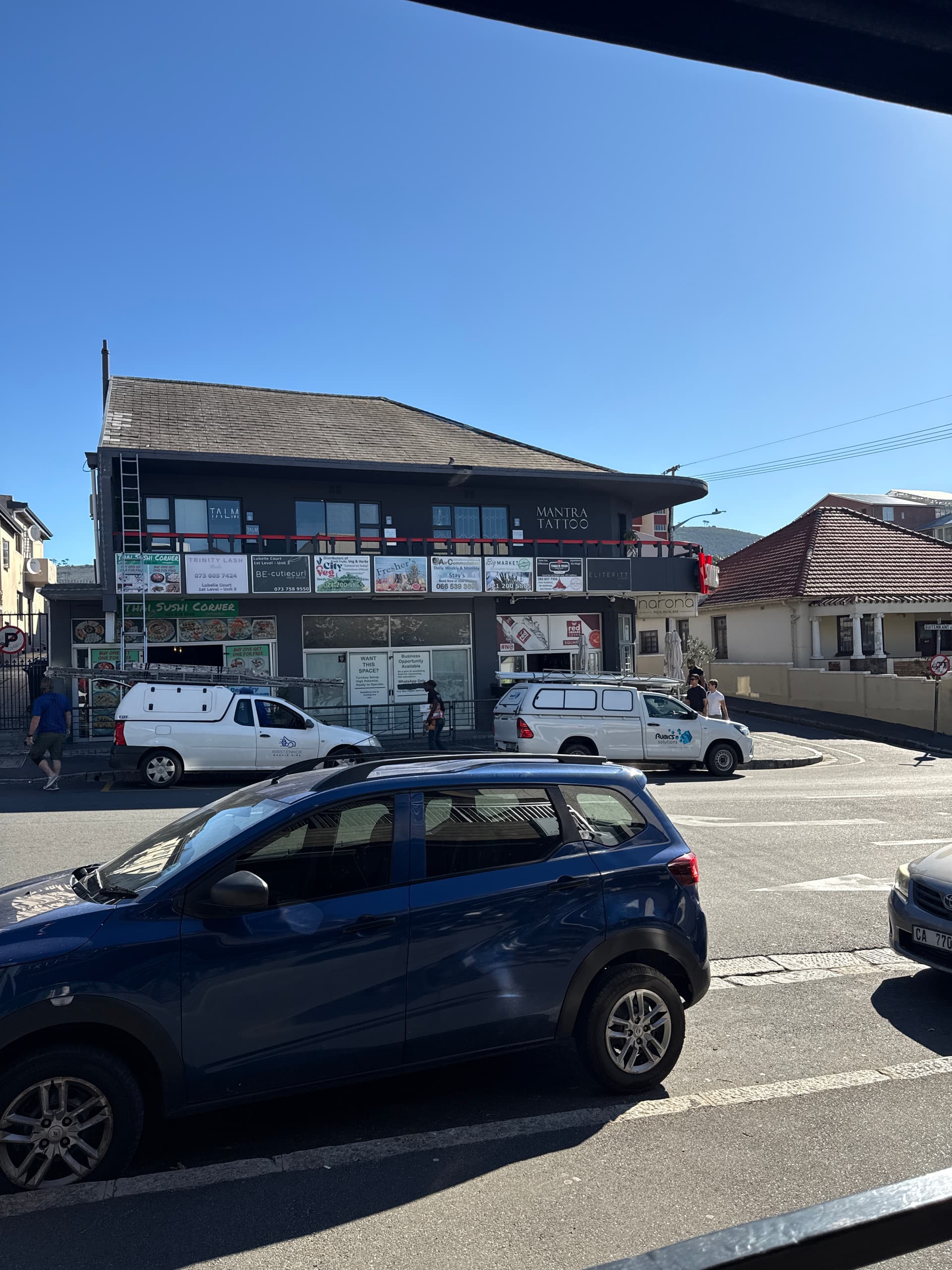
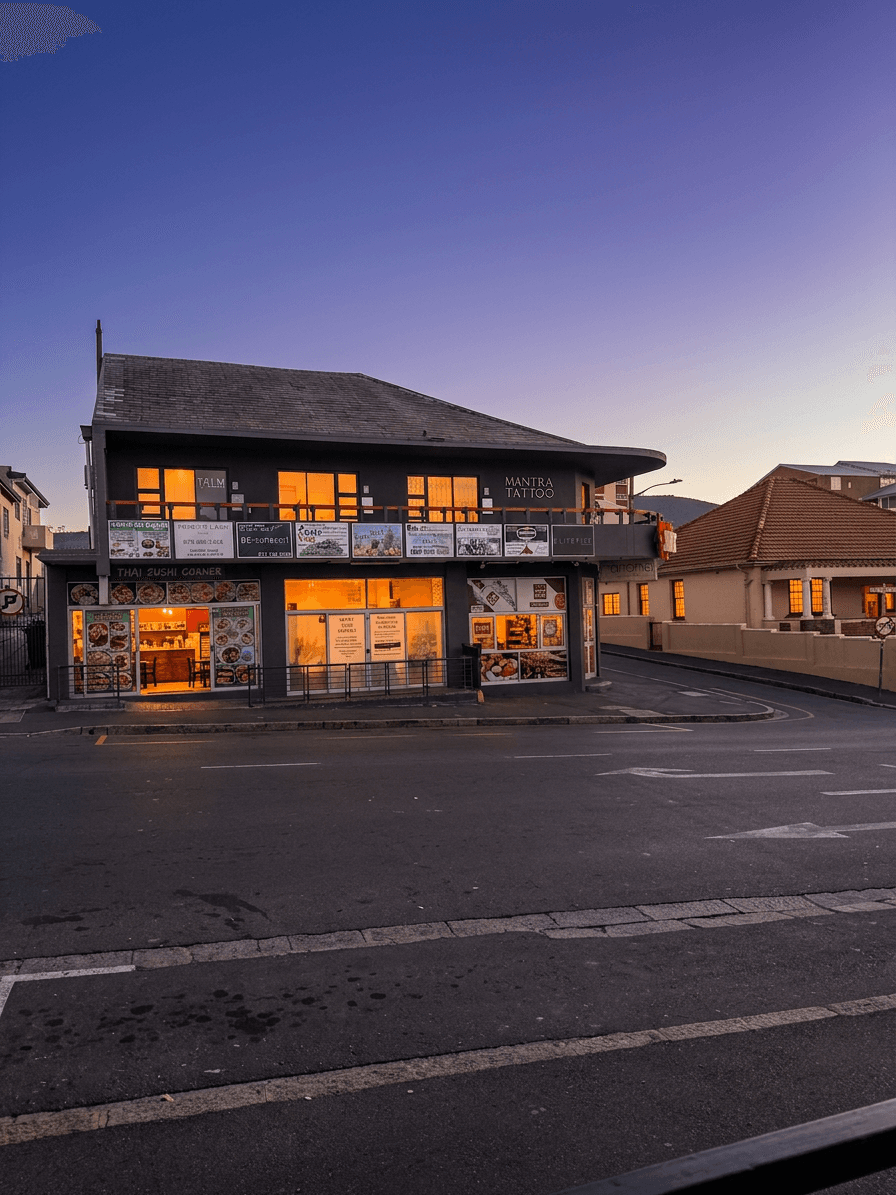
The storefront photo is the hero image for retail listings, just as the exterior is for residential.
Shooting strategy:
- Shoot from across the street to show the full facade, signage area, and street context
- Include pedestrian traffic if possible --- it demonstrates the location's foot traffic
- Photograph at dusk for active retail streets; the glow of surrounding businesses creates an energetic, commercial atmosphere
- Show the parking lot and access points --- retail tenants care deeply about customer accessibility
Editing approach: Sky replacement on overcast days, twilight conversion for evening ambiance, and brightness/contrast optimization to make the storefront pop. For occupied retail spaces, editing should enhance the existing business's presentation; for vacant spaces, editing should make the shell look inviting and full of potential.
Restaurant Spaces
Shooting strategy:
- Capture the dining area from multiple angles to show seating capacity and layout flexibility
- Photograph the kitchen separately --- restaurant tenants evaluate the kitchen independently
- Show ceiling height --- it impacts the feel of the dining experience and renovation potential
- Include the bar area if present, ideally with atmospheric lighting
Editing approach: Restaurant spaces benefit from slightly warmer, more atmospheric editing than office or retail. The goal is to help the prospect visualize their restaurant concept in the space.
Ceiling Height Documentation
Ceiling height is critically important in retail and restaurant spaces and should be communicated visually in every photo.
Strategy: Include full-height shots that show floor to ceiling. Shoot from a low angle with the camera slightly tilted upward to emphasize ceiling height. In editing, ensure the ceiling is well-exposed and visible, not lost in shadow.
Shooting Industrial and Warehouse Spaces
Industrial photography is about communicating scale, condition, and functional specifications.
The Scale Challenge
A 50,000-square-foot warehouse is difficult to convey in a two-dimensional image. The human brain does not process vast enclosed spaces the same way it processes rooms.
Shooting strategy:
- Include a person or vehicle for scale reference whenever possible
- Shoot from corners to show two walls and the full depth of the space
- Use wide-angle lenses (14-16mm) but correct for distortion in editing
- Photograph the clear height --- this is the single most important specification for warehouse tenants
Editing approach: Industrial spaces have extreme lighting challenges. Metal halide or LED high-bay fixtures create uneven illumination with dark areas and hot spots. HDR processing is essential. Color correction is critical because industrial lighting often has severe green or orange casts.
Loading Docks and Access
Shooting strategy:
- Photograph every dock door and truck court
- Show the approach from the road to the building entrance
- Include aerial shots that show the building footprint, truck maneuvering space, and surrounding access roads
Editing approach: Exterior industrial shots benefit enormously from sky replacement. The difference between a warehouse under a gray sky and the same building under a blue sky is dramatic. Twilight conversion is less common for industrial but can be effective for Class A industrial or flex space marketing.
Ceiling Height and Column Spacing
Shooting strategy: These are the two most important specifications for industrial tenants. Photograph the full ceiling height from floor level looking up. Photograph down the length of the building to show column spacing and clear span areas.
Editing approach: Ensure the ceiling is visible and well-exposed. Brighten shadow areas near the floor. Correct the inevitable green or orange color cast from industrial lighting.
Multi-Family and Apartment Photography
Multi-family photography combines elements of residential and commercial photography. You are photographing individual living units (residential approach) as part of a larger property marketing effort (commercial context).
Unit Photography
Shooting strategy:
- Photograph one fully staged or well-maintained unit per unit type (studio, 1BR, 2BR, etc.)
- Use the same shot list for each unit type: living area, kitchen, primary bedroom, bathroom, closet, any unique features
- Focus on natural light and space --- apartment prospects are particularly sensitive to how bright and spacious a unit feels
Editing approach: Bright and Airy is the default standard for apartment interior photography. It makes units feel larger and more inviting. Color correction is important because apartment buildings often have uniform (and uniformly unflattering) overhead lighting throughout.
Amenity Photography
Amenities sell apartments. Pool, fitness center, clubhouse, rooftop, dog park, co-working space --- these shared spaces often require more editorial attention than the individual units.
Shooting strategy:
- Shoot amenities when they look their best --- pool on a sunny day, fitness center when clean and empty, rooftop at golden hour
- Include lifestyle elements where appropriate --- a set table in the clubhouse, fresh towels in the fitness center
- Photograph the parking garage and building entry --- security and convenience matter to renters
Editing approach: Amenity spaces benefit from the full range of AI editing. Sky replacement on the pool deck, twilight conversion on the building exterior, Bright and Airy for the clubhouse and fitness center, HDR for the lobby.
Consistency Across Units and Amenities
Multi-family properties might have 30-50+ photos across units and amenities. Consistency is critical --- the entire photo set should look like it was shot and edited as a unified collection.
AI editing presets ensure this consistency automatically. Apply the same interior preset to every unit and every amenity space, and the visual cohesion is guaranteed.
Editing Commercial Spaces with AI
AI editing tools that were originally built for residential real estate are increasingly valuable for commercial photography.
HDR for Offices
Office spaces with floor-to-ceiling glass facades create the most extreme dynamic range scenarios in real estate photography. AI HDR processing handles this automatically, balancing the bright exterior view with the darker interior space.
Bright and Airy for Vacant Spaces
Vacant commercial spaces can look dark, cold, and uninviting. The Bright and Airy preset transforms vacant offices and retail shells into spaces that feel open, light, and full of potential.
Sky Replacement for Exteriors
Commercial building exteriors benefit from sky replacement just as much as residential. A gleaming office tower under a blue sky communicates success and prestige. A warehouse complex under a clear sky looks professional and well-maintained.
For a deep dive into HDR techniques, see our HDR real estate photography guide. For sky replacement specifics, see our sky replacement tutorial.
The Commercial Listing Photo Package
Different commercial property types require different photo packages.
Office Listings
| Component | Photo Count | Notes |
|---|---|---|
| Building exterior | 3-5 | Front, entry, signage, aerial |
| Available suite(s) | 5-10 per suite | Multiple angles, key rooms |
| Building amenities | 5-10 | Lobby, conference, fitness, rooftop |
| Parking | 2-3 | Garage entry, spaces, signage |
| Neighborhood context | 2-3 | Street view, nearby amenities |
| Total | 20-35 |
Retail Listings
| Component | Photo Count | Notes |
|---|---|---|
| Storefront / facade | 3-5 | Day, twilight, street context |
| Interior space | 5-10 | Multiple angles, ceiling, floor |
| Kitchen / back of house | 2-5 | If restaurant-ready |
| Parking and access | 2-3 | Customer parking, delivery access |
| Neighborhood | 2-3 | Adjacent businesses, traffic flow |
| Total | 15-25 |
Industrial Listings
| Component | Photo Count | Notes |
|---|---|---|
| Building exterior | 3-5 | Front, aerial, loading area |
| Warehouse interior | 5-10 | Multiple angles, scale reference |
| Loading docks | 2-3 | Each dock, truck court |
| Office area | 3-5 | If present |
| Site / yard | 2-3 | Storage area, fenced yard |
| Total | 15-25 |
CoStar and LoopNet Requirements
CoStar accepts JPEG files, minimum 1024px wide, sRGB color space. Higher resolution is preferred. Listings with 15+ photos receive significantly more views than those with fewer.
LoopNet recommends at least 10 photos per listing. Premium listings allow unlimited photos. JPEG format, minimum 800px wide, maximum 10MB per file.
Both platforms prioritize listings with more and better photos in their search algorithms, similar to how Zillow and Realtor.com work in the residential space.
Marketing Commercial Listings: Beyond the MLS
Commercial real estate marketing extends far beyond listing platforms.
Broker Presentations
Tenant and buyer presentations (typically PDF or PowerPoint) often include listing photos as the visual foundation. Ensure your photos are exported at high enough resolution for both screen display and print.
Offering Memoranda
Investment sale offering memoranda (OMs) are the primary marketing document for commercial investment properties. They require professional-quality photography presented in a polished, branded format. Your photo editing should match the production quality of the OM design.
Email Marketing
Commercial brokers send property flyers and email blasts to their client lists. A compelling hero image --- often a twilight exterior or a bright, inviting interior --- is the single most important element in driving email engagement.
Social Media
While commercial real estate social media is less developed than residential, LinkedIn has become an increasingly important marketing channel for commercial brokers. The same principles of quality photography apply: professional editing, sky replacement, and twilight conversions help commercial listings stand out in the LinkedIn feed.
Multi-Platform Exports
Export your commercial property photos in multiple sizes: full resolution for CoStar and print, 1920px wide for presentations and email, and 1080px square for social media. AI editing platforms let you download at full resolution, and you can batch-resize using any image processing tool.
Commercial real estate photography is an underserved market with significant opportunity. The combination of proper shooting technique, intelligent AI editing, and platform-specific optimization produces listing presentations that accelerate leasing and sales across every commercial property type. As the commercial market increasingly moves online, the quality of listing photography will only become more important.
For more editing techniques applicable to commercial spaces, see our HDR photography guide and our sky replacement tutorial.
Related Articles
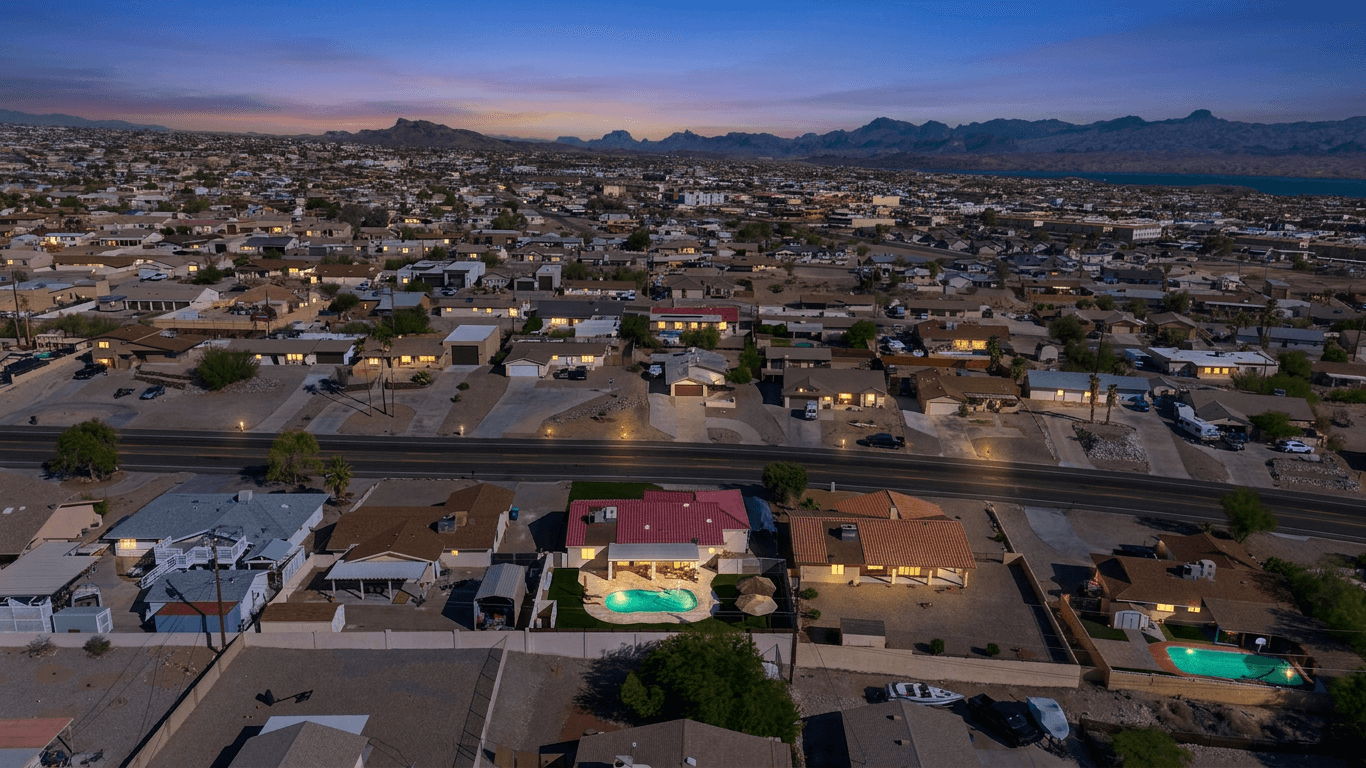
Drone and Aerial Photography for Real Estate: A Practical Guide
Everything you need to know about drone photography for real estate listings, including FAA Part 107 requirements, best practices for angles and altitude, editing tips, pricing, and when aerial shots actually add value.
Property Management Photography: Systems for Consistent Listing Quality Across Portfolios
Build scalable photography systems for property management portfolios. Covers shot list templates, staff training, photo refresh scheduling, asset management, budget allocation, and AI batch editing for consistent quality across hundreds of units.
Real Estate Photo Editing Ethics: What's Allowed and What Crosses the Line
Navigate the ethical boundaries of real estate photo editing. Covers NAR guidelines, state disclosure requirements, the sky replacement debate, virtual staging rules, and a practical framework for staying on the right side of buyer trust.